Home
»Blog Insights
»OpenClaw Setup Guide: Local, VPS, or 1-Click: What Each Choice Means for Your Production Stack
OpenClaw Setup Guide: Local, VPS, or 1-Click: What Each Choice Means for Your Production Stack
Keyur Patel
April 20, 2026
14 min
Last Modified:
April 22, 2026
At the Morgan Stanley TMT Conference in March 2026, a journalist asked Jensen Huang the CEO of NVIDIA, the most valuable company on earth, what he thought the most significant recent development in AI infrastructure was. He didn’t say a chip. He said OpenClaw. An open-source AI agent framework that had been a weekend project four months earlier.
By April 2026, OpenClaw has 340,000+ GitHub stars, making it one of the fastest-growing open-source projects in history. Enterprises are asking their CTOs about it. Developer Slack channels are full of it. NVIDIA built dedicated enterprise security tooling around it.
And in the same four months, security researchers found 42,000+ instances exposed on the public internet with no authentication, documented 138 CVEs, and identified 1,467 malicious skills distributed through its community marketplace.
Both of those things are true simultaneously. That’s the setup decision you’re actually making.
This post gives you the deployment decision framework, which path fits your situation, what the real security implications are, and the five signals that tell you a DIY setup has outgrown what any guide can cover.
What OpenClaw Actually Is (and What It Isn’t)
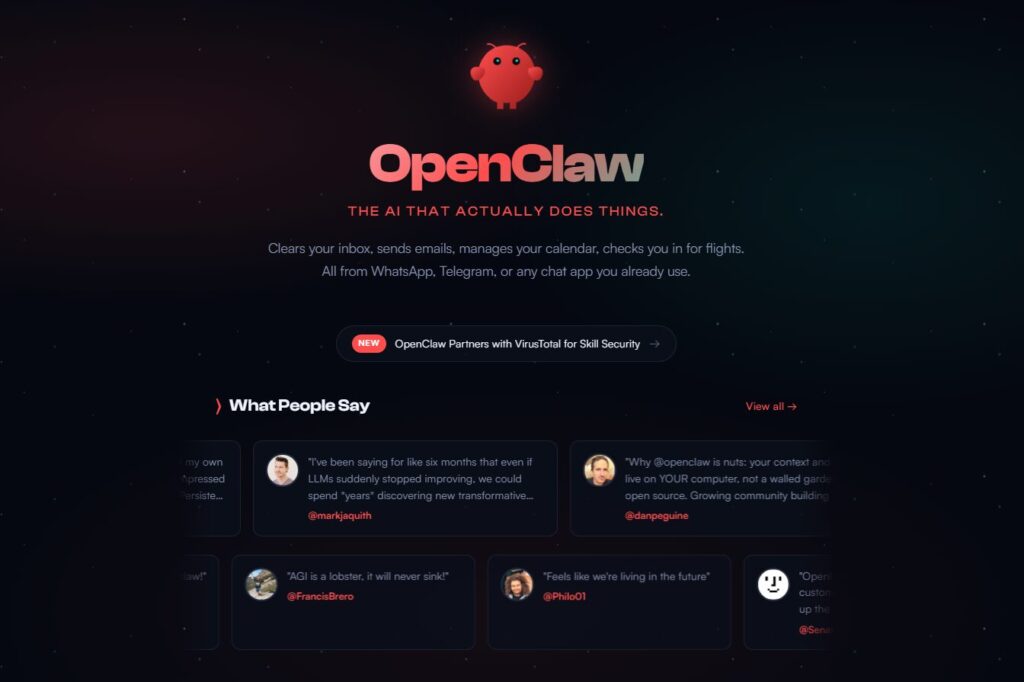
Most people install OpenClaw expecting a smarter chatbot. What they actually get is a local gateway process with system-level access to their machine. That distinction drives every deployment decision downstream.
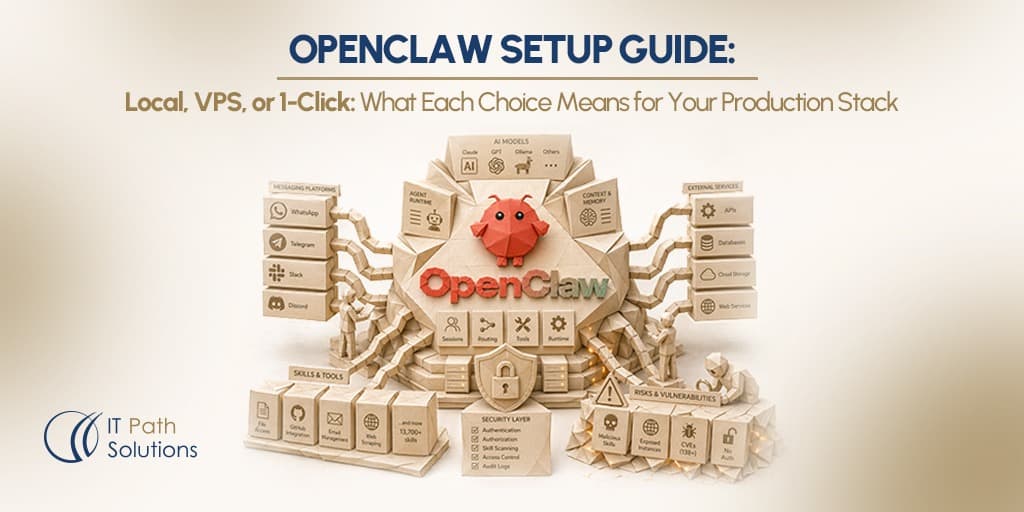
At its core, OpenClaw is a long-running Node.js service that connects large language models like Claude, GPT, local models via Ollama, others to your messaging apps and your machine’s resources. Messages come in from WhatsApp, Telegram, Slack, or Discord. The Gateway routes them to an agent runtime. The runtime calls a model, optionally uses tools and skills, and sends the response back through the same channel.
- Gateway
The always-on control plane that manages sessions, channel routing, and tool dispatch. Runs on port 18789 by default. Think of it as the server process that your agent lives inside and the part that determines whether your agent is reachable only by you, or by anyone on the internet.
- Skills
Small packages that give your agent new capabilities file access, GitHub integration, email management, web scraping, and hundreds more. The equivalent of browser extensions: powerful, easily installed, and carrying the same supply chain risks if you install them without review.
The community marketplace where skills live. As of April 2026, it holds 13,700+ options with VirusTotal scanning now integrated. Snyk’s ToxicSkills audit in February 2026 found 1,467 malicious skills in the registry before that scanning was in place like credential harvesters, cryptominers, and reverse shells among them. Treat every skill like a third-party npm package: read the source before you run it.
OpenClaw was originally called Clawdbot when creator Peter Steinberger released it in November 2025. Anthropic’s legal team sent a trademark notice in January 2026 because “Clawd” was too close to “Claude”, triggering two rapid rebrands in four days before the project settled on OpenClaw. Steinberger joined OpenAI on February 14, 2026, and the project was transferred to an independent open-source foundation. Development has not slowed since.
The framing that matters for your deployment decision: OpenClaw is not a product. It is infrastructure. It has access to your file system, your API keys, your shell, and every external service you connect it to. That’s what makes it genuinely useful and what makes the setup decision an engineering decision, not a configuration one.
Three Setup Paths — Which One Fits Your Situation
The most common mistake in OpenClaw deployments is treating the local vs. VPS vs. managed decision as a preference. It isn’t.
In simple terms, this means that each way of running OpenClaw, whether on your own computer, a VPS, or a managed service which comes with different levels of security, reliability, and effort needed to maintain it. So, the best choice isn’t about what you prefer, but about how important the system is, who relies on it, and what other systems it connects to.
OpenClaw requires Node.js 22.16+ (Node 24 recommended) and a minimum of 2GB RAM for cloud API key setups, scaling to 8–16GB if you want to run local models via Ollama on the same machine.
| Situation | Best path | Uptime | Security burden | When to bring in a senior engineer |
|---|---|---|---|---|
| Solo developer, personal automation, testing | Local (laptop / Mac) | Agent sleeps when machine sleeps | Low — credentials stay on your device | Never, unless work systems are connected |
| Small team (2–5), internal automation, always-on required | VPS (self-managed) | 24/7 | High — hardening, firewall, CVE monitoring required | From day one if production data is involved |
| Non-technical founder who wants automation without terminal setup | 1-Click managed (Hostinger, Blink Claw) | 24/7 | Medium — host manages infra, you manage skill selection | If you need custom integrations beyond the preset skill library |
| Technical team deploying OpenClaw as internal infrastructure | Docker on VPS or PaaS (Sevalla, Fly.io, Railway) | 24/7 | High — isolation, secret management, patch cycle | Before production — architecture and security review first |
| Enterprise or regulated industry | NemoClaw (NVIDIA’s enterprise stack) or managed vendor | 24/7 | Managed by vendor + your compliance requirements | Yes — agentic architecture review before any production deployment |
1. Local setup
The install path is genuinely simple: npm install -g openclaw@latest, then run openclaw onboard --install-daemon and the wizard handles the rest.
For a personal automation setup, like morning briefings, email triage, and personal research, local is the right call. Your credentials stay on your machine, the security surface is minimal, and the cost is free software, plus LLM API costs (typically $10–50/month for moderate use).
The limit: close your laptop and your agent goes dark. Home internet doesn’t give you a stable webhook endpoint for most channel integrations. Local is a development and personal use environment, not a team deployment.
2. VPS setup
A VPS (a cloud-hosted virtual machine, running 24/7 on someone else’s server infrastructure) gives you always-on uptime, a stable network connection for webhooks, and the ability to isolate your agent’s credentials from your work machine. Providers like Hetzner, DigitalOcean, or Hostinger offer suitable plans starting at €5–$10/month.
The critical step most guides omit: by default, OpenClaw’s Gateway binds to 0.0.0.0 , all network interfaces. On a VPS, that means the control panel is reachable from the public internet. In February 2026, researchers found over 42,000 instances exposed this way, with 63% having no authentication configured at all. The fix is a one-line config change, set gateway.bind: "loopback" combined with Tailscale or SSH tunneling for your own remote access. This is not optional if you’re running a VPS deployment.
3. 1-Click managed
Hostinger’s 1-click OpenClaw install and managed options like Blink Claw take infrastructure off your plate entirely: they handle Docker setup, SSL, and the initial configuration. Plans typically run $20–$50/month including hosting. What you give up is full control over skill selection, data residency, and the ability to run custom integrations that aren’t in the preset library. For non-technical founders who want the capability without the terminal, this is the right starting point.
4. Docker / PaaS
Docker deployment gives you reproducibility, clean dependency isolation, and easy rollback when OpenClaw ships an update that breaks something (it ships frequently, check the release notes).
PaaS providers like Sevalla, Fly.io, or Railway handle the underlying server maintenance. This is the recommended architecture for a technical team treating OpenClaw as shared infrastructure, not because it’s simpler, but because it’s more maintainable at scale.
The Security Reality No Setup Guide Tells You
OpenClaw’s power comes from the same design feature that creates its security risk: it can execute real actions on real systems on your behalf. That’s not a flaw, it’s the product. But it means the security configuration isn’t something you add later. It’s part of the deployment decision from the first day.
Three risks every team needs to understand before any production deployment:
- The Gateway exposure risk.
CVE-2026-25253 (CVSS 8.8), patched in version 2026.1.29, allowed a one-click remote code execution — visiting a malicious webpage while OpenClaw was running handed over the auth token, giving an attacker full access to the local agent. No prior access required. In March 2026, nine additional CVEs were disclosed in four days, including a privilege escalation rated 9.9 out of 10. The total CVE count stands at 138 as of April 2026. The security picture has improved since the February peak, but the patch cycle is active and ongoing.
- The ClawHub supply chain risk.
Snyk’s ToxicSkills audit in February 2026 scanned 3,984 skills and found 1,467 malicious ones — about 37% of the sample including credential harvesters, reverse shells, and cryptominers.
VirusTotal integration and mandatory code review for new submissions have since been added, but the underlying risk remains: any skill you install gets the same permissions as your agent. Treat every ClawHub skill like a third-party npm package. Read the source. Check install count and review recency. If you haven’t reviewed the code, don’t install it.
- The API key sprawl risk.
OpenClaw stores credentials in plaintext Markdown files under ~/.openclaw/ by default. Every service you connect like Gmail, GitHub, Slack, your CRM, your payment processor adds its keys to that directory. An agent with access to everything is an agent that, when compromised, exposes everything. Least-privilege scoping from day one: give the agent access only to what it needs for its defined workflows.
Before any OpenClaw deployment touches production systems, your team needs these five steps in place:
| Step | What to do | Why it matters |
|---|---|---|
| 1. Bind to loopback | Set gateway.bind: "loopback" in config |
Prevents the Gateway from being reachable on any public network interface |
| 2. Set a strong gateway token | Generate a 64-character random token, store it in a password manager | Prevents unauthenticated access to the control interface if the bind step is misconfigured |
| 3. Block port 18789 at the firewall | UFW rule or cloud firewall — close this port externally | Second layer of protection; defence in depth |
| 4. Audit every skill before install | Read the GitHub source, check install count, verify recent reviews | Blocks the supply chain attack vector that delivered 1,467 malicious skills in early 2026 |
| 5. Use Tailscale for remote access | Replace any public port exposure with a private Tailscale network | Eliminates the most common VPS exposure pattern without adding setup complexity |
Your agentic stack is only as good as the engineering behind it.
If OpenClaw is already running in your stack or about to be and you don’t want to find the weak spots after something breaks. IT Path Solutions helps teams lock down and production-proof their setups fast, without slowing development. From OpenClaw to Antigravity and Bolt.new to Lovable, we’ve seen where things fail and how to fix them before they do.
What Teams Are Actually Using OpenClaw For
Not every use case is equal. The highest-ROI OpenClaw deployments share two things: the workflow involves unstructured judgment like reading context, making a call which is not just data routing between defined fields. And the agent runs on a schedule without hand-holding.
The lowest-ROI deployments try to replace structured, repeatable workflows where n8n or Zapier would be faster, cheaper, and easier to audit.
Here’s where the community data shows measurable returns for technical teams:
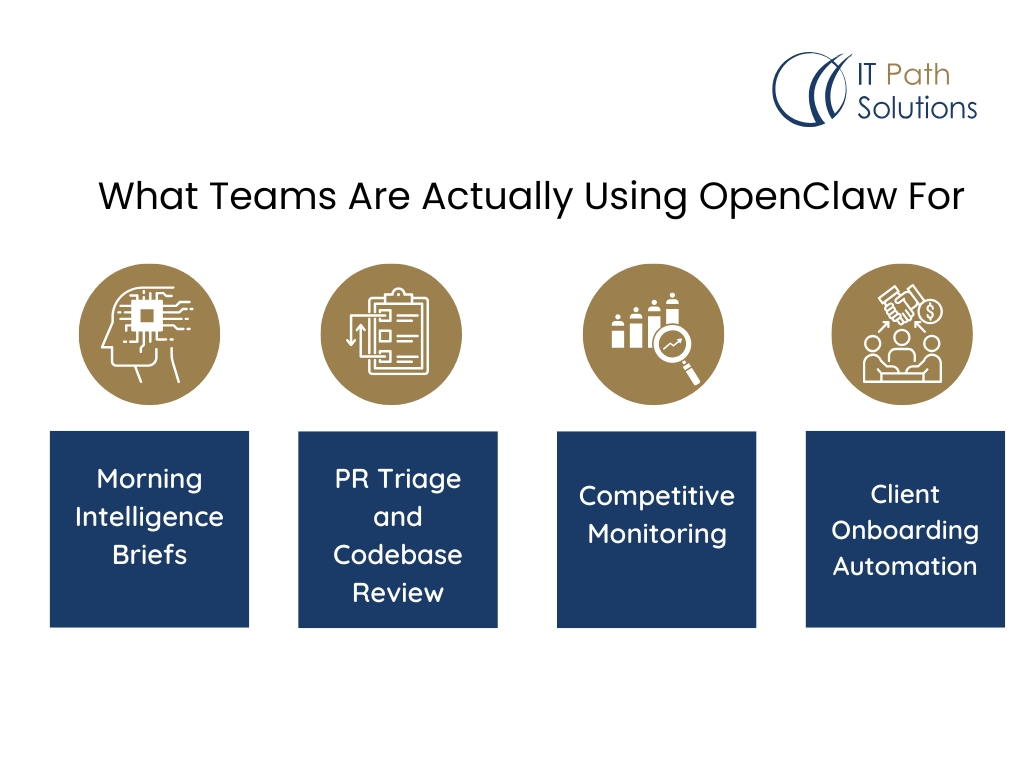
- Morning Intelligence Briefs
Calendar, email priority, competitor news, and task list, compiled into one Telegram message before the workday. Community deployments report 20+ minutes saved daily. Setup time: 30 minutes for a basic version.
- PR Triage and Codebase Review
OpenClaw with the GitHub skill reviews PRs overnight, flags test coverage gaps, and summarizes changes. Benchmarks from community deployments indicate 2–3x acceleration on review cycles for small teams without dedicated code reviewers.
- Competitive Monitoring
A scheduled agent scrapes competitor pricing pages, product update blogs, job postings, and formats findings into a weekly structured report. One documented SaaS founder setup surfaced a competitor pricing change 48 hours before it reached industry news.
- Client Onboarding Automation
CRM webhook triggers a sequence: welcome email, project folder creation, Slack channel setup, calendar invite, executed end-to-end by the agent. The Interactive Studio documents this as one of the highest-value business use cases, replacing a 45-minute manual process per new client.
Where OpenClaw underperforms
High-volume, structured, repeatable workflows. If the task is “sync 10,000 rows from Airtable to Postgres every hour” n8n handles that faster, at lower cost, with a full audit trail and no LLM token spend. OpenClaw’s strength is judgment and context. When the task is deterministic, the LLM layer adds cost and latency with no benefit. The most effective automation stacks in 2026 use both: n8n as the backbone, OpenClaw as the brain. n8n asks “what are the steps?” whereas, OpenClaw asks “what is the goal?”
For teams already using AI-assisted development workflows, OpenClaw adds an autonomous operations layer on top, handling the research, monitoring, and coordination tasks that currently require context-switching out of your development environment.
The 5 Signals Your OpenClaw Deployment Needs Senior Engineering Review
Most OpenClaw deployments start as individual setups. The moment a second person relies on it, the moment it connects to production systems, or the moment it handles data you can’t afford to lose and the individual setup model breaks.
These are the five signals we see in every agentic stack before something goes wrong.
| Signal | What’s happening | Why it matters |
|---|---|---|
| Agent has access to production credentials | API keys for live systems are in ~/.openclaw/.env |
A single compromised skill or prompt injection exposes everything those credentials touch |
| More than one person depends on the deployment | The setup assumes a single user — no RBAC, no audit trail | When a shared agent takes an action, nobody knows who triggered it or why — until something breaks |
| Skills being added without code review | ClawHub skills installed to solve new problems as they arise | 37% of community skills in early 2026 had documented vulnerabilities; the risk hasn’t disappeared |
| Multi-step workflows touching external APIs | Agent calls payment systems, sends customer emails, or pushes to production repos | Agentic loops that fail mid-execution leave partial state — no rollback without intentional design |
| Nobody can explain what the agent has access to | Credentials accumulate as workflows are added over weeks or months | Least-privilege architecture requires intentional design from day one — retrofitting it is expensive |
OpenClaw’s power is architectural: it can do almost anything you connect it to. That’s exactly why the setup decision is an engineering decision, not a configuration one.
The teams getting the most out of it treated it as infrastructure from day one, with architecture, security boundaries, and a senior engineering review before any production workflows went live.
If any of the five signals above apply to your current deployment, the right next step isn’t another tutorial. It’s a structured review of your access surface, your skill inventory, and the failure modes in your most critical workflows. That’s the work that stops a compromised ClawHub skill or a misconfigured Gateway from becoming an incident.
For the architectural patterns that show up in every agentic codebase we inherit, see our analysis of what agentic development gets wrong about architecture. For the production readiness checklist our engineers run on every agentic stack before a deploy, see the senior engineering checklist for agentic codebases.
The Setup Decision Is the First Architecture Decision
OpenClaw is genuinely the fastest path to a 24/7 autonomous agent in 2026. Jensen Huang didn’t call it the most important software release for nothing. The use cases are real, the community is active, and the tool does what it says.
The deployment path like local, VPS, 1-click, Docker, and enterprise isn’t a preference. It’s the first architectural decision you make about your agentic stack. It determines your agent’s uptime, your security posture, your maintenance burden, and your blast radius if something goes wrong. Those decisions compound. The teams that got this right treated it as infrastructure from day one.
If you’re building your OpenClaw deployment on top of an existing vibe coding or AI-assisted development workflow, the architecture decisions multiply. What your agent can access, what your existing stack exposes, and how the two interact are all questions that benefit from a senior engineering review before you connect the two.
Planning a production OpenClaw deployment? Get the architecture review first.
If your team is deploying OpenClaw to handle real workflows, or if you have an existing instance that didn’t go through these hardening steps, an architecture review before you connect production systems is the right call.
Our expert engineers at IT Path Solutions have reviewed and hardened many agentic stacks since before OpenClaw existed.
We read the codebase, map the access surface, and get the deployment right from day one.

Keyur Patel
Co-Founder
Keyur Patel is the director at IT Path Solutions, where he helps businesses develop scalable applications. With his extensive experience and visionary approach, he leads the team to create futuristic solutions. Keyur Patel has exceptional leadership skills and technical expertise in Node.js, .Net, React.js, AI/ML, and PHP frameworks. His dedication to driving digital transformation makes him an invaluable asset to the company.
Related Blog Posts

How RivalRadar Uses AI Agents to Track Competitors Automatically

How to Build an AI Influencer Platform in 2026: The Next Frontier for Brands, Creators, and Digital Product Teams