Home
»Blog Insights
»Why Lovable Apps Break the Moment Real Users Log In (And What to Do When Yours Does)
Why Lovable Apps Break the Moment Real Users Log In (And What to Do When Yours Does)
Keyur Patel
March 27, 2026
17 min
Last Modified:
April 22, 2026
You built something real. You used Lovable or Bolt.new, Base44, Replit to go from idea to working product faster than any previous generation of founders could manage. The demo looked great. The waitlist opened. You sent the link.
And within hours, the messages started coming in.
“I can’t log in.” “It logged me out in the middle of my project.” “I’m seeing someone else’s data.”
This is not an edge case. It is the default outcome for Lovable apps hitting real users for the first time. Roughly 90% of AI-built projects never reach production at all and for those that do, authentication is where the breakage concentrates.
The reason is specific: Lovable builds for demo mode. Demo mode ends the moment someone else tries to log in.
Your login screen is the first moment your app has to handle real identity, real session state, real database permissions, and real concurrent users all at once. Every assumption the AI made during the build, that there’s one user, that the session is fresh, that the access rules work gets tested simultaneously. Most of them fail.
This post is a diagnostic and a recovery framework. By the end, you should be able to identify which of five failure modes you’re in, take the fastest diagnostic step for that specific failure, and know exactly what a fix looks like whether you do it yourself or bring in an engineer.
Why Login Is the Hardest Thing Your App Does
Login looks like one action. It’s actually five things happening simultaneously.
- The app checks who you are, your identity verification through Supabase’s auth layer.
- It issues a token that proves you’re logged in, called a JWT (JSON Web Token which is essentially a digital proof of identity with an expiry date, like a temporary access badge).
- It applies rules that determine what data you’re allowed to see and do, called Row Level Security (RLS) policies set at the database level.
- It fetches your specific data, scoped to your account.
- It maintains all of this correctly if you log in from another device, if your session sits idle for an hour, or if 100 other people log in at the same time.
AI tools get steps one and two right. Steps three, four, and five, the ones that involve other users, time, and simultaneous load are where the breaks live.
According to a source, in February 2026, a Lovable-built app exposed 18,000 user records because of a misconfigured access policy in Supabase which is the database and authentication layer that Lovable uses under the hood. The AI had built the access control logic correctly for one user and incorrectly for everyone else. Not because anyone was careless. Because the system was never tested against a second real account.
Here’s the reassurance that matters: this does not mean your app is broken beyond repair. It means the AI got the 20% that requires real engineering judgment wrong. The other 80% and the UI, the flows, the features, the integrations, is almost certainly solid. The 20% that’s broken is a scoped, targeted problem. It’s the kind a senior engineer can diagnose and fix in 48 hours without touching the 80% that works.
The Five Failure Modes at Login
These are the five most common ways a Lovable app breaks when real users log in. Read each one and identify your symptoms before you try to fix anything.
Failure Mode 1: Inverted or Missing Row Level Security (RLS)
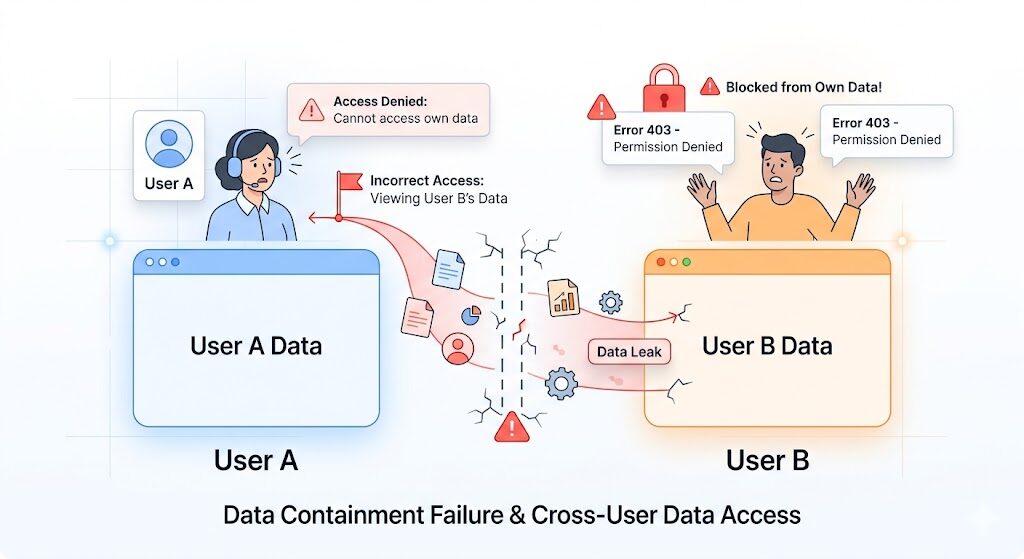
Supabase requires explicit security policies on every database table. Row Level Security (RLS) is the set of rules that determines who can read, write, or delete each row of data in your database. When these policies are missing, all your data is publicly accessible to any API call, authenticated or not. When they’re misconfigured, the logic runs backwards.
Symptoms: Some users can see other users’ data. Newly signed-up users are blocked from their own account data. The app worked perfectly when you were the only user but breaks immediately for new signups. Unauthenticated requests return data they should never see.
AI tools get this wrong because RLS policy logic requires reasoning about multiple simultaneous users, what authenticated user A can see versus what authenticated user B can see versus what no one should see. The AI models the happy path for a single correct user. Not the adversarial case, and not the edge case.
The February 2026 incident was this failure mode, at scale. A separate vulnerability, CVE-2025-48757, identified in May 2025, found 170 production Lovable apps with no RLS enabled at all, i.e., every table in those apps was fully exposed to any API request.
Fastest diagnostic: Go to your Supabase dashboard → select Database → then Tables.
Check the RLS column for every table. Any table showing “Disabled” is publicly accessible. This check takes three minutes and is the highest-priority thing to do before any other diagnosis.
Failure Mode 2: Session Token Expiry With No Refresh Logic
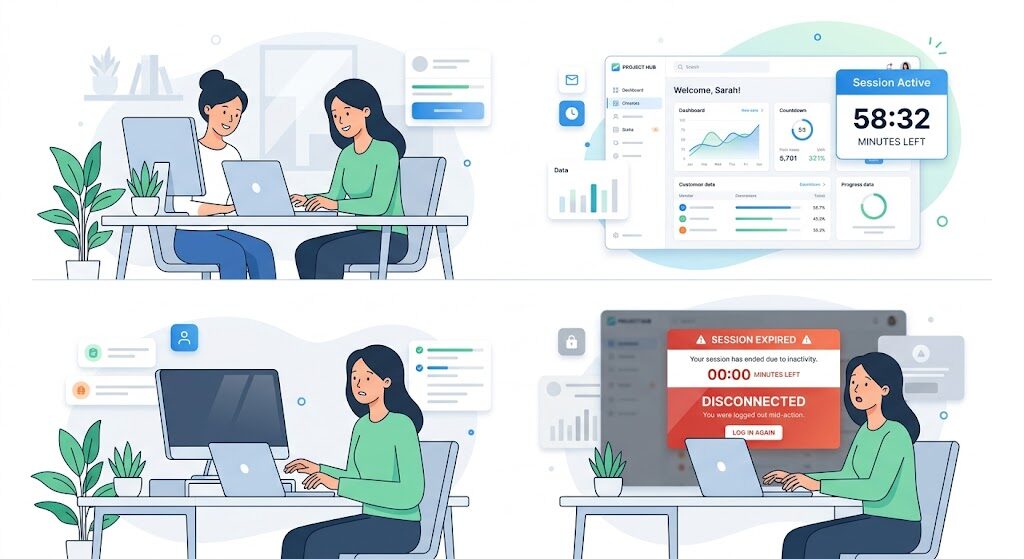
When a user logs in, Supabase issues a JWT with a default expiry, approximately an hour. After that hour, the token is invalid.
For the app to keep the user logged in, it needs to automatically request a new token before the old one expires. This is called token refresh logic.
Lovable-generated auth code almost never includes it.
Symptoms: Users who stay logged in for more than an hour are suddenly logged out mid-task with no explanation. The app redirects to the login screen. Long-form actions like form submissions, multi-step checkouts, document editing fail silently after the session dies underneath them.
This is especially damaging because it happens at the worst possible moment: during active use, when the user has invested time and attention in your product. The experience is that the app deleted their work and threw them out. Trust is destroyed in the moment it should be building.
Fastest diagnostic: Log in with a test account. Leave the browser tab open for 75 minutes without interacting. Then try to use the app normally.
If it redirects to login or throws a network error, you have this failure mode.
Failure Mode 3: Multi-Device and Concurrent Login
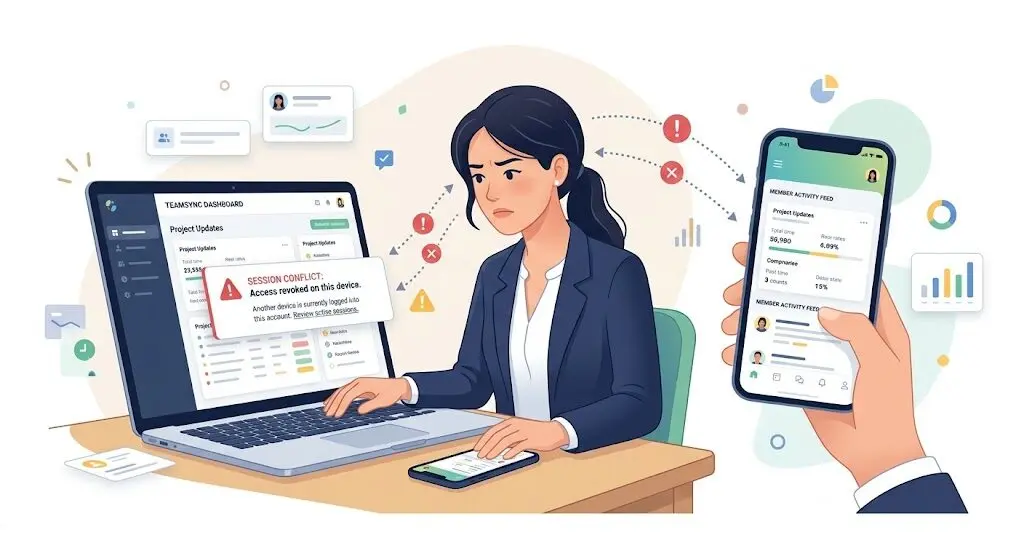
During development, there is one user on one device: you. Real users log in from multiple devices, like phone and laptop, home and office. They also sometimes share accounts, use private browsing, or switch between Safari and Chrome.
Lovable-generated session management almost never handles concurrent sessions cleanly.
Symptoms: A user logs in on their phone and is immediately logged out on their laptop. Data that should be user-specific appears intermittently blank or incorrect. Some users report that the app works fine sometimes and behaves strangely at others but you can never reproduce the issue yourself.
The deeper problem: Lovable apps often use global state management that doesn’t cleanly separate user contexts. Under concurrent load, one user’s session data can bleed into another user’s view, not consistently, but enough to create trust-destroying behaviour that’s extremely difficult to diagnose without knowing where to look.
Fastest diagnostic: Log in with the same test account from two different browsers at the same time. Perform an action in one browser, update a field, submit a form. Check whether it appears correctly in the other browser. If the state is inconsistent or one session kicks out the other, you have this failure mode.
Failure Mode 4: Environment Variable Gaps in Production
In Lovable’s built-in preview environment, the app’s backend credentials, the Supabase project URL, the API keys, the JWT secret are automatically injected. When you deploy to a custom domain or a third-party host like Vercel, Netlify, or Railway, you must configure these variables manually. Lovable doesn’t document this step prominently, and it’s missed on almost every first deployment.
Symptoms: Login works perfectly in Lovable’s editor preview. It fails completely on your custom domain. The failure is silent no error message, just a redirect loop, a blank screen, or an authentication error with no explanation.
Fastest diagnostic: Go to your deployment platform (Vercel, Netlify, Railway, or wherever your app is hosted), navigate to Settings, then Environment Variables. Confirm that SUPABASE_URL, SUPABASE_ANON_KEY, and SUPABASE_SERVICE_ROLE_KEY are all present and match the values in your Supabase project settings exactly. A missing variable causes total silent auth failure on every login attempt.
Failure Mode 5: Missing Error States and Silent Auth Failures
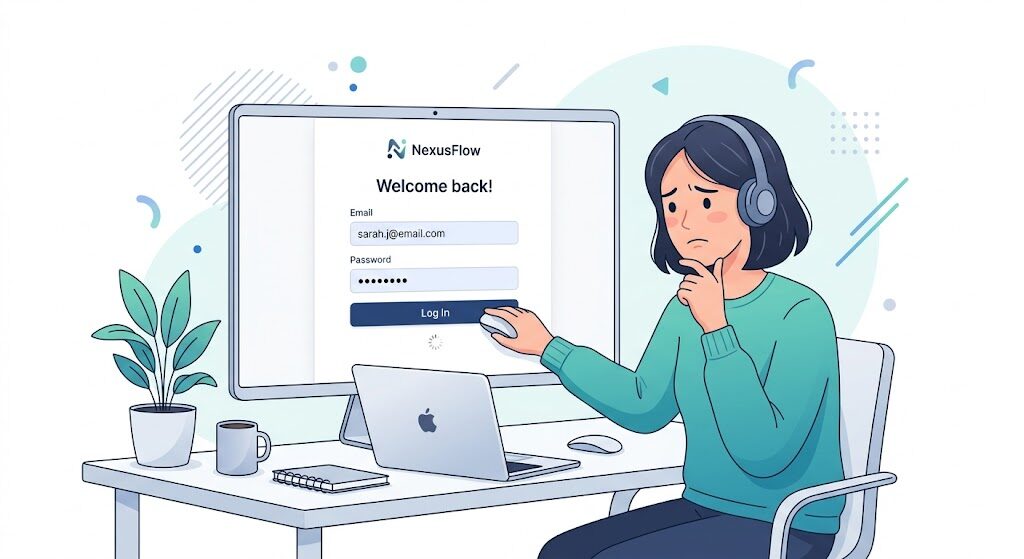
Lovable builds the login success flow cleanly. It almost never builds the failure flows, like wrong password, expired magic link, revoked OAuth token, rate limiting, account not found.
When these states occur and there’s no code to handle them, the app either freezes, spins indefinitely, or silently redirects to the login screen with no message.
Symptoms: A user reports they can’t log in, but you can log in fine with your account. The login button stops responding for specific users with no visible error. New users invited via link or magic link find they can’t access their accounts. You see no record of the failure anywhere.
This matters beyond the bug itself. The login screen is the first experience a real user has with your product. A broken, message-free, silent failure at login is not a bug they’ll forgive, but it’s the app’s first impression that will hinder. Churn happens before the product is even seen.
Fastest diagnostic: Create a fresh test account. Attempt to log in with the wrong password. Observe what the UI does. If there is no error message, no visual feedback, and no corresponding entry in Supabase’s Authentication Logs (found at Supabase Dashboard → Authentication → Logs), you have missing error handling across all auth failure states.
Five Failure Modes at a Glance
| Failure Mode | Key Symptom | Root Cause | Fastest Diagnostic | Typical Fix Time |
|---|---|---|---|---|
| Missing / Inverted RLS | Users see each other’s data; new users blocked from their own | AI misconfigures Supabase access policies for multi-user context | Supabase Dashboard → Database → Tables → check RLS column | 4–12 hours |
| No Session Refresh Logic | Users logged out mid-task after ~1 hour | JWT expiry with no token rotation in generated code | Log in, leave idle for 75 min, use the app | 2–4 hours |
| Concurrent Session Bugs | Inconsistent data across devices; ghost logouts | Global state not separated per user session | Log in same account from two browsers simultaneously | 4–8 hours |
| Missing Env Variables | Login works in preview, breaks on custom domain | Production credentials not configured after deployment | Check Supabase vars in Vercel / Netlify Settings | 30 minutes |
| No Auth Error States | Silent login failures; no feedback, no logs | AI builds success path only, skips failure flows | Attempt login with wrong password; check UI and Supabase logs | 4–8 hours |
The 80/20 Wall — Why This Is Not a Lovable Problem
These five failure modes are not specific to Lovable. They occur in every AI-built app like Bolt.new, Base44, Replit because they all share the same underlying pattern.
AI tools generate the first 80% of an application brilliantly. The features, the UI, the user flows, the database structure, the integrations all of it. Founders who would have spent six months getting to v1 are shipping in two weeks. That’s real. That’s not changing.
The last 20% auth edge cases, multi-user security, error handling, performance under real load requires the kind of engineering judgment that comes from having built production systems before and from having watched exactly which assumptions don’t hold when real users arrive. No AI tool provides this by default. Not because the tools are bad. Because that judgment is accumulated from production experience, not from training data.
The critical reframe: most founders reach this point and think “my app is broken.” The accurate framing is “my app is 80% finished.” The 20% that’s missing is not a design flaw in Lovable. It’s the same 20% that would have been the hardest 20% even if a senior developer had built the whole thing from scratch. The difference is that an experienced engineer knows to look for it. The AI doesn’t and neither does anyone who hasn’t shipped production auth systems before.
By early 2026, developer community consensus has settled on a clear position: building with AI tools at production scale requires engineering knowledge in the loop at the right moments. The apps that survive and scale are not pure AI builds. They’re AI builds with experienced engineers making the decisions the AI can’t make.
The good news is specific: for most Lovable apps that break at login, the 20% is a scoped, targetable problem. Not a rebuild. A fix. A senior engineer who knows where to look can diagnose the root cause in hours and ship the fix in 48.
What To Do Right Now If Your Login Is Broken
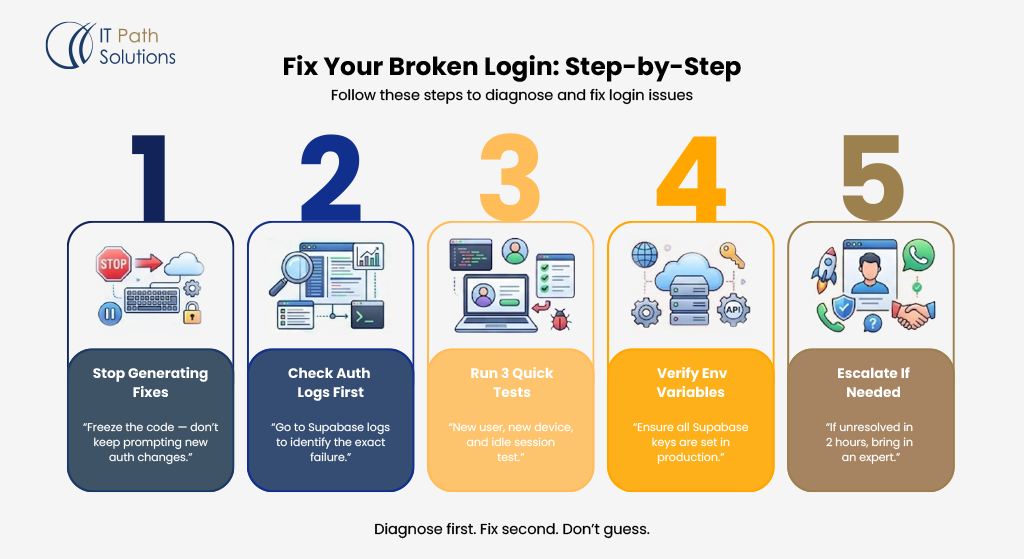
If your app is in production and users can’t log in, work through these five steps in order. Don’t skip ahead.
Step 1: Stop prompting Lovable to fix it.
This is the single most important instruction in this entire post. When auth breaks, the natural instinct is to keep generating fixes describe the problem to Lovable, watch it produce new code, push, test, repeat. Every prompt that touches the auth layer adds complexity, introduces new variables, and makes the root cause harder to find. Founders have burned hundreds of Lovable credits in a single session trying to fix auth issues this way and made the problem significantly worse each time.
Freeze the codebase. Stop generating new auth code until you know exactly what’s broken.
Step 2: Go to Supabase Authentication Logs first.
Before touching anything else: Supabase Dashboard → Authentication → Logs. Every failed login attempt is recorded here with a reason code. A log showing invalid_credentials tells you something completely different from jwt_expired or row_level_security_violated. Know which failure mode you’re dealing with before attempting any fix. This takes five minutes and eliminates hours of guesswork.
Step 3: Run three reproduction tests.
Create a fresh user account you’ve never logged in with before. Log in on a device and browser you haven’t used for your app. Leave the session open for 90 minutes without interacting, then use the app. These three tests will surface Failure Modes 1, 2, and 3 in under 15 minutes and they’ll tell you which one you’re actually dealing with.
Step 4: Check environment variables in production.
If the Supabase auth log is empty and the failure only happens on your custom domain: go straight to your deployment platform’s environment variable settings. Check that SUPABASE_URL, SUPABASE_ANON_KEY, and SUPABASE_SERVICE_ROLE_KEY are all present and correct. This is a three-minute check that fixes the most common cause of total auth failure after a custom domain deployment.
Step 5: If you haven’t found the root cause in two hours, bring in a senior engineer.
There is a clear threshold. If you have read the Supabase auth logs, run the three reproduction tests, and checked your environment variables and you still can’t identify the specific failure you are in root cause territory that requires production engineering experience to diagnose quickly.
Every hour your login is broken is an hour real users are forming their first impression of your product. Two hours of a senior engineer’s time will find and fix what two days of solo debugging won’t.
If you’re at that threshold now: IT Path Solutions’ Ship Faster service is built for exactly this moment. A senior agentic AI engineer looks at your Lovable codebase, finds the root cause, and ships the fix. Same-day starts are available for live production issues.
How to Prevent This Before You Share the Link
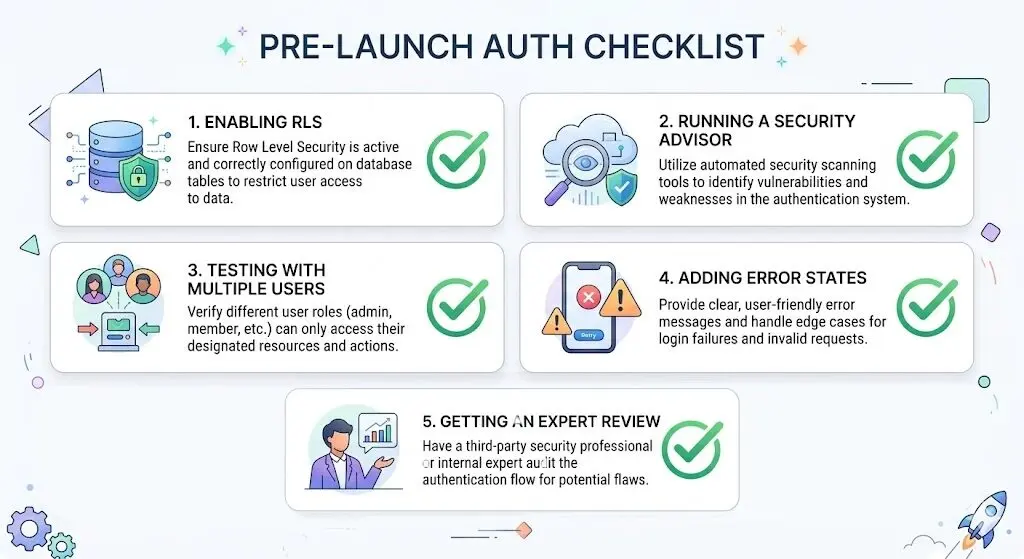
If you’re pre-launch, or if you’ve just resolved a login issue and want to make sure it doesn’t come back, do these five things in order.
Enable RLS on every Supabase table before writing a single line of application logic. This is the one non-negotiable step. RLS-off is the default state in Supabase. Change it before you build anything on top of the table. Fixing it after application code is written is significantly more complex.
Run Supabase’s Security Advisor before any public launch. It’s built into the Supabase dashboard and surfaces misconfigured policies automatically. It takes five minutes. Run it every time before you share a link publicly.
Build and test auth last, with five fresh accounts. Build every feature against a mock user first. Implement real authentication as the final step before launch. Then create five completely fresh accounts different email addresses, different devices if possible and test every auth flow end to end.
Add explicit error states to every auth component. Wrong password. Expired link. Account not found. Rate limit exceeded. Each one needs a specific, visible message. No silent failures. No spinning indefinitely.
Have one senior engineer review the auth implementation for two hours before launch. Two hours of engineering review before launch is cheaper than an incident response after it. This is not a hypothetical the February 2026 incident affected 18,000 users and was the direct result of auth code that was never reviewed by an experienced engineer before it went live.
When the Fix Is Bigger Than a Bug
Most Lovable auth failures are bugs specific, scoped, fixable. But some apps have an auth architecture that was generated incorrectly from the start, where patching one failure mode keeps creating new ones.
You’re in this situation if the bug comes back in a new form every time you fix it. If each Lovable generation creates a new problem alongside the one it resolves. If you don’t fully understand what the generated auth code is doing and aren’t sure the AI does either.
In these cases, more debugging time is not the answer. The answer is a targeted architectural audit. A senior engineer reads the codebase cold without any attachment to how it was built or why, identifies which decisions need to be replaced rather than patched, and produces a scoped plan. This is not starting over. It’s replacing the 20% that’s generating risk while preserving the 80% that works.
The Ship Faster service handles both scenarios: the surgical fix (most cases, 48–72 hours) and the architectural audit for cases where the root cause is structural. The outcome in both cases is the same documented fixes, a codebase you understand, a foundation that holds.
Your App Isn’t Failed. It’s 80% Ready.
A Lovable app is built for one user: you. Login is the first moment it has to work for everyone else.
In development, there is one user, a fresh session, a five-row database, and no concurrent load. The auth token you issued five minutes ago hasn’t expired. The RLS policies have never been tested against a second account. The error states have never fired because you’ve never entered the wrong password.
Real users arrive with real accounts, real devices, real concurrent sessions, and real expectations that the app will behave the same way for them as it did in your demo. Login is the inflection point where every hidden assumption collapses simultaneously. It is not a Lovable problem. It is not a failure of ambition. It is the specific engineering gap that no AI tool fills by default and it’s fixable without starting over.
The five failure modes in this guide account for almost every login issue in almost every Lovable app that breaks after launch. None of them mean the app is irredeemable. All of them mean the app hit the 80/20 wall — the place where AI tools hand off to engineering judgment. That wall has always existed. The only thing that’s changed is that AI tools got you to it faster. Which means you can get past it faster too, with the right people on it.
Book a Free Session if you need any kind of assistance with your vibe coding app.

Keyur Patel
Co-Founder
Keyur Patel is the director at IT Path Solutions, where he helps businesses develop scalable applications. With his extensive experience and visionary approach, he leads the team to create futuristic solutions. Keyur Patel has exceptional leadership skills and technical expertise in Node.js, .Net, React.js, AI/ML, and PHP frameworks. His dedication to driving digital transformation makes him an invaluable asset to the company.
Related Blog Posts

We Fixed a Bolt.new App the Night Before a Product Launch. Here’s the Full Timeline.