Home
»Blog Insights
»No-Code App Builders for Non-Technical Founders: What Lovable, Bolt.new, Replit and Base44 Each Get You and Where Each One Stops
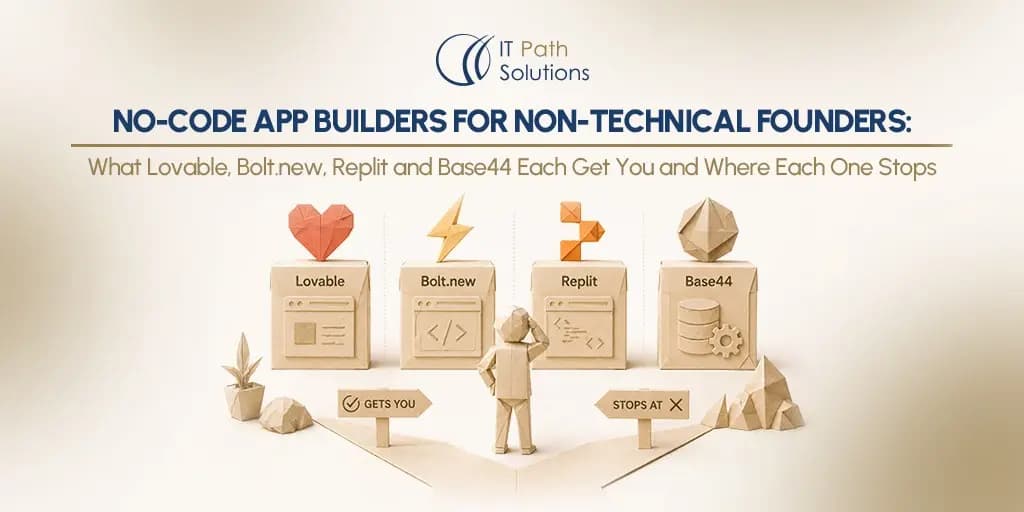
No-Code App Builders for Non-Technical Founders: What Lovable, Bolt.new, Replit and Base44 Each Get You and Where Each One Stops
Rajendra Patel
May 11, 2026
29 min
Last Modified:
May 11, 2026
Something genuinely changed in 2025. If you heard about what vibe coding actually means on a podcast and thought “that can’t be real” it is. Non-technical founders are shipping products that would have required a full engineering team two years ago. The tools are real, the outputs are real, and the time savings are substantial.
As of 2025, the global low-code and no-code ecosystem has matured into a $45.5 billion market, reflecting rapid enterprise adoption and a fundamental shift in how software is built. But here is what the tool vendors will not tell you, every one of these platforms sets a ceiling on what you can build before you need a developer. That ceiling is not a flaw but a design choice. Each tool was built to get you from zero to a working app as fast as possible, and each one is optimized for a different definition of “working.”
The question is not which tool is best. The question is which wall you will hit first and how far away that wall is from where you are right now.
We wrote this guide from post-launch experience, not from vendor spec sheets. We work with the codebases these tools generate. We know exactly what a developer finds when they open a Lovable project, a Bolt.new repo, or a Replit workspace for the first time. That perspective is what this post offers, and it does not exist anywhere else in the comparison landscape.
This blog breaks down what Lovable, Bolt.new, Replit, and Base44 actually help you build, where each platform starts to limit you in real-world scenarios, and what happens when you transition from no-code to a developer-led codebase.
Use the self-diagnostic below to route yourself to the section that matters most for your current stage. The comparison tables further down cover production ceilings and developer handoff points that no tool vendor will publish.
How to Use This Guide: A 3-Question Self-Diagnostic
Before diving into each tool, answer these three questions honestly. They will tell you which section of this guide deserves your full attention.
Question 1: What is your technical comfort level?
Can you read a GitHub diff without confusion? Have you connected an API to a third-party service before, even using a tutorial? If the answer to both is no, that matters. Some tools in this comparison will frustrate you. Others will feel like a natural extension of how you already think.
Question 2: What is the actual scope of your project?
A landing page or simple marketing site sits at one end of the spectrum. A single-workflow MVP with one core action and one user type sits in the middle. A multi-user SaaS product with roles and permissions sits near the top. A native mobile app for the iOS or Android app stores is a separate category entirely. Knowing your real scope before choosing a tool saves weeks of rework.
Question 3: What is your timeline pressure?
Are you validating an idea this week with no users yet, building something to show investors in the next month, or building for real users who are already waiting? Each of these scenarios leads to a different recommendation. The tool that is right for a one-week validation sprint is often the wrong tool for a product that real users will rely on.
Based on those three answers, here is how to route yourself through this guide:
- Start with Lovable if you have no coding background, a web app scope, and need something polished fast. Lovable is best for idea validation through to a simple SaaS MVP.
- Start with Base44 if you have zero technical background, want to be live within hours, and are not yet thinking about handing the code to a developer.
- Start with Bolt.new if you can read generated code, want to understand what is being built, and need more framework flexibility than Lovable offers.
- Start with Replit if you or your co-founder can write or fix code, need a multi-language project or backend scripts, or are building a mobile app.
Lovable: Fastest Path from Prompt to Deployed App
Lovable is the tool most non-technical founders try first, and for good reason. You describe your app in plain English, and within minutes you have a working React interface backed by a Supabase database, deployed, shareable, and visually polished. No configuration. No terminal. No GitHub setup required on day one.
The workflow has three modes. Agent Mode handles autonomous development: you describe a feature, and Lovable explores the codebase, writes the code, and deploys. Chat Mode is for planning and iterating, talking through what to build before building it. Visual Edits let you click directly on elements and change colours, fonts, and spacing without writing prompts. For a non-technical founder, that combination covers most of the early-stage build surface.
What Lovable Gets You
On the technical side, Lovable generates React and TypeScript frontend code from your prompts. The backend is Supabase, giving you a PostgreSQL database, authentication basics, and file storage without configuring any of it yourself.
Deployment is one click to Lovable Cloud or a custom domain. Two-way GitHub sync means your code is not trapped inside the platform; you can take it anywhere. Figma import handles design-to-code conversion if you have mockups. The visual editor gives you direct UI manipulation for colours, fonts, and spacing. Stripe, Clerk, and OpenAI integrations are all supported out of the box.
The realistic build types for Lovable include landing pages and marketing sites, SaaS MVPs with basic user authentication, internal dashboards and admin tools, booking and scheduling interfaces, AI-powered prototypes and demos, and simple e-commerce storefronts.
Pricing
| Plan | Price | Credits Included | Key Features |
|---|---|---|---|
| Free | $0 | 5 daily credits, up to 30 per month | No cost to get started |
| Starter | ~$16/month (annual billing) | Not explicitly specified | Mid-tier option between Free and Pro |
| Pro | $25/month | 100 monthly credits + 5 daily credits (up to 150/month) | Credit rollovers, on-demand top-up credits |
How Far It Takes You
For many founders, a landing page, a simple tool, or an early prototype being tested with ten users, Lovable is entirely sufficient and a developer is never needed. Real founders have shipped SaaS products to paying customers using Lovable alone. The wall is real, but it is further away than critics suggest for simple scopes.
Where Lovable shines is the speed to a visually credible first version. The generated UI looks like a real product, not a wireframe. That matters when you are showing something to investors or early users, and it matters for your own momentum to keep building.
The Production Wall Lovable Hits
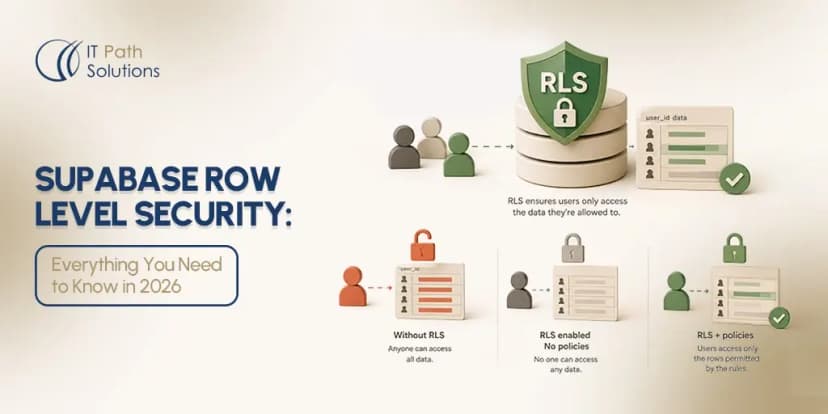
The most documented production failure mode in Lovable-generated apps is Row Level Security misconfiguration. RLS in Supabase controls which users can see which rows in your database. When an app needs per-user data isolation, Lovable-generated RLS policies have a track record of containing gaps that allow data to leak between users.
A critical RLS vulnerability designated CVE-2025-48757 affected over 170 apps in early 2025 and exposed data across more than 300 vulnerable API endpoints. A separate issue surfaced in late 2025 where source code, database credentials, and AI chat histories were exposed for projects created before November 2025. These are not hypothetical risks for production apps serving real users.
Beyond RLS, multi-role authentication becomes unpredictable as app complexity grows. The generated auth logic works well for simple cases and degrades under complex permission trees involving admin, user, guest, and editor roles in the same application.
Supabase concurrency limits surface under real production load from simultaneous users; this requires infrastructure configuration that Lovable does not handle for you. Server-side validation is also generated inconsistently, which means critical business rules enforced only on the client side can be bypassed.
Also read – Why Lovable Apps Break the Moment Real Users Log In (And What to Do When Yours Does)
What a Developer Does When They Take It Over
A developer reviewing a Lovable codebase will go through Supabase RLS policies line by line, audit the generated TypeScript for security gaps, add server-side validation and proper error handling, and migrate to a production-grade auth service if the role complexity warrants it. They will also set up a proper CI/CD pipeline for deployment.
The GitHub sync means the handoff is clean from a code-access standpoint; the work is in hardening what was generated rather than reconstructing it.
For guidance on running this process yourself, see our guide to fixing Lovable login and authentication issues for the most frequent auth problems and their resolutions. For the full handoff process, our developer handoff guide covers how to prepare a Lovable project for a developer engagement.
Lovable Is Right for You If
You have no coding background, you need a polished web app fast, and your project scope is a single-user or simple multi-user tool. You should plan to have a developer verify the security configuration before going live with real users and real data, particularly anything involving RLS policies and payment flows.
Bolt.new: Direct Code Access for Founders Who Want to See Under the Hood
Bolt.new is the most developer-friendly tool in this comparison. If you can read generated code, even imperfectly, even just enough to understand what a file does, Bolt.new has a higher ceiling than Lovable for custom logic and framework flexibility. That is not a marketing claim. It is a structural consequence of how Bolt.new is built.
The foundation is WebContainer technology from StackBlitz, which runs a full Node.js environment entirely inside your browser. There is no local setup, no Docker, no environment to configure. You describe what you want, the code appears in an in-browser IDE, and a live preview loads in the same tab. Crucially, you can see and edit every file that is generated. The code is not hidden behind a chat interface.
What Bolt.new Gets You
Bolt.new gives you a full in-browser IDE where every generated file is visible and editable. Framework choice is a genuine differentiator: Next.js, Svelte, Vue, Astro, Vite, and Remix are all supported, compared to Lovable’s fixed React stack. Bolt Cloud, which launched in August 2025, provides native hosting, databases, user authentication, and integrations without requiring external service accounts.
The WebContainer runs Node.js entirely in your browser with zero local setup. GitHub integration is available. Expo integration handles mobile app development. Supabase integration is also supported for teams who prefer that stack.
Realistic build types for Bolt.new include full-stack MVPs with visible architecture, hackathon prototypes and investor demos, projects requiring specific frameworks, mobile apps via Expo, and apps where the founder wants to understand what is being built as it is generated.
Pricing
| Plan | Price | Token Allowance | Key Features |
|---|---|---|---|
| Free | $0 | Limited token allowance | No cost to start |
| Pro | Starts at $25/month | Starts at 10 million tokens per month | Removes daily token limits |
| Teams | Starts at $30/member/month | Not explicitly specified | Designed for team collaboration |
| Enterprise | Custom pricing | Custom | Tailored for larger organisations |
How Far It Takes You
Bolt.new works well for founders who are not engineers but are technically curious, people who have followed a coding tutorial, who understand what an API call does, or who have a technical co-founder reviewing the output. The ability to see the code in real time is both Bolt.new’s biggest advantage and its steepest learning requirement.
For a founder who is entirely non-technical, watching files get generated can feel overwhelming rather than empowering.
For demos that need to reach an investor or early user fast, Bolt.new delivers. The diffs approach, where only the changed lines of code are updated rather than the whole file, makes iteration faster than most competitors. You can watch your app change in real time as you prompt.
The Production Wall Bolt.new Hits
Moving from Bolt’s browser environment to a production server exposes configuration gaps that non-technical founders are typically not equipped to bridge alone. Environment variables, secrets management, and server-specific configuration need attention that the generation process does not resolve for you.
Bolt Cloud added native authentication in August 2025, but connecting it correctly to protected routes in complex app structures requires explicit attention that the AI generator may not provide by default. The diffs approach that makes Bolt.new fast can also produce architecturally inconsistent codebases over time. Large apps built through many small prompt iterations may have contradictory patterns across different files, something a developer will need to resolve before the codebase can be extended reliably.
What a Developer Inherits
A real codebase in a real framework is a meaningful advantage over some other tools. The developer does not need to reverse-engineer an AI abstraction layer. The code is standard framework code they recognise. However, they will typically find inconsistent architecture decisions across the codebase, missing middleware layers, environment variables that need migration to a production secrets manager, and a deployment pipeline that needs proper CI/CD setup. The raw material is solid; the finishing work is real.
Bolt.new Is Right for You If
You can read, even if not write, generated code, you want framework flexibility, you need Expo for mobile development, or you want to understand what is being built as it is built. It is the best choice when the project will eventually be handed to a developer who will work in a standard framework codebase, because the handoff surface is cleaner than most alternatives.
Also Read – We Fixed a Bolt.new App the Night Before a Product Launch. Here’s the Full Timeline.
Replit: Full Browser IDE for Builders Who Will Touch the Code
A direct statement before the feature list: Replit is not a no-code tool. It is a low-code IDE with an AI agent. This is not a criticism. It is a scope definition. The right founder for Replit has at least some code literacy, the ability to read an error message, understand what a terminal output means, or ask a technical co-founder for help interpreting what the AI generated.
Non-technical founders who cannot read error messages will struggle with Replit. Lovable or Base44 will produce faster, less frustrating results for that profile. Founders who can navigate code, even imperfectly, will find that Replit has the highest ceiling of these four tools for complex, multi-language, and backend-heavy projects.
What Replit Gets You
Replit supports over 50 programming languages, including Python, JavaScript, Go, C++, and more, in a browser-based IDE that requires zero local setup. Replit Agent generates apps from natural language in the same way as the other tools, but within an environment where you can see the file tree, terminal, and deployment logs at all times. Built-in PostgreSQL, hosting with SSL, and environment variables are all managed inside the platform.
Real-time collaboration works similarly to Google Docs, making it genuinely useful for a non-technical founder working alongside a technical co-founder. Mobile development via React Native and Expo became available in late 2025.
One-click deploy to a replit.app subdomain is available, with autoscale options for higher-traffic applications. Scheduled jobs and backend automation support cover use cases that purely frontend-focused tools cannot.
Realistic build types include full-stack apps with code oversight, backend scripts and automation workflows, multi-language projects such as a Python data processing layer combined with a JavaScript frontend, native mobile apps via React Native, and collaborative projects where a technical co-founder watches and adjusts the generated code in real time.
Pricing
| Plan | Price | Credits / Limits | Key Features |
|---|---|---|---|
| Starter | Free | Free daily Agent credits | Free AI integration credits, publish 1 app, limited Agent intelligence |
| Core | $18/month (billed annually) | $20 monthly credits | Up to 5 collaborators, unlimited workspaces, autonomous long builds, removes “Made with Replit” badge |
| Pro | $90/month (billed annually) | $100 monthly credits | Everything in Core, up to 15 collaborators, up to 50 viewers, access to most powerful models, private deployments, database restore up to 28 days, premium support, exclusive community |
| Enterprise | Custom pricing | Custom | Everything in Pro, custom seat limits, SSO/SAML, advanced privacy controls, design system support, data warehouse connections, custom groups, dedicated support, single-tenant environments, region selection, static outbound IPs, VPC peering |
How Far It Takes You
Where Replit excels is the breadth it offers. If your product requires a Python data processing layer, a Node.js API, and a React frontend, Replit handles all of it in one environment. No other tool in this comparison offers that flexibility. The real-time collaboration is also genuinely useful for founder pairs where one person describes features in the chat and the other watches and adjusts what the Agent produces.
The community consensus across developer forums is that Replit Agent is assistive, not autonomous. It accelerates work for people who already code. It does not remove the technical prerequisite entirely the way Lovable and Base44 attempt to.
The Production Wall Replit Hits
Effort-based billing surprises are the most consistently reported friction point for active Replit builders. The Core plan includes $20 in monthly credits, but complex builds can exhaust those credits quickly, and the pay-as-you-go billing that follows is not always predictable. Replit’s hosting works well for prototypes and early-stage apps, but under real production load, resource limits and configuration requirements go beyond what the platform sets up by default. The Agent also makes database schema decisions during prototyping that may not reflect best practices for a production system, and those decisions are difficult to reverse once real data exists.
What a Developer Does Next
A senior developer reviewing a Replit project will assess the generated code for architectural consistency, migrate off Replit’s hosting to a production-grade provider such as AWS, Railway, or Render if traffic demands it, resolve the database architecture decisions the Agent made during prototyping, and add proper error handling and logging. Because the code is standard and visible from the start, the transition is relatively smooth for a developer comfortable with the language the Agent used.
Replit Is Right for You If
You or your co-founder can read and interpret code, your project needs multi-language support or backend scripting, you want to build a native mobile app via React Native, or you are comfortable with a more developer-oriented environment in exchange for greater flexibility and a higher production ceiling.
Also Read – How We Shipped a Full Stripe Integration in 3 Days Using Cursor (And What We Would Do Differently)
Base44: Zero-Configuration Everything, Built for the Non-Technical Founder Who Wants to Launch This Week
For the right founder and the right scope, Base44 is the strongest choice in this comparison. If your goal is a live, shareable link with real auth, a real database, and a working app that you can send to users today, Base44 removes more friction than any other tool here. There is no Supabase account to configure, no GitHub repo to connect, no deployment pipeline to set up. You describe what you want. It builds it. It hosts it.
The growth numbers reflect genuine product-market fit. The platform reached 250,000 users in six months, recorded 10,000 sign-ups in its first three weeks, and became profitable within months of launch. In independent tests, it was consistently the tool that produced the most complete output from a single zero-shot prompt for standard use cases like e-commerce storefronts and internal dashboards.
What Base44 Gets You
Authentication, a database, hosting, analytics, and email are all fully managed inside the platform with nothing external to configure. Natural language app generation handles the build itself. Plan Mode lets you define your application flows and logic before spending any credits, which is a meaningful quality-of-life feature for founders who want to think before building. Custom domains are available on paid plans. Every app gets an instant live URL that is shareable immediately. GitHub export of the frontend code is available on paid plans.
Realistic build types include dashboards and internal CRUD tools, simple SaaS products with a single user type, customer portals, simple e-commerce with product listings and a cart, and idea validation with real users this week.
The Wix Acquisition Context
Wix acquired Base44 in June 2025 for a reported approximately $80 million, with additional retention and earn-out terms. Base44 has continued to operate as a distinct business unit within the Wix ecosystem. By early 2026, Base44 had reportedly hit $100 million in annual recurring revenue within nine months of the acquisition, with Wix describing it as a central growth engine and recording more than 1,000 new paying subscribers per day.
For founders currently building on Base44, the practical implication is that Base44’s product roadmap is now directed by Wix rather than an independent team. Wix has signalled its intention to invest heavily in the product, and the early post-acquisition numbers suggest active development is continuing.
However, for products that need to outlast any single platform or that may need to be migrated to a different stack, the dependency on the Wix ecosystem is a real factor in your decision. It does not make Base44 a bad choice. It is context that belongs in your planning.
Pricing
| Plan | Price (Billed Annually) | Credits Included | Key Features |
|---|---|---|---|
| Free | $0 | 25 message credits/month, 100 integration credits/month | Core Base44 features including authentication, database functionality, analytics |
| Starter | $16/month | 100 message credits/month, 2,000 integration credits/month | Unlimited apps, in-app code edits |
| Builder | $40/month | 250 message credits/month, 10,000 integration credits/month | Unlimited apps, in-app code edits, backend functions, AI model select, custom domain, free domain for 1 year, GitHub integration |
| Pro | $80/month | 500 message credits/month, 20,000 integration credits/month | Everything in Builder, advanced tools, backend functions, AI model select, domain support, GitHub integration, early access features |
| Elite | $160/month | 1,200 message credits/month, 50,000 integration credits/month | Everything in Pro, premium support, early access to beta features, full scaling capabilities |
Where Base44 Limits You
The most significant constraint is backend lock-in. The backend stays on Base44’s managed cloud even when you export frontend code. A developer cannot take over the full stack without rebuilding the backend from scratch in a portable technology such as Supabase, PlanetScale, or a custom Node.js API. This is not a problem for founders whose scope stays within what the managed platform supports. It becomes a significant cost when the product has validated and needs to be extended with custom logic or handed off to an external development team.
Complex business logic, custom API integrations, and non-standard workflows hit the ceiling of what the managed stack supports. The platform is designed for common patterns. Uncommon ones require code. Base44 also has a smaller plugin and integration ecosystem than Lovable or Bolt.new, which limits third-party integrations that require webhook handling or custom middleware.
What a Developer Does When They Take It Over
Because the backend cannot be fully exported, a developer engagement on a Base44 project essentially involves rebuilding the backend in a portable stack and migrating the data. The frontend React export is a usable starting point for the frontend work, but the backend is largely net-new. This is a more significant rebuild than the Lovable or Bolt.new handoff scenarios. For founders whose product has validated and needs to scale or be sold, plan for this cost explicitly and factor it into your platform decision from the start.
Base44 Is Right for You If
You have zero technical background, you want to be live today, you are validating an idea or building an internal tool, and you are comfortable with a fully managed platform. If you later need a developer to extend the product, factor the backend rebuild cost into your planning.
Comparison Tables: Tool, Stage, Ceiling, and Developer Handoff
These tables cover the production ceiling and developer handoff points that tool vendor comparison pages will not publish. Every cell in the “When you will need a developer” and “Common production break point” columns reflects real post-launch experience, not vendor documentation.
1. Build Stage and Production Ceiling
| Tool | Best build stage | What it handles natively | What it does not handle | When you will need a developer |
|---|---|---|---|---|
| Lovable | Idea validation to polished MVP | React UI, Supabase DB, auth basics, one-click deploy, GitHub sync | Multi-role auth, RLS at scale, Supabase concurrency, server-side validation | When your app needs per-user data isolation, payment flows with custom logic, or role-based access control beyond basic admin/user |
| Bolt.new | Functional MVP to demo-ready prototype | Multi-framework code generation, browser IDE, Bolt Cloud hosting, databases | Production auth middleware, environment config migration, coherent architecture at large app size | When you need to deploy to a production server outside Bolt’s ecosystem, or when generated architecture becomes inconsistent across a large codebase |
| Replit | MVP for technically literate founders to production apps with code oversight | Browser IDE, 50+ languages, built-in DB and hosting, Agent code generation, mobile via Expo | Autonomous operation for non-coders, predictable billing at scale, production-grade database architecture | When the Agent can no longer make progress without human code intervention, or when hosting limits are reached under real user load |
| Base44 | Idea validation to internal tools to simple customer portals | Auth, DB, hosting, analytics, email, all fully managed with zero setup | Full backend export, custom logic beyond the managed stack, portability away from the Wix ecosystem | When the product needs a portable backend, complex API integrations, or you need to hand off the full codebase to an external developer |
2. Infrastructure and Common Production Break Points
| Tool | Auth layer | Database | Common production break point |
|---|---|---|---|
| Lovable | Supabase Auth, generated via prompts | Supabase PostgreSQL | RLS policy misconfiguration for multi-user data isolation; documented vulnerability history including CVE-2025-48757 |
| Bolt.new | Bolt Cloud Auth, launched August 2025 | Bolt Cloud DB or Supabase integration | Environment config gaps when moving from WebContainer to a production server |
| Replit | Built-in via Replit infrastructure | PostgreSQL, built-in | Database architecture decisions made during prototyping may not scale; effort-based billing surprises on active builds |
| Base44 | Built-in managed auth | Managed cloud DB, not exportable | Backend cannot be exported; a full backend rebuild is required if you outgrow the platform |
The Wall Every Tool Shares: Authentication, Database Concurrency, and Payments
The tools in this post differ in how fast they get you to a working version, how polished that version looks, and how much code flexibility you have when you hit the ceiling. But the ceiling location is approximately the same for all four. Three specific requirements push every AI-generated app past what the current generation of tools can handle reliably without human oversight.
- Multi-user authentication and role-based access control require stateful server-side logic that AI generators produce inconsistently. The simple case, a user who logs in and sees their own data, works reliably across all four tools. The moment you add an admin role, a guest permission level, or an editor who can see some records but not others, the generated code begins to produce unpredictable results. This is not a bug in any one tool. It is a consequence of trying to model complex conditional access logic through natural language prompts.
- Database concurrency is the failure mode that founders encounter when their app finally gets real users. Data integrity under simultaneous writes from multiple users requires database transactions and row-level locking logic. Prototype-optimised code does not include this by default. The result is race conditions: two users update the same record at the same time, and the database ends up in an inconsistent state. This is invisible during solo testing and visible only when the app has real concurrent users.
- Payment flows are where the stakes are highest. Webhooks, failed payment handling, refunds, and subscription state management all require reliable server-side processes that run correctly every single time. No current tool generates this correctly by default. A payment webhook handler that works 90% of the time loses real money. A subscription state check that fails intermittently produces billing disputes. These are not edge cases. They are the normal lifecycle of a subscription business.
These three failure modes share a common characteristic: they require stateful, server-side logic that must be correct 100% of the time, not 90% of the time. AI-generated code is probabilistic by nature. The one partial exception is Replit used by a founder with genuine code literacy, because the code is visible and editable from the start and a technically capable founder can catch and fix these patterns before they reach production.
It is worth stating clearly that for many founders, this wall is never reached. If your app is a landing page, a simple internal tool, a single-user dashboard, or an early-stage prototype you are testing with ten people, these three failure modes do not apply to your situation. The no-code tool may be the right permanent solution for your scope. The wall is real for SaaS products, multi-user consumer apps, and anything with payment processing at scale. It is not a universal ceiling for every use case.
When IT Path Solutions Steps In
If your app is a landing page, a simple internal tool, or an early-stage prototype you are testing with ten users, you probably do not need us yet. When your requirements change, you will know. The tool will stop being able to do what you are asking. The AI will loop on the same errors. A security review will flag something that needs hands-on attention.
When that happens, here is what a typical engagement with IT Path Solutions looks like. We review the generated codebase, whether it started in Lovable, Bolt.new, Replit, or Base44, and identify the specific production gaps. We do not start from scratch unless the architecture genuinely requires it. We either extend the existing stack by adding server-side validation, fixing auth configuration, and setting up payment webhook handlers, or we migrate to a portable production architecture that a growing team can maintain over time.
The ship faster engagement approach is scoped, not open-ended. Same-day assessment slots are available. The starting point is your existing build, not a blank canvas. You keep the work you have already done. We handle the part the AI cannot.
You can also run a pre-launch review yourself before going live with real users using our no-code launch checklist.
Conclusion
Something real has shifted, and it is not just the tools. It is the order in which products get built. What used to begin with architecture and engineering teams now begins with prompts, prototypes, and live links shared within days. That shift is not temporary. It is a permanent change in how early-stage products come to life.
But the second half of that reality matters just as much as the first. Every tool in this comparison is designed to accelerate the first version of your product, not to carry every version that follows. The moment your app needs reliable multi-user logic, consistent data integrity under load, or payment systems that cannot fail, the responsibility moves from the tool to the architecture behind it. That is where the ceiling appears, and it appears regardless of which platform you choose.
The practical takeaway is simple. Choose the tool that gets you to your current goal the fastest, not the one that promises to handle everything later. If you are validating an idea, speed is the advantage. If you are approaching real users, stability becomes the priority. If you are scaling, control over your codebase and infrastructure is what matters.
There is no single best platform in this space, only the right starting point for your stage and a clear understanding of what comes next. The founders who succeed with these tools are not the ones who avoid the wall. They are the ones who reach it with clarity, with users already in place, and with enough momentum to justify what comes after.
Frequently Asked Questions
1. Which is better, Bolt.new or Lovable?
For non-technical founders who want the fastest path to a deployed app with no code knowledge, Lovable is the stronger choice. Its visual editor, managed deployment, and GitHub sync are optimised for outcome-first building. Bolt.new is the better choice for founders who can read generated code, want framework flexibility across Next.js, Svelte, and Vue, and need direct control over their codebase. The decision turns on how comfortable you are looking at and navigating the files Bolt.new generates in real time.
2. Is Replit good for non-developers?
Replit’s AI Agent can generate apps from natural language, but it is not a no-code tool in the way Lovable or Base44 are. Replit’s environment shows you the file tree, terminal, and deployment logs, and when the Agent makes an error, fixing it requires understanding the code. For non-developers with zero code literacy, Lovable or Base44 will produce faster results with less frustration. Replit is the right choice when you have some coding background and want to retain full control of the stack and the flexibility to work across multiple languages.
3. Can you build a real app with no-code?
Yes, with clearly defined scope. Landing pages, single-workflow tools, internal dashboards, customer portals, and early-stage SaaS MVPs are all buildable and deployable using Lovable, Bolt.new, Replit, or Base44 without writing code. The point at which these tools reach their limit is when an app needs multi-user role-based authentication, high-concurrency database operations, or complex payment webhook handling. For those requirements, a developer becomes necessary regardless of which tool you started with.
4. Was Base44 acquired by Wix?
Yes. Wix acquired Base44 in June 2025 for a reported approximately $80 million, with additional retention and earn-out terms. Base44 continues to operate as a distinct business unit within the Wix ecosystem and reached $100 million in annual recurring revenue within nine months of the acquisition. For founders currently building on Base44, the practical implication is that Base44’s product roadmap is now directed by Wix rather than independently. Founders building products that need portability, meaning the ability to migrate to a different stack, should factor this dependency into their platform choice.
5. What can you build with Lovable.dev?
Lovable generates React and TypeScript web applications backed by Supabase. Practical build types include landing pages, SaaS MVPs with user authentication and dashboards, internal tools, AI-powered prototypes, simple e-commerce storefronts, and booking or scheduling interfaces. Lovable does not generate native mobile apps. If your product requires an iOS or Android app in the app stores, Bolt.new via Expo integration or Replit via React Native are better starting points for that requirement.
6. How much does it cost to build an app with no-code?
Monthly subscription costs for the four tools covered here range from zero on free tiers with usage limits to approximately $25 to $160 per month for production-level use depending on the tool and plan. Lovable Pro is $25 per month for up to 150 monthly credits including daily credits. Replit Core is $25 per month billed monthly, with additional effort-based billing for Agent usage that can add significantly to the total on complex builds. Base44 paid plans start at approximately $16 per month and scale to $160 per month for the Elite tier. Bolt.new Pro starts at $25 per month. The more relevant cost question for founders is total build cost including the eventual developer engagement. A no-code MVP costs months less than custom development up front, but complex feature additions after the production wall is reached typically require a developer engagement of two to eight weeks depending on the scope. Verify all pricing directly with each platform before acting on the figures here, as pricing changes frequently across all four tools.

Rajendra Patel
Senior AI Engineer
Rajendra Patel is an AI and senior engineer at IT Path Solutions, where he helps teams build smart and efficient digital solutions. With his hands-on experience and problem-solving mindset, he works on creating technology that actually makes a difference. Rajendra has strong skills in AI, machine learning, and software development. He enjoys turning complex ideas into simple, working solutions and is always exploring new ways to make technology more useful and accessible for businesses.
Related Blog Posts

How RivalRadar Uses AI Agents to Track Competitors Automatically

How to Build an AI Influencer Platform in 2026: The Next Frontier for Brands, Creators, and Digital Product Teams