





The Ultimate Guide to Custom WordPress Website Development in 2025
Keyur Patel
September 12, 2025
4 min
Last Modified:
October 13, 2025
In 2025, creating a custom WordPress website goes beyond aesthetics; it’s about delivering a tailored solution that aligns perfectly with your business goals, provides an exceptional user experience, and drives measurable outcomes. This guide walks you through every detail to ensure your custom WordPress website stands out in functionality, scalability, and performance.
What is Custom WordPress Website Development?
Custom WordPress development involves building a website tailored specifically to your business’s unique needs. Unlike theme customization, which tweaks pre-built templates, custom development offers:
- A unique design that reflects your brand identity.
- Advanced functionalities developed specifically for your workflows.
- Enhanced performance and security features beyond standard templates.
Key Advantages of Custom WordPress Websites
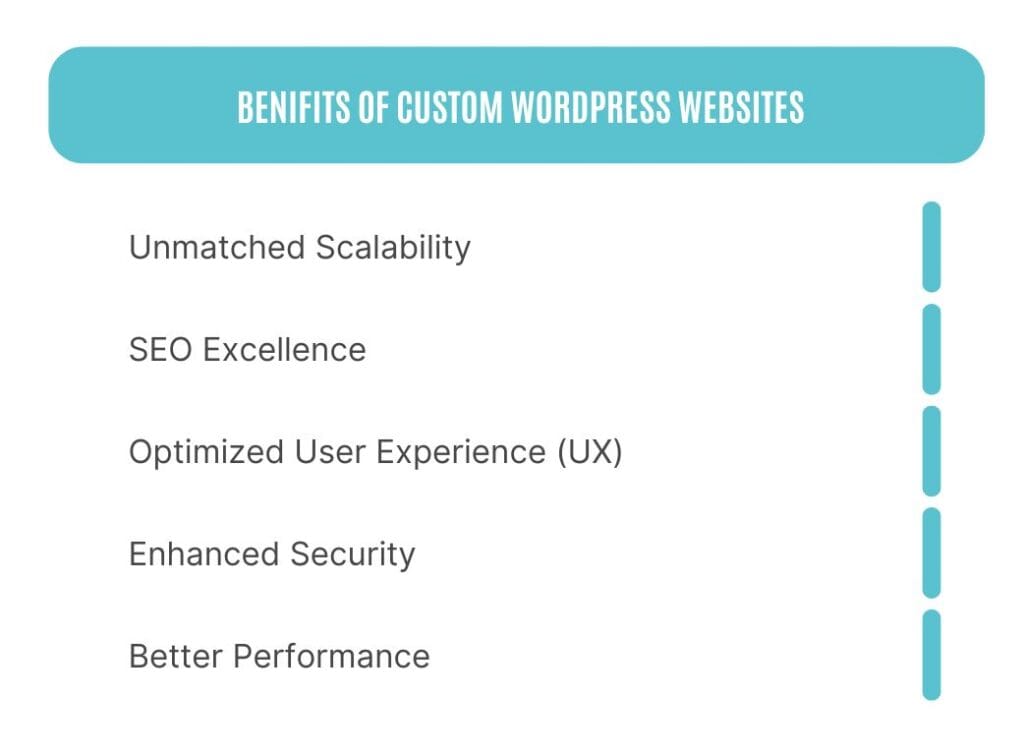
- Unmatched Scalability: Custom WordPress sites can grow with your business. Whether adding new features or expanding user capacity, your site remains flexible and adaptable.
- Enhanced Security: With custom development, you avoid the vulnerabilities of pre-made themes and plugins. You can integrate advanced security measures such as two-factor authentication and server-side validations.
- SEO Excellence: Tailor-made code and performance optimizations boost site speed and search rankings. Tools like schema markup and custom sitemaps provide additional SEO benefits.
- Optimized User Experience (UX): With custom designs, you create seamless, intuitive experiences that guide users effectively, boosting engagement and conversions.
- Better Performance: Lean and optimized code ensures faster load times, improving user satisfaction and SEO rankings.
Step-by-Step Custom WordPress Development Process
1. Strategize with Clear Goals
Begin by identifying your objectives:
- What are your business goals?
- Who is your target audience?
- What functionalities are essential?
2. Requirement Analysis
Work with a business analyst to document technical and business needs, including:
- Must-have features
- Performance metrics
- Integration with other tools (e.g., CRM, email marketing)
3. UI/UX Design
- Collaborate with designers to create wireframes and mockups.
- Focus on responsiveness for devices of all sizes.
- Prioritize accessibility to ensure inclusivity.
4. Development
- Use clean, modular code for maintainability.
- Integrate custom post types, taxonomies, and fields for flexibility.
- Test for cross-browser compatibility.
5. Testing and Quality Assurance
Perform rigorous testing:
- Functional testing
- Performance testing
- Security audits
- Usability testing
6. Launch and Ongoing Maintenance
- Use a soft launch to gather initial user feedback.
- Plan regular updates to ensure security and performance.
- Monitor analytics to adapt and improve continuously.
Team Roles in Custom WordPress Development
- Project Manager: Coordinates timelines and communication.
- Business Analyst: Defines requirements and ensures alignment with goals.
- UI/UX Designer: Crafts user-friendly, visually appealing designs.
- WordPress Developer: Builds and integrates custom functionalities.
- QA Specialist: Ensures quality through thorough testing.
Challenges and How to Overcome Them
- Complex Data Management
- Use optimized database structures and caching solutions.
- Plugin Compatibility
- Avoid over-reliance on plugins; opt for custom-coded solutions where feasible.
- Maintaining Speed
- Optimize images, use a Content Delivery Network (CDN), and leverage advanced caching techniques.
- Budget Constraints
- Prioritize features in phases to ensure ROI while managing costs.
Trends to Watch in 2025
- Headless WordPress
- Decouple the backend for lightning-fast, modern frontend experiences.
- AI-Powered Personalization
- Use AI for predictive analytics, chatbots, and tailored content delivery.
- Integration with Web3 Technologies
- Incorporate blockchain for enhanced transparency and user trust.
- Sustainability in Design
- Focus on energy-efficient hosting and minimalistic design for a greener web.
Cost Breakdown
| Region | Average Cost (USD) |
| Asia | $15,000 – $25,000 |
| Eastern Europe | $25,000 – $45,000 |
| Western Europe | $50,000 – $75,000 |
| USA/Canada | $60,000 – $100,000 |
Maintenance Costs
Allocate approximately 20-30% of your initial development cost annually for updates, hosting, and ongoing improvements.
Pro Tips for Success
- Choose Experienced Developers: Look for a team with proven expertise in custom WordPress solutions.
- Plan for Scalability: Think long-term; include room for future expansions in your initial plan.
- Focus on User Feedback: Continuous improvement based on user insights will keep your site relevant and effective.
- Invest in Security: Regular audits and updates are crucial to maintaining trust.
Custom WordPress website development is a strategic investment. By following this guide, you can ensure your website is not only visually stunning but also a powerful tool for achieving your business goals. Ready to start your journey? Let’s build something exceptional!

Keyur Patel
Co-Founder
Keyur Patel is the director at IT Path Solutions, where he helps businesses develop scalable applications. With his extensive experience and visionary approach, he leads the team to create futuristic solutions. Keyur Patel has exceptional leadership skills and technical expertise in Node.js, .Net, React.js, AI/ML, and PHP frameworks. His dedication to driving digital transformation makes him an invaluable asset to the company.
Related Blog Posts
Laravel vs Django vs NestJS: The 2026 Backend Framework Comparison

How Web Application Development Boosts Digital Transformation for SMEs