Which are The Best Supabase Alternatives in 2026: Your Ultimate Guide

Keyur Patel
May 27, 2026
24 min
Last Modified:
May 27, 2026
Supabase is genuinely good. The Postgres foundation, the auto-generated REST API, built-in auth, and real-time subscriptions make it one of the most productive backend stacks a small team can pick up in 2026. If Supabase is working for you, this post is not for you.
But if you are reading this, something has probably changed. Your free tier project went dark without warning. A bill arrived that did not match your expectations. Your Row Level Security (RLS) policies are producing subtle access bugs your team cannot confidently trace. Or you are preparing for a funding round and need infrastructure you can explain to a CTO without caveats.
Those are specific problems. They deserve specific answers. Here is how to find yours.
Why Developers Start Looking for a Supabase Alternative
Most “supabase alternatives” roundups skip this entirely. They list platforms without asking what broke first. That matters, because the trigger determines the fix.
- Free tier project pausing.
Supabase pauses free tier projects after one week of inactivity. For a demo environment, a client staging build, or an MVP you revisit between sprints, this is a real operational problem. Unpausing is manual and restores access within minutes, but that delay is unacceptable when a demo is live or a client is clicking around at 9 AM.
- Pricing at scale.
The Pro plan starts at $25 per month per project, but compute add-ons, egress charges, and storage costs scale with usage in ways that are not always obvious at signup. Teams that grow from 500 to 50,000 monthly active users in six months often find the jump non-linear. The pricing structure rewards predictable, low-traffic apps and can surprise teams during growth spikes.
- RLS complexity.
Row Level Security is one of Supabase’s most powerful features and one of its sharpest edges. Policies are enforced at the database level, which is architecturally correct. But writing them correctly requires genuine PostgreSQL expertise. Teams without a senior Postgres developer regularly ship RLS configurations that look right but contain gaps, particularly around service role key usage and policies that interact across joined tables. That is not a Supabase failure; it is a skill-gap problem that Supabase’s architecture makes consequential.
- Vendor dependency.
Supabase is open source and self-hostable, but the managed service adds proprietary tooling on top. Teams who have built heavily against the Supabase client library are more coupled than they might assume.
All four of these have workarounds within Supabase. The real question is whether those workarounds have already stopped working for your specific situation.
3 Questions to Ask Before You Switch
Switching backend platforms mid-project is never free. Even the lowest-friction migration on this list involves API query changes, auth integration rework, and testing cycles. The question is not whether switching costs anything (it always does). The question is whether the long-term benefit justifies that cost for your specific situation.
Question 1: Is your core issue cost, control, or developer experience?
Cost complaints point toward PocketBase (self-hosted, you pay only for a VPS) or Firebase (generous free tier for mobile prototypes). Control complaints point toward any self-hostable option: PocketBase, Appwrite, Hasura, or Nhost. Developer experience friction points toward Nhost (closest mental model to Supabase) or Firebase (fastest onboarding for mobile).
Question 2: Do you need to self-host, or are you comfortable with a managed service?
Self-hosting removes per-seat and per-MAU billing but adds infrastructure responsibility. PocketBase and Appwrite are built for self-hosting. Nhost and Firebase are primarily managed. Hasura sits in the middle. If your team does not have someone who can own a VPS, Docker configuration, and uptime monitoring, a managed service is the right default.
Question 3: How much of your existing codebase are you willing to rewrite?
If the answer is “as little as possible,” Nhost or Hasura are the lowest-disruption options because the database stays on PostgreSQL. If you are moving to Firebase, plan for a data model rethink, not just a migration script. The comparison table later in this article breaks this down by platform.
Firebase: Best for Mobile-First Apps and Google Ecosystem Teams
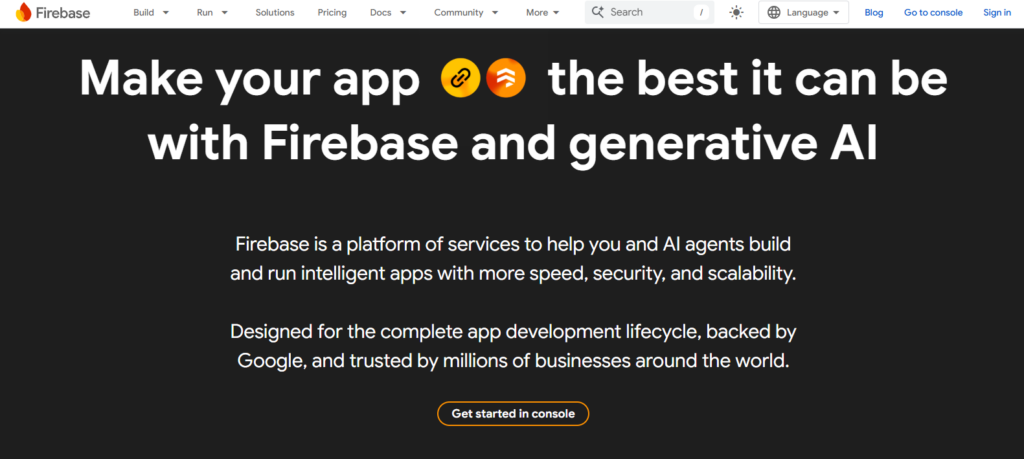
Firebase is one of the most searched Supabase alternatives, though calling them direct competitors is a bit misleading. The comparison is less about quality and more about architectural fit. Firebase has been in production for over a decade and its SDK ecosystem for iOS, Android, and Flutter is more mature than any alternative on this list. For mobile-first applications, that maturity carries real weight.
The key difference from Supabase is the database model. Supabase is built on PostgreSQL (a relational database). Firebase uses Firestore, which is a NoSQL document database. This single difference shapes almost every other decision you will make once you commit to the platform.
Free Tier
Firebase’s Spark plan is the free tier, and it is fairly generous for early-stage mobile apps. It covers a solid Firestore usage quota for prototypes and initial development. The free tier does not pause like Supabase’s, which makes it useful for demo environments and client staging builds.
Ease of Setup
Setting up authentication plus a database in Firebase is fast, particularly for mobile apps. The SDKs handle offline sync, conflict resolution, and session management out of the box, which means less custom configuration compared to Supabase for a mobile context. Beginners working on iOS, Android, or Flutter projects will find it among the easiest options to get started with.
Database Model
Firebase uses Firestore, a NoSQL document database. If you are coming from a SQL background, the mental model is different. Data is stored in documents grouped into collections rather than rows in tables. There are no joins. If your application has relational data, you will need to denormalize it to fit the document model, and that can accumulate complexity over time. The query language is also proprietary to Google’s ecosystem.
Self-Hosting Support
Firebase cannot be self-hosted. It is entirely Google-managed infrastructure. If infrastructure control is a priority for your project, Firebase is not the right fit.
Migration Difficulty from Supabase
Migration from Supabase to Firebase is highly difficult. This is not a simple schema export. PostgreSQL to Firestore requires rethinking how your data is structured from the ground up, not just moving it. Many-to-many relationships, complex joins, and normalized tables do not translate directly. Cloud Functions also tie you to Google’s infrastructure. Budget meaningful engineering time for this migration.
Best For
Firebase is the right choice for mobile-first applications that need offline sync, mature iOS and Android SDKs, and tight Google ecosystem integration. If your app lives primarily on mobile and your team already works within Google Cloud, Firebase is the correct answer.
Key Strengths and Tradeoffs
Strengths: Mature mobile SDKs, seamless offline sync, fast onboarding for mobile developers, generous free tier, no project pausing.
Tradeoffs: NoSQL model is a poor fit for relational data, pricing per operation can be difficult to forecast during traffic spikes, no self-hosting option, proprietary query language creates long-term dependency.
Neon: Serverless Postgres with Instant Branching and True Scale-to-Zero
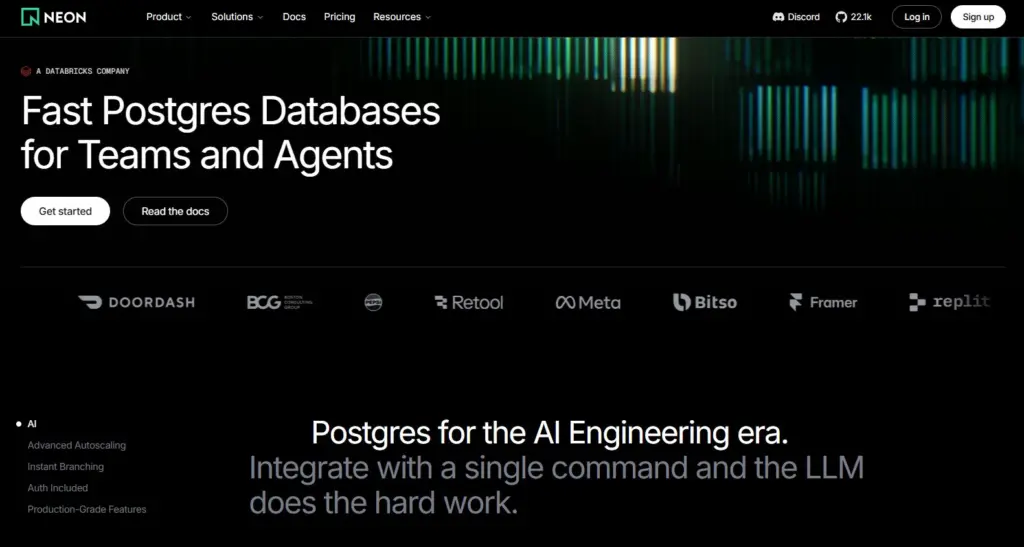
Neon is a serverless Postgres platform built around one idea: your database should scale exactly like your application does, up when traffic hits and down to zero when nothing is happening. It is now a Databricks company, which signals where it sits on the maturity and enterprise-readiness spectrum.
What makes Neon genuinely different from Supabase is not the database itself (both are fully PostgreSQL) but the infrastructure layer underneath it. Neon separates compute from storage at the architecture level. This means your database can scale automatically based on real-time load, suspend itself entirely when idle so you pay nothing, and spin back up in milliseconds when a request comes in.
The other standout feature is database branching, something no other platform on this list offers in the same way. Think of it like Git branches but for your entire database. You can spin up an exact copy of your production database for testing or development, make changes, and throw it away when you are done, without touching production data or paying for a full separate database instance.
Free Tier
Neon’s free tier is permanent, not a trial, and requires no credit card to get started. It includes 100 compute unit-hours per project, 0.5 GB of storage per project, up to 100 projects, and up to 10 branches per project. Auth is also included on the free tier, supporting up to 60,000 monthly active users.
The main limitation worth knowing is that free tier compute suspends after five minutes of inactivity and there is a hard monthly cap on compute hours. If you hit the limit, compute pauses until the next billing month. For most prototypes and side projects, the free tier is more than enough.
Ease of Setup
Neon is beginner-friendly. You can spin up a Postgres database in seconds from the console, and the platform provides a connection string you can drop directly into your application. There is also a CLI (npx neonctl init) for developers who prefer to work from the terminal. If your team already knows Postgres, there is no new query language or API paradigm to learn. You connect to Neon exactly like any other Postgres database.
Database Model
Neon is fully PostgreSQL. This is not a Postgres-compatible layer or a thin wrapper; it is the real thing, which means every Postgres feature, extension, and tool your team relies on works without modification. This includes popular extensions like pgvector for AI applications, PostGIS for geographic data, and TimescaleDB for time-series workloads.
Neon also adds a built-in HTTP Data API, which lets you query your database over HTTP without a persistent connection. This is particularly useful for serverless functions and edge deployments where maintaining a traditional database connection is inefficient.
Self-Hosting Support
Neon is primarily a managed cloud service and is not designed for self-hosting in the way that PocketBase or Appwrite are. The codebase is open source on GitHub, but running your own Neon infrastructure requires significant operational expertise and is not the intended deployment model. If self-hosting is a firm requirement, Neon is not the right fit.
Migration Difficulty from Supabase
Migration difficulty from Supabase to Neon is low to medium, and it is notably easier than most alternatives on this list. Because both platforms run on PostgreSQL, your entire data model, schema, functions, and RLS policies transfer directly using a standard pg_dump and restore. There is no data restructuring required.
The main areas of rework are the auth integration and the client library. Supabase’s built-in auth is a proprietary service, so you will need to migrate to Neon Auth or bring in an external provider like Clerk or Auth.js. Neon does offer its own auth layer, though it is newer and less feature-complete than Supabase’s at this point. Any Supabase client library calls will also need to be replaced with standard Postgres drivers or Neon’s own SDK. For teams that were using Supabase’s REST API heavily, this is real work, but the underlying data stays completely intact.
Best For
Neon is the right choice for teams building serverless applications, edge deployments, or AI-powered products where traffic is unpredictable and cost efficiency matters. It is also a strong fit for development teams who want to use database branching to improve their testing and deployment workflows. Engineering teams that are already PostgreSQL-native will feel completely at home from day one.
Key Strengths and Tradeoffs
Strengths: Fully PostgreSQL with no compatibility compromises, true scale-to-zero so idle databases cost nothing, database branching enables fast and safe development workflows, built-in auth and HTTP Data API included, generous free tier that never expires, enterprise features like HIPAA, SOC 2, and private networking available on Scale plan without separate add-on fees.
Tradeoffs: Not self-hostable in a practical sense, auth layer is newer and less mature than Supabase’s, scale-to-zero means a cold start latency on the first request after a period of inactivity (though typically under a second), storage on the free tier is limited to 0.5 GB per project.
Nhost: The Closest Alternative to Supabase’s Developer Experience
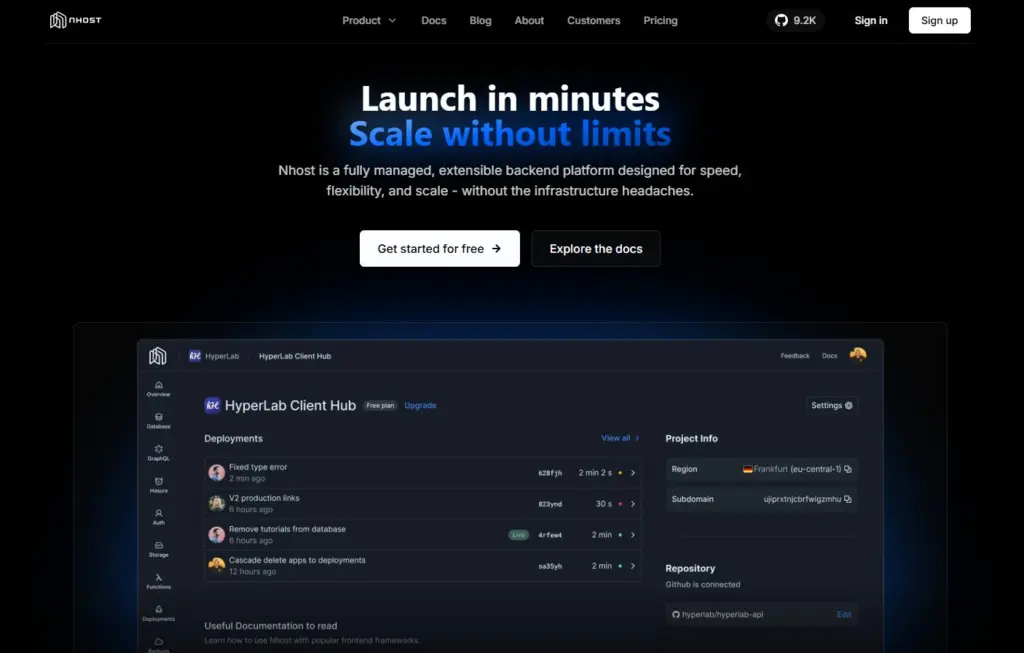
Nhost is almost entirely absent from most Supabase alternatives articles, which is worth correcting because it is the most relevant option for a specific and common situation: a team that wants to leave Supabase’s managed service but does not want to relearn a new backend paradigm.
Nhost runs a GraphQL API (powered by Hasura) on top of PostgreSQL, with built-in authentication and file storage. If you have been using Supabase with a relational schema, moving to Nhost means adapting to GraphQL syntax rather than rearchitecting your data entirely.
Free Tier
Nhost offers a free tier for getting started. It is suitable for small projects and development work, though production workloads will typically require a paid plan.
Ease of Setup
Setup is straightforward and the platform is beginner-friendly. If your team is already comfortable with Supabase, the mental model translates well. GraphQL is the main learning curve, but the underlying concepts (database, auth, storage) stay familiar.
Database Model
Nhost uses PostgreSQL as its database, the same foundation as Supabase. The difference is the API layer. Supabase exposes a REST API by default through PostgREST. Nhost’s primary API is GraphQL. GraphQL is a query language that lets you request exactly the data you need in a single call, which can reduce over-fetching compared to REST. If your codebase is heavily built against Supabase’s auto-generated REST endpoints, you will need to rewrite those query patterns, but the data model itself stays intact.
Self-Hosting Support
Nhost supports self-hosting, which gives it an edge for teams who want infrastructure control without switching to a completely different platform. In practice, most teams use Nhost as a managed service, but the option is there.
Migration Difficulty from Supabase
Migration difficulty is medium. The database stays on PostgreSQL, which is the hardest part of any migration to get right. Auth flows and storage logic require rework, and the API query patterns need to be rewritten for GraphQL. For a team that has not over-indexed on Supabase-specific client library patterns, this is a manageable transition.
Best For
Nhost is the right choice for teams migrating from Supabase who want to keep their relational data model intact, prefer GraphQL over REST, and want a managed service that closely mirrors the Supabase experience without the same operational concerns.
Key Strengths and Tradeoffs
Strengths: PostgreSQL foundation means no data model changes, closest developer experience to Supabase, self-hosting available, GraphQL API is powerful for complex data queries.
Tradeoffs: Smaller community than Supabase or Firebase means fewer answers on Stack Overflow and GitHub, thinner documentation for edge cases, GraphQL is a meaningful learning curve if your team is REST-first.
PocketBase: Self-Hosted, Lightweight, and Built for Full Cost Control
PocketBase is the most unusual option on this list in the best possible way. The entire backend ships as a single executable file written in Go. Authentication, a database, file storage, and real-time subscriptions are all included. You run it on a VPS for as little as $5 per month, and that is your only recurring cost.
There is no platform, no SaaS billing, and no per-user charges. You own the server, you own the data, and the cost stays flat.
Free Tier
PocketBase itself is free and open source. The only cost is the server you run it on. A basic VPS starts around $5 to $6 per month depending on the provider. There is no usage-based pricing, no pausing, and no free tier limitations to navigate.
Ease of Setup
Setup is genuinely simple for developers comfortable with a command line. You download a single binary, run it, and you have a working backend with a visual admin dashboard. There is no Docker required, no complex configuration, and no cloud console to navigate. For developers who have managed a VPS before, the learning curve is low.
Database Model
PocketBase uses SQLite as its underlying database engine rather than PostgreSQL. SQLite is a lightweight, file-based database that performs well for many applications. It is a different engine from PostgreSQL, which means some Postgres-specific features, extensions, and tooling are not available. For moderate workloads, SQLite is reliable and fast. Applications with very high concurrent write traffic may need additional architectural planning as they scale.
Self-Hosting Support
Self-hosting is not optional with PocketBase; it is the entire model. You deploy it to your own server and manage it yourself. This removes platform dependency entirely but also means your team is responsible for uptime, backups, scaling, and maintenance. If your team does not have someone who can own these responsibilities, PocketBase may not be the right fit.
Migration Difficulty from Supabase
Migration difficulty is medium to high. The SQLite versus PostgreSQL gap creates data type differences that require scripting, not just exporting. The auth model migration is workable but not automatic. If your existing Supabase project makes heavy use of Postgres-specific features, functions, or RLS policies, expect meaningful rework before everything runs cleanly on PocketBase.
Best For
PocketBase is the right choice for solo founders, indie makers, and small teams building internal tools or early-stage products where predictable, low infrastructure cost is a priority. It is not the right answer for a SaaS team expecting rapid growth or a project that requires Postgres compatibility.
Key Strengths and Tradeoffs
Strengths: Zero per-user or per-MAU billing, full infrastructure ownership, single binary deployment, real-time and auth included, genuinely low operational cost.
Tradeoffs: SQLite instead of PostgreSQL limits some advanced use cases, self-managed infrastructure adds operational responsibility, smaller community and fewer third-party integrations than Firebase or Supabase.
Hasura: More Power, Requires a Developer in the Room
Hasura sits at a different position on the complexity spectrum. It is not a backend-as-a-service you spin up in an afternoon. It is a GraphQL API engine that connects to your existing PostgreSQL database and gives you sophisticated, fine-grained data access control that most BaaS platforms cannot match.
Where platforms like Firebase or PocketBase try to make the backend invisible, Hasura is for teams that need precise control over how data is accessed, filtered, and permissioned at scale.
Free Tier
Hasura offers a cloud free tier that covers small projects and development work. The free tier has usage limits that are clearly defined in Hasura’s pricing documentation. Self-hosted deployments have no cost beyond your server.
Ease of Setup
The initial setup is medium difficulty. Hasura generates a GraphQL API from your Postgres schema automatically, which is impressive, but configuring permissions, event triggers, and remote schemas requires genuine backend knowledge. This is not a platform for a founder who wants to avoid backend complexity. Someone on the team needs to own the configuration and understand how it works.
Database Model
Hasura works on top of PostgreSQL (or other compatible data sources). It does not replace your database; it sits in front of it and exposes a GraphQL API. Your data model stays exactly as it is. Hasura’s real strength is in what it adds on top: event triggers that fire on database changes, remote schema federation that pulls in external APIs, action handlers for custom business logic, and a permissions model that supports complex role-based access rules down to the column level.
Self-Hosting Support
Hasura supports both self-hosting and a managed cloud option. Self-hosting uses Docker and requires someone comfortable with container infrastructure. For teams who want infrastructure control without giving up the convenience of a managed service, Hasura Cloud is a reasonable middle ground.
Migration Difficulty from Supabase
Migration difficulty is medium. Because the database stays on PostgreSQL, the hardest part of any migration is avoided. The API layer changes from REST-based patterns to GraphQL, and authentication requires additional setup since Hasura relies on external auth providers rather than including a built-in authentication service. This extra auth configuration is the main friction point compared to Supabase’s all-in-one setup.
Best For
Hasura is the right choice for growing SaaS teams with complex data access requirements and at least one backend developer who can own the configuration. For fintech, healthcare, or any application where data access control is a first-class requirement, Hasura’s permission model is materially more capable than most alternatives.
Key Strengths and Tradeoffs
Strengths: Powerful and granular permissions model, PostgreSQL foundation means no data model changes, event triggers and remote schemas enable complex backend logic, both self-hosted and managed cloud options available.
Tradeoffs: Not beginner-friendly, no built-in auth (requires an external provider), meaningful configuration overhead, overkill for simple CRUD applications.
Appwrite: Open Source, Strong Auth, and Growing Fast

Appwrite fills a specific gap in the market: teams who want a Firebase-like developer experience, want to self-host to avoid vendor dependency, and care deeply about the authentication layer.
It is a full-stack backend-as-a-service that runs on your own infrastructure via Docker. Rather than building auth from scratch or stitching together third-party services, Appwrite ships with a comprehensive auth system out of the box.
Free Tier
Appwrite is free and open source. The only cost is the server you self-host it on. Appwrite Cloud, the managed version, also offers a free tier for getting started with usage limits on the paid tiers.
Ease of Setup
Setup is easy to medium in difficulty. Deploying Appwrite via Docker is well-documented and manageable for developers familiar with containers. The developer experience is intentionally friendly, and the admin console is clean and approachable. Teams coming from a Firebase background will find the mental model familiar.
Database Model
Appwrite uses a document-based database model rather than PostgreSQL. It provides flexible querying and indexing features, and recent versions have added more relational-style capabilities. The development experience differs from SQL-first platforms like Supabase, Nhost, or Hasura. If your team thinks in terms of tables and joins, there is an adjustment period. If your data model maps naturally to documents, the transition is smooth.
Self-Hosting Support
Self-hosting is Appwrite’s primary deployment model. It runs via Docker Compose and is straightforward to set up on any VPS. Appwrite Cloud exists as a managed option, but the self-hosted version is mature and well-supported. As with any self-hosted platform, your team is responsible for uptime, scaling, and maintenance.
Migration Difficulty from Supabase
Migration difficulty is medium. The auth model migration is the main complexity, but Appwrite’s auth system is comprehensive enough that most flows can be replicated. The database export from PostgreSQL is standard, but the destination schema and query patterns change to match Appwrite’s document model. For teams whose Supabase usage was centered on auth and file storage more than complex SQL queries, Appwrite is a comfortable landing spot.
Best For
Appwrite is the right choice for open-source advocates, teams building auth-heavy applications, and developers who want a Firebase-style experience with full infrastructure ownership. It is especially well-suited for teams that want to avoid long-term vendor dependency without giving up a polished developer experience.
Key Strengths and Tradeoffs
Strengths: Strong built-in auth (OAuth, magic links, phone auth, teams and roles), fully self-hostable, Firebase-like developer experience, no vendor lock-in, actively growing community.
Tradeoffs: Document-based database model is an adjustment for SQL-first teams, smaller community than Firebase or Supabase means fewer third-party integrations and community resources, Docker infrastructure requires ongoing operational attention.
Side-by-Side Comparison: Supabase Alternatives at a Glance
| Platform | Free Tier | Ease of Setup | Database Model | Self-Hostable | Migration Difficulty from Supabase | Best For |
|---|---|---|---|---|---|---|
| Firebase | Yes (Spark plan) | Very Easy | NoSQL (Firestore) | No | High | Mobile-first apps, Google ecosystem |
| Neon | Yes (permanent free tier) | Very Easy | PostgreSQL (Serverless) | No | Low-Medium | Serverless apps, AI projects, PostgreSQL-native teams |
| Nhost | Yes | Easy | PostgreSQL (GraphQL) | Yes | Medium | Teams migrating from Supabase who want GraphQL |
| PocketBase | Yes (self-host cost only) | Easy | SQLite | Yes (required) | Medium-High | Solo founders, internal tools, low-cost builds |
| Hasura | Yes (cloud free tier) | Medium | PostgreSQL (any source) | Yes | Medium | Teams with complex data access and a backend developer |
| Appwrite | Yes (self-host) | Easy-Medium | Document-based with relational features | Yes | Medium | Open-source advocates, auth-heavy applications |
Which Alternative Should You Choose? A Recommendation by Use Case
None of these platforms are universally better than Supabase. The right choice depends on what broke first and what your team can operationally support.
- You are a solo founder or indie maker. Choose PocketBase. Pay only for a VPS, own your infrastructure completely, and eliminate platform billing from your cost model entirely.
- You are building a mobile app and want the fastest setup. Choose Firebase. Its SDK ecosystem and offline sync capabilities are unmatched for mobile development, and the Spark plan gives you enough runway for a prototype.
- You want the closest experience to Supabase with a different managed service. Choose Nhost. The PostgreSQL foundation and the similar mental model reduce relearning time to the minimum it can be across any alternative on this list.
- You are a growing SaaS team with complex permission requirements and a dedicated backend developer. Choose Hasura. The data access control capabilities exceed what any BaaS platform offers, and the PostgreSQL foundation means your existing data model transfers intact.
- You want open source and self-hosted with strong auth, and you can accept a smaller community. Choose Appwrite. It gives you a Firebase-like developer experience with full infrastructure ownership and no vendor dependency.
- You are unsure and this decision affects a client project or a production system with real users. Get a second opinion before committing. A wrong platform choice at this stage costs more to undo than the time a conversation takes.
Need Help Choosing or Making the Switch?
If you are still weighing these options or want a review of your existing Supabase setup before migrating, IT Path Solutions offers a free scoping session. We have shipped production applications across healthcare, fintech, and eCommerce on several of the platforms listed here, and we can tell you quickly whether a migration makes sense for your specific codebase.
If you built on Supabase through a no-code tool and are now handling a Lovable login or authentication issue before handing the project to a development team, that context matters too. Reach out before you commit to a direction.
Accelerate your backend build with IT Path Solutions
Frequently Asked Questions
- What is the best open-source Supabase alternative?
The best open-source Supabase alternatives in 2026 are PocketBase and Appwrite. PocketBase ships as a single binary and is entirely self-hosted, making it the lowest-cost option for developers who want full infrastructure control. Appwrite is a full-stack BaaS with strong authentication, self-hosting support, and a growing community. Both are free to run on your own infrastructure, though you absorb the operational overhead of hosting and maintenance.
2. Can you self-host Supabase alternatives?
Yes. PocketBase, Appwrite, Hasura, and Nhost are all self-hostable. PocketBase is the simplest: it runs as a single binary on any VPS. Appwrite and Hasura require Docker. Nhost can be self-hosted but is primarily used as a managed service. Firebase is the only major alternative that cannot be self-hosted; it is entirely Google-managed. Self-hosting removes per-seat and per-MAU costs but shifts database operations and uptime responsibility to your team.
3. Supabase vs Firebase: which is better?
Firebase is better for mobile-first applications that need offline sync, mature SDKs, and tight Google ecosystem integration. Supabase is better for web applications, SQL-based data models, and teams who need data portability and predictable pricing. Firebase’s NoSQL Firestore model is a poor fit for relational data. Supabase’s RLS-based security is enforced at the database level, which Firebase’s Security Rules do not replicate for Admin SDK access.
4. What is PocketBase and how does it compare to Supabase?
PocketBase is a self-hosted backend-as-a-service distributed as a single Go binary, providing authentication, database functionality, file storage, and real-time features without requiring a cloud infrastructure stack. Unlike Supabase, PocketBase uses SQLite instead of PostgreSQL, making it lightweight and simple to deploy but less suited for large-scale distributed workloads or advanced PostgreSQL-specific features. It is commonly used for solo projects, internal tools, prototypes, and applications where simplicity and low infrastructure cost are priorities.
5. How hard is it to migrate from Supabase to another platform?
Migration difficulty varies by destination. Moving to Nhost or Hasura is medium difficulty: the database stays on PostgreSQL, but API layers and auth integrations require rework. Moving to Firebase is high difficulty because the NoSQL data model requires rearchitecting your schema, not just exporting data. Moving to PocketBase or Appwrite is medium to high depending on how heavily your codebase uses Supabase’s auto-generated APIs and RLS policies. The database export itself via pg_dump is straightforward for any PostgreSQL-compatible destination.
6. Is Supabase replacing Firebase?
Supabase is not replacing Firebase. They serve overlapping but distinct use cases. Supabase reached 1.2 million active developers by early 2026, a significant growth signal, but Firebase’s mobile SDK ecosystem, offline sync capabilities, and Google Cloud integration remain advantages for mobile-first applications. In the web and SaaS segment, Supabase has become the stronger default choice for teams who need SQL, data portability, and predictable pricing. Firebase is not declining; the developer base is diversifying across both platforms.

Keyur Patel
Co-Founder
Keyur Patel is the director at IT Path Solutions, where he helps businesses develop scalable applications. With his extensive experience and visionary approach, he leads the team to create futuristic solutions. Keyur Patel has exceptional leadership skills and technical expertise in Node.js, .Net, React.js, AI/ML, and PHP frameworks. His dedication to driving digital transformation makes him an invaluable asset to the company.
Related Blog Posts

How RivalRadar Uses AI Agents to Track Competitors Automatically

Notion Client Portal: How to Build a Branded Client Experience Without Leaving Notion