Home
»Blog Insights
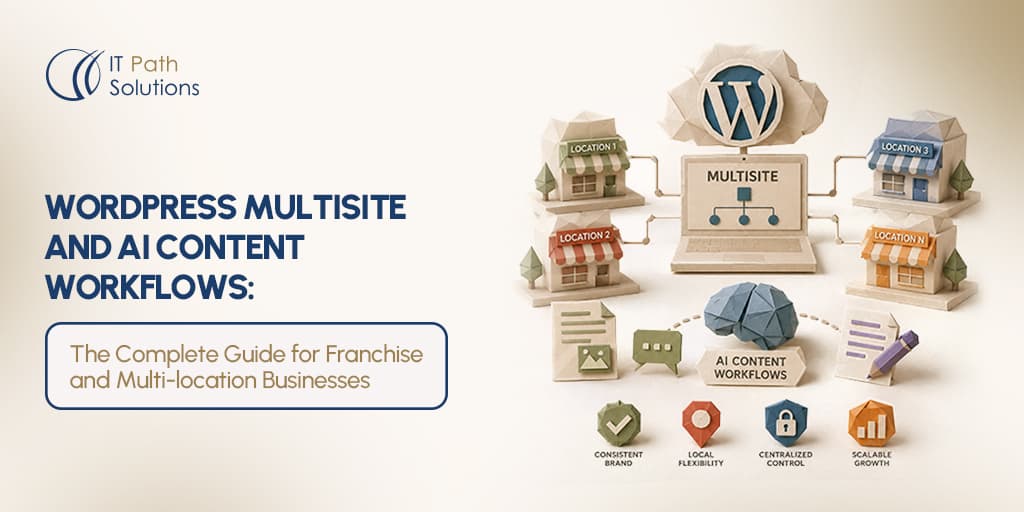
»WordPress Multisite and AI Content Workflows: The Complete Guide for Franchise and Multi-location Businesses
WordPress Multisite and AI Content Workflows: The Complete Guide for Franchise and Multi-location Businesses
Keyur Patel
June 11, 2026
26 min
Last Modified:
June 12, 2026
Most multi-location websites do not fail during development. They fail six months later during routine operations. The content needs to feel local. The brand needs to stay consistent. And nobody has time to log into 30 separate WordPress dashboards every time a promotion changes.
This is exactly the situation WordPress multisite automation was built for, and increasingly, where AI content tools are becoming the missing layer. WordPress powers more than 42% of all websites and nearly 60% of CMS-based websites globally.
This guide is for digital marketing managers, franchise operations leads, and IT decision-makers who are either already running a WordPress multisite automation setup or actively evaluating whether to build one. We’ll cover what the architecture actually gives you (and where it stops being the right tool), how AI integrates into a content workflow at the network level, and how to think about governance without turning your franchisees into second-class editors.
One honest note upfront. This is not an argument for WordPress Multisite in all cases. If you’re operating 200-plus locations with a dedicated platform engineering team, this probably isn’t the right architecture for you. We’ll cover that clearly in the comparison section. But if you’re in the 10-to-150 location range with an existing WordPress investment, read on.
What WordPress Multisite Actually Gives Franchise Operators (And What it Doesn’t)
WordPress Multisite is a feature built into WordPress core that lets you run a network of separate websites from a single installation. Each site in the network has its own content, its own pages, its own URL, and its own user roles. But they all share the same WordPress codebase, the same plugins, and the same themes.
For a franchise operator, the structural appeal is obvious. One codebase means one place to manage plugins and updates. Shared themes mean brand-consistent design across every location site without manually syncing CSS changes. A single Super Admin account means network-wide oversight without giving individual franchisees access they shouldn’t have.
The permission model maps well to how franchise relationships actually work. Super Admin controls the network and is typically the franchisor’s IT team or digital agency. Site Admins run individual location sites and are usually the franchisee or their local marketing contact. Editors contribute content at the site level. What each tier can touch is determined at the network level, which is the right way for a franchisor to think about it.
WordPress Multisite can be a strong fit for franchise networks that need centralized management and location-specific content, but its suitability depends on hosting, plugin architecture, governance needs, and traffic patterns. As the network grows, complexity can increase around database performance, plugin compatibility, and permission management, so large deployments should be evaluated case by case.
Three situations where WordPress Multisite is the right call.
- Your team already operates WordPress sites and has either in-house WordPress development capability or an agency relationship. Spinning up a Multisite network from an existing WordPress codebase is significantly less disruptive than migrating to a new platform. The learning curve for your content team stays flat. It’s still WordPress.
- You’re under real budget pressure relative to enterprise headless CMS platforms. A WordPress Multisite implementation requires upfront development cost, but there’s no ongoing per-seat SaaS fee. For mid-market franchise operators, that difference in cost structure matters.
- Your content workflows are primarily about generation and localisation rather than deep personalisation at the visitor level. If your main goal is getting unique, locally relevant pages live for each location, WordPress Multisite handles that well with the right workflow layered on top.
Two situations where it probably isn’t the right call.
- Your locations have fundamentally different tech stack requirements. Different front-end frameworks, native app publishing, and IoT display integration are examples of this. WordPress Multisite can’t serve those scenarios without serious custom engineering that typically negates the benefits.
- Transaction volume at individual location sites is high enough that shared database architecture becomes a bottleneck. High-traffic e-commerce operations per location are better served by separate installs or a headless architecture.
Enterprise headless CMS platforms like Contentful and dotCMS offer more flexibility at scale, native workflow approvals, and better options for multi-channel publishing. We’ll cover the comparison directly later in this guide.
The Franchise Content Problem WordPress Multisite is Designed to Solve
Here’s the situation that sends franchise marketing managers searching for a better system.
You have 40 location websites. Each one runs on a separate WordPress install. A new seasonal promotion just launched. To get it live across all 40 sites, someone needs to log in 40 times, copy and paste the promotion content, adjust the location-specific details, and hit publish. If you’re lucky, that person is you. If you’re less lucky, it’s a franchisee who will do it differently on every site, sometimes weeks late, sometimes never.
That’s the content duplication problem. It compounds quickly when you consider that it doesn’t apply only to promotions. It applies to blog posts, service updates, FAQ content, legal disclaimers, and anything else that originates at brand level and needs to appear on every location site.
Alongside that is the governance breakdown problem. Without network-level controls, individual franchisees fill the gap with their own judgment. Sometimes that works out fine. Sometimes a location site ends up with outdated pricing, an unapproved promotional claim, or a tone of voice that doesn’t match the brand. By the time the marketing team catches it, it’s been indexed.
There’s also a real local SEO problem. Google rewards unique, locally relevant content. Duplicate content across location sites, the same blog post and the same service description published identically on 40 subdomains, suppresses individual location rankings. Each location site needs content that’s genuinely different, not just a copy with the location name swapped in. Creating that at scale, manually, is either prohibitively expensive or it doesn’t get done.
The ideal state looks like this. The franchisor’s content team produces a brand-approved template. That template gets published simultaneously across every location site, with location-specific variables automatically populated. Franchisees can edit within defined parameters, local offers, staff bios, community events, but can’t alter headers, footers, or anything that needs to be consistent network-wide.
WordPress Multisite gives you the architecture to build that. It doesn’t build it for you. And critically, it doesn’t solve the local SEO duplicate content problem on its own. That requires deliberate workflow design on top of the architecture, specifically a content generation layer that produces genuinely differentiated content per location, not just templated copies with find-and-replace swaps. That’s where AI enters the picture.
How to structure your WordPress Multisite network for franchise content management
Before you layer any AI tools onto a Multisite network, the network itself needs to be set up correctly. Poor architecture at this stage creates problems that content automation can’t fix.
1. Subdomain vs. subdirectory
The first structural decision is how individual location sites are addressed. Subdirectory structure looks like yourbrand.com/london or yourbrand.com/manchester. Subdomain structure looks like london.yourbrand.com or manchester.yourbrand.com.
For franchise local SEO, both subdomains and subdirectories can work. Subdirectories often make it easier to consolidate authority and scale SEO value across the main domain, while subdomains may be useful when locations need more technical or operational separation. The best choice depends on your site architecture, governance, and how much independence each location needs.
2. Network-wide vs. site-specific settings
Plugins and themes should be network-activated at the Super Admin level when they serve brand-wide functions. Your primary theme, your SEO plugin, any plugin handling schema markup or legal content all fall into this category. Site-specific activation makes sense for tools that vary by location, such as a booking integration or a local events calendar.
This matters for stability as much as governance. A plugin activated network-wide gets updated once and tested against the full network. A plugin enabled selectively, version by version across 40 sites, creates a maintenance problem.
3. The three-tier permission model
The role structure for a franchise network typically works best with three levels. Super Admin handles network-wide settings, plugin management, theme control, and master template management. This is your franchisor’s IT team or agency. Site Admin at each location can manage their site’s content, add local users, and edit within the zones the network configuration allows. Editor contributes content at the site level but cannot change site settings, install plugins, or alter anything structural.
What each tier can touch should be locked down explicitly, not left at defaults. The native WordPress role system controls access permissions. It does not enforce content quality. A Site Admin with edit access to a page can publish whatever they want to that page unless you have something downstream checking the content before it goes live. That’s a governance gap we’ll cover in the compliance section.
4. Content inheritance patterns
WordPress network admin automation lets you push template content from the network admin level down to all subsites. For a master blog post template, a campaign landing page, or a seasonal promotion page, this means the franchisor creates it once and it populates across every location site simultaneously. The location-specific variables, location name, address, local offer details, staff information, get filled in at the site level, either manually by the franchisee or automatically via AI-assisted generation.
5. Plugin tooling for network automation
Uncanny Automator includes Multisite support and can be used to build no-code workflows that connect WordPress with external services, including AI-related integrations and webhooks. For custom builds, the WordPress REST API is the usual interface for connecting AI generation tools to a WordPress network.
One important warning about network-wide plugin deployment. It carries more risk in Multisite than in standalone WordPress. A plugin that functions correctly on a single install can conflict with the shared database architecture or with another network-activated plugin and break across every site simultaneously. Always test new plugins in a staging environment that mirrors the network configuration before deploying to production.
AI Workflows Need More Than Content Generation
As multi-location networks grow, the real challenge becomes coordinating approvals, governance, and operational workflows across every site.
IT Path Solutions develops AI-driven systems that help businesses automate and scale complex digital operations.
Where AI enters the workflow and what it actually automates
“AI-assisted content management” gets applied to a lot of things. In the context of a WordPress Multisite network for franchise or multi-location businesses, it’s useful to be specific about where AI delivers real value and where it doesn’t.
There are five points in the content workflow where AI automation makes a material difference.
1. Content brief generation from brand templates
The franchisor defines a master content template at the network level. The template includes required sections, brand tone guidance, and placeholder variables for location-specific data. When a new location is added to the network or a new campaign is launched, AI uses this template as a brief to generate a draft for each location site. The draft follows the approved structure and incorporates the location-specific variables. What you’re automating here is the brief-to-draft step that otherwise requires a human copywriter per location.
2. Location-specific content generation
The difference between a template with variables and genuine local content matters for local SEO and for reader engagement. AI can go beyond simple variable substitution. Given location data, neighborhood details, nearby landmarks, service area, and local context, AI can produce introductory copy that sounds like it was written about a specific place rather than a generic template with a location name inserted. This is meaningful differentiation, not cosmetic differentiation, when the model is given good inputs.
The constraint here is real and worth stating plainly. AI-generated local content carries hallucination risk. A model generating content about a specific location may invent details about the neighborhood, the team, or the service offering that sound plausible but are wrong. Every AI-generated location draft requires either a human review step or an automated fact-check step before publishing. This is not optional.
3. SEO metadata generation per location
Unique title tags, meta descriptions, and LocalBusiness schema markup for each location site are exactly the kind of structured, repetitive content that AI generates reliably at scale. A human copywriter producing unique SEO metadata for 40 location sites is slow and expensive. AI producing it from a structured data feed is fast and consistent. This is one of the cleaner AI automation use cases in this workflow because the output is structured and verifiable rather than descriptive and creative.
4. Content compliance checking before publish
Before a franchisee’s edited content goes live, AI can check the draft against the brand style guide. Does it use approved product names? Does the tone match brand guidelines? Does it include any claims that aren’t on the approved list? This is different from a human review. It’s not checking for quality, it’s checking for brand governance compliance. The output should be a pass/fail with specific flags attached, not an editorial judgment. Content that fails the check should be returned to the editor with the specific issue identified, not silently rejected.
Building this requires either custom development connecting a language model to your brand guidelines, or a third-party content governance service. It adds cost and development complexity. Be clear-eyed about that before including it in a project scope.
5. Performance analysis and refresh recommendations
Over time, location pages accumulate performance data. Search rankings, organic traffic, and engagement metrics build up across the full network. AI can analyse this data and flag which location pages are underperforming relative to their peers. The output is a prioritised list of pages that need content updates, not a universal refresh of everything. Combined with AI-assisted draft generation, this creates a content maintenance loop that doesn’t require a human to manually audit 40 sites on a quarterly basis.
What AI does not automate in this workflow is worth naming directly. Editorial approvals, relationship-specific content like customer testimonials or staff profiles, and anything requiring verified local facts all stay human. AI cannot tell you that your Birmingham location recently won a local business award. The franchisee or location manager has to provide that information. The workflow design needs to account for that human input step, not assume AI can operate end-to-end without it.
Looking Beyond Basic AI Automation?
Template-based automation solves part of the workflow problem. Agentic AI takes it further by enabling intelligent systems that can coordinate approvals, monitor compliance, trigger content actions, and automate multi-step operations across your WordPress Multisite network.
At IT Path Solutions, we help businesses build Agentic AI solutions designed for scalable content operations and enterprise workflow automation.
Step-by-step: an AI-assisted content workflow for a 20-location franchise
Here’s what this looks like as an actual implementation, not a concept. The steps below describe a WordPress multisite automation workflow a franchise content team could either build in-house with developer support or brief an agency to implement.
Step 1. Define the content template at network level
The Super Admin creates a master post template with brand-required sections, tone guidelines embedded as comments, and placeholder variables for location-specific data. Every AI-generated draft starts from this structure. The template is the guardrail that keeps output within brand parameters before any other check is applied.
Step 2. Configure AI generation triggers
Using plugin middleware or a custom REST API integration, you can trigger automation when a new location site is added to a WordPress Multisite network. The workflow can pull structured location data from custom fields or external systems, pass it through a content template, and generate draft localized pages for review before publishing.
This step eliminates the manual copy-paste-edit cycle for new location launches. For a franchise adding five new locations in a quarter, that’s a significant time saving at the content production stage.
Step 3. Set up the editorial approval workflow
Site-level editors review AI drafts before publishing. They can enrich the content with genuine local knowledge, community context, specific team details, local events, that the AI model couldn’t generate from structured data alone. Super Admin retains override capability at the network level.
The approval workflow is not optional. It’s the step that catches factual errors in AI-generated content, and it’s the step that adds the local knowledge AI genuinely cannot produce. Removing it to save time introduces brand risk and accuracy risk simultaneously.
Step 4. Generate location-specific SEO metadata
Run a separate AI generation pass for SEO metadata. Title tags, meta descriptions, and LocalBusiness schema markup for each location page. Use your SEO plugin (Yoast or RankMath both support custom field mapping in Multisite environments) to apply the metadata at the site level. This step should produce unique metadata for every location, not variations on a central template. The local SEO value comes from genuine differentiation.
Step 5. Schedule a content refresh cycle
Connect your analytics data to the network admin level and set a quarterly trigger that flags underperforming location pages. AI generates refresh drafts for flagged pages using updated location data and current brand templates. The same editorial approval step applies. Local content decays at different rates depending on how much locally-specific information it contains. Don’t assume a once-annual refresh cycle is enough.
Step 6. Monitor network-wide content compliance
Use network admin reporting or a compliance checking tool to flag location site content that deviates from brand guidelines. This is ongoing monitoring, not a one-time check at launch. As franchisees edit their sites between content campaigns, off-brand content can appear. Automated monitoring at the network level catches it without requiring the marketing team to manually review 20 sites on a weekly basis.
Organisations without in-house development capability should engage a WordPress development partner to build the API integration layer between WordPress Multisite and their AI tool of choice. Steps 3 through 6 can be managed by non-technical staff once the integration is in place.
Franchise brand control without killing local relevance: configuring governance in WordPress Multisite
The governance tension in franchise content management is real. Franchisors need brand consistency. Franchisees need local relevance. Both are legitimate business needs, and a governance model that fully resolves one at the expense of the other tends to either produce off-brand content or produce content that nobody in the local market cares about.
Getting this right is one of the less-discussed aspects of WordPress multisite automation, but it’s often what decides whether a deployment succeeds or fails six months after launch.
WordPress Multisite handles this through a combination of network-locked and site-editable content zones.
1. Network-locked content
Headers, footers, legal disclaimers, brand navigation, and global promotional banners should be locked at the network level. The Super Admin controls these and they cannot be altered by Site Admins or Editors. This is the non-negotiable brand consistency layer. When these elements are locked, the franchisor can update a legal disclaimer once and it appears across every location site simultaneously, with no action required from individual franchisees.
2. Site-editable content
Local hero content, staff bios, location-specific offers, community event listings, and locally relevant testimonials should be editable at the site level. This is the content that makes a location site useful to someone actually in that location. Locking it at the network level doesn’t protect the brand. It just produces generic pages that don’t rank for local searches and don’t convert local visitors.
3. Custom post types as governance tools
Free-form page editing is a governance risk because it puts no constraints on what a franchisee publishes. Custom post types with required fields change that. An ‘Offer’ post type that requires the franchisee to select from an approved list of offer categories, enter a start and end date, and attach an approved image removes most of the off-brand risk without restricting the franchisee’s ability to promote local deals. The structure enforces brand compliance at the point of content creation rather than relying on post-publication monitoring.
4. AI compliance checking
The WordPress Multisite native role system controls access. It doesn’t control content quality. A Site Admin with edit permissions can publish whatever they want within their editable zones. AI compliance checking adds a pre-publication review layer that flags content deviating from brand guidelines, incorrect product names, prohibited promotional claims, tone of voice violations, and outdated offer details.
When a draft fails the compliance check, the appropriate response is to return it to the editor with specific feedback about what failed and why, not to silently reject it. A franchisee who doesn’t know why their content was rejected will try again with the same content or stop trying altogether. Neither outcome is good.
This compliance checking layer requires custom development or a third-party service. It is not a built-in WordPress capability. Factor the development cost and ongoing maintenance into your planning before committing to it as part of the workflow.
Local SEO Integration: Making Each Location Site Rank Independently
The whole point of running separate location sites within a Multisite network is that each one can rank independently for local searches. That only works if the content on each site is genuinely different.
Google’s handling of near-duplicate content across a subdomain or subdirectory network is a live concern for any franchise running a multi-location content management workflow on WordPress.
Identical content across location sites, even with different location names in the title tag, signals thin content to search algorithms and suppresses individual location rankings. This is well-documented behaviour.
The local SEO duplicate content problem won’t disappear because you’ve implemented Multisite. It requires intentional differentiation at the content layer.
1. What AI localisation actually does here
AI-generated localisation, when done well, introduces genuine content differentiation.
A location page for a service business in Sheffield should reference different things than the same brand’s page for Manchester. Different service areas, different local context, potentially different service emphases based on local demand.
AI can produce this differentiation at scale if it’s given structured location data to work with.
What AI can’t do is replicate a franchisee’s knowledge of their specific community. A model generating content about a Sheffield location doesn’t know that the local team recently won a community recognition award, or that the location predominantly serves a particular demographic, or that there’s a strong connection with a local sports club. That knowledge lives with the franchisee.
The workflow should include a step where the franchisee or location manager reviews and enriches AI-generated content with that local knowledge. The AI draft is a starting point, not a finished product.
2. LocalBusiness schema markup at scale
Schema markup is where the SEO case for AI assistance in localized content management is clearest. Producing complete, accurate LocalBusiness schema for 40 location sites, name, address, phone, opening hours, service area, geo coordinates, is error-prone and time-consuming when done manually. AI generates this reliably from structured data at any scale. The fields that carry the most weight for local search are name, address, phone (NAP consistency with your Google Business Profile), opening hours, and service area definition.
3. Internal linking across the network
The network hub site should link to each location site from a locations or store-finder page. Each location site should link back to the hub and to topically related content across the network. This isn’t purely an SEO tactic. It’s good information architecture that helps visitors navigate. But it also distributes domain authority through the network in a way that benefits individual location rankings over time.
4. The Google Business Profile relationship
Local content on your location sites and your Google Business Profile listings need to be consistent, especially NAP data. A complete treatment of Google Business Profile optimization for franchise networks warrants its own guide. The short version for the purposes of this post is to keep name, address, phone, and opening hours identical across your location site schema, your GBP listing, and any local directory citations. Inconsistency at this level undermines the local SEO work happening at the content layer.
WordPress Multisite and AI vs. enterprise headless CMS: an honest comparison for franchise operators
This is where a lot of vendor-authored content on multi-location content management stops being useful. Platform vendors don’t tell you to use a competitor. Agency blogs pitch the solution they sell. This comparison will try to be genuinely useful to someone who, after reading it, might correctly decide that WordPress Multisite is the wrong choice for their situation.
| Dimension | WordPress Multisite with AI workflow | Enterprise headless CMS (e.g. Contentful, dotCMS) |
|---|---|---|
| Implementation cost | Lower, existing WordPress investment leveraged | Higher, full platform migration required |
| Technical complexity | Moderate, requires a WordPress developer familiar with Multisite | High, requires headless architecture expertise |
| Content team learning curve | Low, familiar WordPress editor UI | Moderate to high, new CMS interface |
| AI integration | Via REST API or plugin middleware | Native AI features in enterprise tiers |
| Scalability | Suitable up to roughly 200 locations | Designed for 200+ sites and global scale |
| Local SEO tooling | Plugin-based (Yoast, RankMath) | Platform-dependent, often requires third-party tools |
| Franchise governance controls | Role-based, requires custom configuration | More granular, workflow approvals often native |
| Ongoing maintenance | WordPress core and plugin updates, network admin overhead | Platform manages infrastructure, higher SaaS cost |
| Vendor lock-in | Low, open source | High, proprietary platform |
| Cost model | Development cost and hosting, no per-seat SaaS fee | Per-seat or usage-based SaaS pricing |
Choose WordPress Multisite with AI if:
Your team already works in WordPress and has the technical support to manage a Multisite setup. It is often a good fit for growing franchise networks where locations share a common structure, and where scale, governance, and expansion plans still align with a centralized WordPress architecture.
Your content team is non-technical and needs a familiar editing interface. Budget constraints make a six-figure CMS migration impractical. You want to avoid vendor lock-in and retain full control of your content infrastructure. Your AI workflow needs are primarily at the content generation and localization layer, not deep personalization at the visitor level.
Also Read – What Should a Website Cost When AI Builds It in Two Days?
Choose enterprise headless CMS if:
WordPress Multisite is usually a better fit for centralized, fairly consistent networks. If you are operating 200-plus locations, need significantly different front-end experiences, require platform-native AI and approval workflows, or have strict regulated-industry governance needs, a SaaS or enterprise platform may be a better long-term fit.
The honest version of this comparison is that WordPress multisite automation is a mid-market solution. It’s excellent for franchise operators who are already in the WordPress ecosystem, don’t need enterprise-grade governance features out of the box, and have the development resources to build the integration layer. It’s not the right tool for large-scale multi-market operations with complex front-end requirements and a team that can support a platform engineering workflow.
Scaling Franchise Content Starts With The Right Architecture
WordPress Multisite solves a very specific operational problem for franchise and multi-location businesses. It centralizes control without removing local flexibility. It reduces the maintenance overhead of managing dozens of separate sites. And when paired with the right AI-assisted workflow, it makes scalable localized content production realistically achievable without multiplying your content team size.
But the architecture alone is not the solution.
The real success of a multi-location content strategy depends on how the network is structured, how governance is configured, how local SEO differentiation is handled, and how AI automation is integrated into the editorial workflow without sacrificing accuracy or brand control.
That’s where implementation experience matters.
At IT Path Solutions, we help businesses build scalable WordPress Multisite ecosystems designed for franchise operations, multi-location brands, and enterprise content workflows. From Multisite architecture planning and plugin integration to AI-assisted automation workflows and long-term maintenance, our team focuses on building systems that are practical to manage as your network grows.
Whether you’re launching a 20-location franchise network or restructuring an existing multi-site setup that has become difficult to maintain, the right implementation approach can save significant operational time while improving content consistency and local search visibility across every location. This decision can be made easily when you know what will be the cost of website redesigning.
If you’re evaluating WordPress Multisite for your organization, IT Path Solutions can help you design, build, and scale the right workflow for your business requirements.
Book a free consultation today
Frequently asked questions
- What is WordPress Multisite used for?
WordPress Multisite is a feature built into WordPress that lets a single installation host and manage multiple websites from one centralized network admin dashboard. Each site has its own content, users, and settings but shares the same WordPress core, plugins, and themes as the rest of the network. Common uses include university networks, media publishers, agency client portfolios, and franchise or multi-location businesses that need brand-consistent design with site-level content customization.
2. How do franchises manage website content across locations?
Franchise businesses typically use one of three approaches. Separate WordPress installs per location create high maintenance overhead. A WordPress multisite automation setup provides centralized management with per-location content. An enterprise headless CMS costs more but offers greater flexibility. WordPress Multisite is the most practical option for operators with 10 to 150 locations and an existing WordPress investment. Content gets managed at the network level for brand-wide assets and at the site level for location-specific pages, with role-based permissions controlling what franchisees can and cannot edit.
3. How does AI improve content management workflows?
In a multi-location WordPress context, AI improves content workflows at five points. It generates location-specific content drafts from brand-approved templates. It produces unique SEO metadata for each location page. It checks content drafts against brand guidelines before publication. It recommends content refresh priorities based on performance data. And it automates structured data generation at scale. The result is faster content production per location, more consistent brand voice, and lower manual labor cost compared to producing unique content for each location without AI assistance.
4. How do you maintain brand consistency across multiple locations?
Brand consistency across a WordPress Multisite network is maintained through a mix of architecture and process controls. At the architecture level, network-locked templates for headers, footers, and legal content prevent non-negotiable brand elements from being altered by individual site admins. At the process level, AI-assisted content compliance checking flags drafts that deviate from brand tone, terminology, or product naming before they’re published. Custom post types with required fields enforce structured content creation rather than free-form editing, which reduces brand deviation at the point of creation.
5. What is the best CMS for multi-location businesses?
There’s no single best CMS for all multi-location businesses. WordPress Multisite is the strongest option for operators managing 10 to 150 locations who are already invested in the WordPress ecosystem, need a familiar content editing interface, and want to avoid per-seat SaaS platform costs. Enterprise headless CMS platforms like Contentful or dotCMS suit 200-plus location networks, multi-channel publishing requirements, or businesses that need native workflow approvals and visitor-level personalization. The right choice depends on location count, technical capability, budget, and content complexity.
6. How do I automate WordPress updates across multiple sites?
WordPress Multisite simplifies core, plugin, and theme updates by applying them at the network level. A single update action propagates across all subsites simultaneously, removing the need to log into each site individually. For more advanced automation, WP-CLI (the WordPress command-line interface) enables scripted batch updates, site provisioning, and user management across the full network. Hosting platforms with Multisite support, such as 10Web and Pantheon, also offer automated update dashboards with staging environment testing before network-wide deployment.

Keyur Patel
Co-Founder
Keyur Patel is the director at IT Path Solutions, where he helps businesses develop scalable applications. With his extensive experience and visionary approach, he leads the team to create futuristic solutions. Keyur Patel has exceptional leadership skills and technical expertise in Node.js, .Net, React.js, AI/ML, and PHP frameworks. His dedication to driving digital transformation makes him an invaluable asset to the company.
Related Blog Posts

How RivalRadar Uses AI Agents to Track Competitors Automatically
Notion Client Portal: How to Build a Branded Client Experience Without Leaving Notion