
Home
»Blog Insights
»Cursor, Claude Code and GitHub Copilot: What Each AI Coding Tool Does to Your Codebase Over Time, And When to Bring In A Senior Engineer
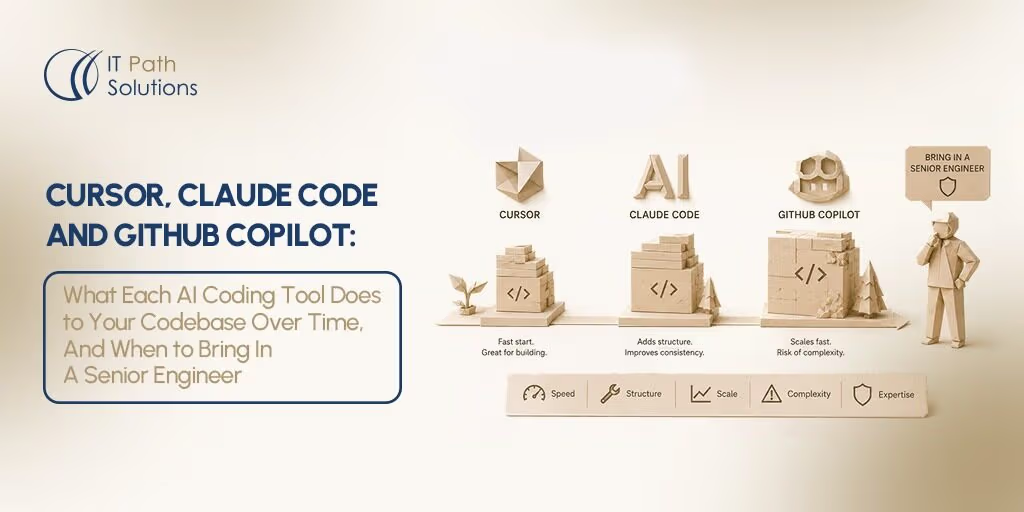
Cursor, Claude Code and GitHub Copilot: What Each AI Coding Tool Does to Your Codebase Over Time, And When to Bring In A Senior Engineer
Keyur Patel
May 13, 2026
19 min
Last Modified:
May 12, 2026
You picked a tool. Maybe Cursor because the visual diffs felt right, or Claude Code because you live in the terminal, or GitHub Copilot because the team was already in VS Code and the friction of switching wasn’t worth it. You shipped. Velocity was high. You felt ahead.
Then, somewhere between month two and month six, something shifted. Features that took three days now take nine. New engineers join and need a week to understand a single service. PRs are getting longer and harder to review. The AI still generates code confidently, but you’ve stopped trusting it quite as much.
The current discourse about AI coding tools will not help you diagnose this. Every comparison you’ll find is written for the moment before you chose: “which tool is best?” It is the wrong question once you’ve shipped. The right question is what did that choice do to your codebase, and what do you do about it now?
66% of developers say they are spending more time fixing “almost-right” AI-generated code in 2025, even as adoption of AI coding tools climbs to 80% of the developer workforce. The number-one frustration: AI solutions that are close but not quite right, cited by 45% of respondents as the top pain point in their day-to-day workflow.
AI coding tools genuinely accelerate development. That is not in dispute. This post is not a critique of the tools. It is a guide to the predictable debt pattern each one creates, and the signals that tell you when configuration discipline alone is no longer enough.
If you have already chosen a tool, jump to that section below. If you are still deciding, read the comparison table first. The debt pattern column is the one no other comparison includes.
The comparison table: what each tool does to your codebase
The table below is the one no current comparison includes. It is not a feature matrix. It is a post-adoption diagnostic: the columns that matter once you have already shipped with one of these tools for six months. Note that debt patterns depend significantly on team discipline. A team with strong code review practices will experience less debt from any tool. These patterns represent typical outcomes without active countermeasures.
| Tool | Strengths | Debt pattern after 6 months | Signal you need a senior engineer | What the engineer fixes first |
|---|---|---|---|---|
| Cursor | Multi-file editing, visual diffs, rules files, fast iteration in IDE | Context fragmentation across files; rule file sprawl; architectural incoherence | Fix loops where each Cursor fix creates a new bug; PRs too large to review; new engineers can’t explain the codebase | Audit context rules, map cross-file dependencies, establish refactoring sprints |
| Claude Code | Large-repo reasoning, terminal-native, architecture discussions, reliable 200k context | Orchestration complexity; tool-call chains that are hard to audit; dependency on developer to direct well | Agent outputs diverge from intended architecture; multi-step changes produce untraceable diffs | Audit claude.md rules, document intended architecture, establish review checkpoints |
| GitHub Copilot | Lowest adoption friction, works in any IDE, familiar for VS Code teams | Suggestion acceptance debt; test coverage gaps; security surface area from unreviewed accepted suggestions | Test coverage declining; security scan alerts rising; features that worked before start breaking | Test suite audit, dependency security scan, establish PR review discipline for AI suggestions |
| Windsurf | Large-codebase context handling, strong multi-agent workflows | Still evolving; early adopters report fewer architectural issues than Cursor [verify before publishing] | Insufficient data for a reliable 6-month signal. Revisit this section quarterly | [verify before publishing] |
| Tool | Context window handling | Multi-file editing | Codebase debt pattern |
|---|---|---|---|
| Cursor | Effective 70k to 120k (drops from advertised 200k to maintain performance) | Visual diffs, IDE-integrated, strong for focused sessions | Context fragmentation; rule file sprawl |
| Claude Code | True 200k tokens; reliable at scale; 1M token beta on Opus 4.6 | Agent-driven, terminal-native, multi-step autonomous | Orchestration complexity; audit difficulty |
| GitHub Copilot | 32k to 128k inline; context constructed per-suggestion | Inline suggestions plus agent mode (VS Code); PR-integrated | Suggestion acceptance debt; test gaps |
| Windsurf | Large-codebase context advantage noted [verify before publishing] | Multi-agent with Git worktrees | Insufficient longitudinal data [verify before publishing] |
Pricing, context window sizes, and feature availability change frequently. Verify current details directly with each vendor before acting on this data.
Cursor: what it builds, what it leaves behind
IDE-native, visual, fast. The fastest on-ramp for teams already in VS Code.
What Cursor does well
- Multi-file editing with visual diffs
- Rules files for codifying team conventions
- Agent mode for autonomous task completion
- Fastest IDE on-ramp for VS Code teams
- Semantic codebase search and @Codebase queries
What accumulates
- Context fragmentation across files
- Rule file sprawl and contradictions
- Multi-file brittleness
- Circular fix loops
- Architecturally incoherent codebase
Cursor is genuinely one of the most capable AI coding environments available right now. If you’re building on a greenfield project or running a small team in VS Code, it has no peer for the feedback loop it creates: visual diffs, in-IDE agent mode, and the ability to query the codebase in natural language. Month one on a new project with Cursor is, for many teams, the most productive month they have ever had.
The problem surfaces at month two, and it has a name: context fragmentation. Cursor operates on files. It does not operate on systems. When it fixes something in your API handler, it does not know that a frontend component three directories away depends on the exact response shape it just changed. When it refactors a database query, it does not know that a caching layer upstream assumes a specific query pattern. Each individual fix is locally correct. The codebase, as a whole, is becoming incoherent.
By month six, teams using Cursor without active countermeasures typically report a recognisable experience: features are navigating around existing code rather than building on it. New engineers can’t explain what a service does or why. Cursor itself starts producing fixes that contradict earlier changes, because the context it has access to no longer accurately represents what the system actually does.
Research finding
A peer-reviewed longitudinal study found that Cursor adoption initially increases development velocity, but code complexity and static analysis warnings increase proportionally, creating a self-reinforcing debt cycle. Productivity gains vanish after approximately two months without refactoring sprints and test coverage requirements.
A separate study found that experienced developers on large, mature codebases took 19% longer to complete tasks using AI tools, despite believing they had worked 20% faster. Both findings apply specifically to mature codebases under sustained AI-assisted development, not to all projects at all stages.
The debt pattern is not a reason to avoid Cursor. It is a management discipline problem, not a tool problem. The teams that do not experience it are the teams that build explicit countermeasures: refactoring sprints triggered by static analysis metrics, a disciplined approach to Cursor Rules that prevents rule file sprawl, and a habit of auditing cross-file dependencies before accepting large agent changes.
What a senior engineer does when they inherit a Cursor codebase
The first thing is a dependency map. Not the one the documentation describes, but the one the code actually reflects. In a Cursor-heavy codebase, these frequently diverge. The engineer then audits Cursor Rules for contradictions, since rules that were added in response to specific problems often conflict with earlier general rules. The third intervention is establishing a refactoring sprint rhythm: a regular cadence that is explicitly not about adding features, but about paying down the context drift that Cursor’s file-level approach creates.
Also Read – How We Shipped a Full Stripe Integration in 3 Days Using Cursor (And What We Would Do Differently)
Claude Code: what it builds, what it leaves behind
Terminal-native, deep reasoning, large-repo. The agent for architecture-level work.
What Claude Code does well
- Reliable 200k token context at scale
- Architecture-level reasoning and discussion
- Terminal-native: lives in the engineer’s real toolchain
- Parallel task decomposition and execution
- Highest SWE-bench score (80.8%) among current tools
What accumulates
- Orchestration complexity
- Tool-call chains that are hard to audit
- claude.md encoding outdated assumptions
- Quality tied to developer prompting discipline
Claude Code is the tool that consistently scores highest on real-world software engineering benchmarks: 80.8% on SWE-bench Verified with agent teams, the gold standard for measuring autonomous coding capability on genuine GitHub issues. It produces fewer first-pass errors than Cursor in multi-file reasoning scenarios, and its context window is genuinely reliable at 200k tokens rather than marketing-specification reliable. For architecture-level changes, large refactors, and projects where context depth matters more than visual feedback speed, it is the right choice.
The debt pattern it creates is different from Cursor’s, and in some ways more insidious, because it shows up in the process rather than in the code itself. Claude Code’s agentic model means that complex tasks are executed as multi-step tool-call chains. At month one, these chains are visible and reviewable. At month six, the chains have grown, and the developer directing them has often, without realising it, become the single point of context for understanding what the agent is doing and why.
Two specific problems compound over time. First, claude.md files (the configuration files that encode architectural rules and project context for Claude Code) tend to accumulate assumptions that were accurate when written but become outdated as the project evolves. The agent follows them faithfully long after they stop reflecting reality. Second, output quality is directly proportional to the quality of developer direction. On a well-rested morning with a clear specification, Claude Code is extraordinary. Under deadline pressure with a vague prompt, it is dangerous, because it will execute confidently in the wrong direction across dozens of files before anyone notices.
The cost reality
Claude Code’s usage-based pricing runs from approximately $20 to $100 per month per developer at intensive use, compared to Cursor’s flat $20 per month Pro tier. The cost difference is real and should be factored into team-level decisions. For teams that genuinely need the depth, the delta is worth it. For teams using Claude Code on tasks that Cursor would handle equally well, it is waste.
Claude Code wins on architecture-level changes, large refactors, projects where context depth matters, and any task where the developer can define the goal clearly upfront. Cursor wins on fast iterative IDE work where visual feedback is important and the task scope is bounded. Many experienced teams run both: Cursor for daily editing cycles, Claude Code for the heavier lifts.
What a senior engineer does when they inherit a Claude Code codebase
The first action is auditing claude.md for accuracy: checking whether the architectural rules encoded still reflect the current system. The second is documenting intended architecture explicitly, so that future agent runs are directed by documented intent rather than prompt improvisation. The third is establishing review checkpoints: mandatory human review points in any autonomous agent run that touches more than a defined number of files or crosses service boundaries.
Know more about – Claude Mythos, Project Glasswing, and the End of “Security Later” in Software Development
GitHub Copilot: what it builds, what it leaves behind
Lowest friction, broadest adoption, deepest GitHub integration. The workhorse of the enterprise.
What GitHub Copilot does well
- Works in any IDE with no switching cost
- Deep GitHub ecosystem integration (PRs, issues, Actions)
- Multi-model flexibility (GPT, Claude, Gemini)
- Predictable flat pricing from $10 per month
- Copilot coding agents for issue-to-PR automation
What accumulates
- Suggestion acceptance debt
- Test coverage gaps
- Security surface area from accepted suggestions
- Architectural fragmentation at repo scale
GitHub Copilot is the most widely adopted AI coding tool in the world for a reason: it works immediately, in the IDE you already use, without changing your workflow at all. For teams doing iterative feature work on a stable codebase (which describes most engineering teams most of the time) Copilot is sufficient indefinitely. Not every team that uses Copilot needs to escalate to anything. If your test coverage is healthy, your PRs are reviewable, and your codebase is comprehensible to new engineers, Copilot is probably doing its job well.
The debt pattern it creates is the quietest of the three. It does not announce itself with fix loops or untraceable diffs. It compounds through suggestion acceptance: a developer accepts a suggestion they mostly understand, moves on, accepts another, moves on. Over six months, the codebase accumulates patterns introduced by the model that no individual developer explicitly chose. Test coverage gaps appear because Copilot generates functions faster than the discipline to test them keeps pace. Security surface area grows because accepted suggestions often include permissive validation patterns that pass review without explicit attention.
Research finding
Analysis of 211 million lines of code found that code churn (code rewritten or deleted within two weeks) has doubled since 2021, coinciding with widespread AI adoption. A separate large-scale study found that 24.2% of AI-introduced issues survived in the latest revision of tracked repositories. These findings are not Copilot-specific, but Copilot’s inline suggestion model is the dominant vector through which AI-assisted code reaches production in most engineering teams.
The early warning system for Copilot debt is built into GitHub itself, which is an advantage no other tool has. Rising PR review times, declining test coverage metrics, and increasing code scanning alerts are all visible in GitHub before they manifest as production incidents.
Copilot’s native integration with the platform means the debt often shows up in PRs before it shows up in the codebase. Teams that watch these metrics and treat them as lagging indicators of suggestion acceptance discipline tend to avoid the worst outcomes.
Copilot stops being enough when the project requires repo-wide reasoning that inline suggestions cannot provide: when you need to refactor a data model that touches forty files, or when you need to understand the full dependency graph before making an architectural change. That is not a Copilot failure. It is a task-tool mismatch.
What a senior engineer does when they inherit a Copilot codebase
The audit starts with test coverage. Not the percentage, but what the tests actually cover. In Copilot-heavy codebases, coverage numbers often look healthy while the tests themselves test the happy path and nothing else. The second intervention is a dependency security scan: reviewing whether accepted suggestions have introduced packages or validation patterns with known vulnerability surface area. The third is establishing PR review discipline specifically for AI-accepted code, a review practice that treats accepted suggestions as first-class review targets rather than invisible background noise.
You might also like – Agentic Development Creates Code. Not Architecture. Here’s How Senior Engineers Work the Magic
Windsurf: the emerging option worth watching
Newer, faster-evolving. This section is reviewed and updated quarterly.
Windsurf has carved out a distinct position in the 2026 landscape by leading on large-codebase context handling and multi-agent workflows. Its Arena Mode enables side-by-side model comparison with hidden identities, a genuinely useful feature for teams that want to make evidence-based model selection decisions rather than following defaults. For teams that have hit Cursor’s effective context ceiling (the 70k to 120k range where performance degrades) and want a comparable IDE-native experience with better large-repo handling, Windsurf is the logical next evaluation.
What cannot be said with confidence yet is what Windsurf does to a codebase over six months of intensive use. The longitudinal data that exists for Cursor (peer-reviewed studies tracking code complexity, static analysis warnings, and productivity trajectories) does not yet exist for Windsurf. Early adopters report fewer architectural coherence issues than they experienced with Cursor, but this is anecdotal and the tool is evolving rapidly enough that any characterisation of its 6-month debt pattern would be premature.
Quarterly update note – Windsurf is evolving rapidly. Debt pattern data and longitudinal findings will be added as they become available.
The point of handoff: recognising when your AI tool has done its job
Every AI coding tool has a point at which it has done its job. The tool accelerated your early development, helped you ship, and gave your team a velocity that would not have been possible without it. That is a genuine achievement. The question is recognising the point at which the tool’s contribution is complete and past which, continuing to use it without structural intervention is costing you more than it is saving you.
That point is not announced. It accumulates. The six signals below are the ones that appear consistently across codebases where an AI tool has been the primary driver of development for three or more months. Not every signal demands a senior engineer. But every signal demands an honest diagnosis.
Six signals that your codebase has reached the handoff point
- Fix loops
You are fixing the same area of code repeatedly across multiple sessions, with each AI-generated fix creating a new problem in a different location. This is context fragmentation made visible.
2. Explanation failure
New engineers or even the original developer cannot explain what a section of the codebase does or why it was written the way it was. Not because the code is complex; because no human ever decided it.
3. Velocity inversion
Features that used to take 3 days now take 2 weeks, with no obvious external reason. The codebase has become the bottleneck. Each new feature navigates around existing AI-generated code rather than building on it.
4. Test coverage drift
Coverage percentage is declining as velocity appears to increase. AI tools generate functions faster than test discipline keeps pace. The gap between what is tested and what is in production is widening invisibly.
5. PR size inflation
PRs are growing in size and taking longer to review, not shorter. Agent mode is touching more files than intended. The review process has become a bottleneck rather than a quality gate.
6. Context override
The AI tool is ignoring your rules files or producing outputs that contradict earlier decisions. The configuration layer that was supposed to encode your architectural intent has drifted too far from reality for the tool to follow it.
Here is the honest split, because these signals do not all mean the same thing:
Configuration problems — often self-serviceable
- Rule files need updating, not rebuilding
- Prompting discipline needs tightening
- Context management needs explicit structure
- PR review process needs tighter scope rules
- claude.md or Cursor Rules need auditing for contradictions
Architecture problems — require senior engineering judgment
- Cross-service dependency maps are inaccurate or absent
- Business logic is distributed across AI-generated helpers with no coherent owner
- Test suite tests the wrong things at meaningful scale
- Refactoring any single component requires understanding the whole
- The original architectural intent is no longer recoverable from the code
Many teams resolve the configuration problems without external help, and they should. Better prompting, updated rules files, and tighter review processes fix a significant proportion of the signals above. The escalation to external senior engineering is appropriate specifically when the architecture problems are present: when the structural integrity of the codebase requires a human who can hold the whole system in their head, map what the AI built against what the product actually requires, and establish the conventions that prevent the debt from reaccumulating.
Also Read – AI Wrote the Code. Here’s What You Must Check Before It Goes to Production
Your roadmap won’t ship itself.
If the signals in this post describe your codebase today, the question is not whether to act. It is how quickly you can get a senior engineer into the codebase before another sprint disappears into debt service.
IT Path Solutions works with technical founders and engineering leads to audit AI-assisted codebases, establish the architectural foundations that AI tools need to produce reliable outputs, and restore the development velocity that the debt is currently consuming. Kickoff within one week of engagement.
Learn about Vibe Coding Support
Frequently asked questions
- Is Claude Code better than Cursor?
Neither is better. They are optimised for different modes of work. Cursor is faster for iterative, visual, IDE-based development. Claude Code handles larger repos with more reliable context (true 200k tokens vs Cursor’s effective 70k to 120k) and is better suited to architecture-level changes and autonomous multi-step tasks. Most experienced teams use both: Cursor for daily editing, Claude Code for complex refactors. The real question is not which is better, but which debt pattern your team is better positioned to manage.
2. Does Cursor create technical debt?
Yes, under specific conditions. A peer-reviewed longitudinal study found that productivity gains from Cursor adoption vanish after approximately two months without active refactoring processes. The specific debt patterns are: context fragmentation (Cursor operates on files, not system architecture), rule file sprawl, and multi-file brittleness where fixes in one file break assumptions in another. These are manageable with the right engineering discipline but they are predictable enough that teams should plan for them at adoption, not after they appear.
3. What is the difference between AI coding agents and IDE assistants?
IDE assistants (like GitHub Copilot) work inline. They suggest the next line or function as you type and you accept or reject each suggestion. AI coding agents (like Claude Code and Cursor’s agent mode) operate autonomously across multiple files, executing multi-step tasks like refactors, test generation, and dependency changes without line-by-line approval. Agents are more powerful but introduce more debt: the larger the autonomous change, the harder it is to understand what changed, and the more debt accumulates if review discipline is weak.
4. Is AI-generated code hard to maintain?
It depends on how it was generated and reviewed. Industry data shows 70 to 90% of software lifecycle costs go to maintenance, and research across 211 million lines of code found that code churn has doubled since 2021 alongside AI adoption. The specific problems: AI tools treat each task as standalone (creating redundancy), do not understand design principles (creating architectural fragmentation), and produce opaque logic that is hard to trace. These problems are not inevitable, but they require active countermeasures including code review discipline, refactoring sprints, and clear architectural rules that many fast-moving teams skip.
5. What are the biggest problems with Cursor AI on large codebases?
Five problems appear consistently in Cursor-built codebases at scale:
- context fragmentation where Cursor operates on files, not on the system, so fixes in one file break assumptions elsewhere;
- fix loops where each AI fix creates a new problem, creating circular debugging;
- monolithic PRs where agent mode touches more files than intended, producing PRs that are too large to review properly;
- performance instability where indexing can degrade significantly on codebases above a certain size;
- test drift where the AI rewrites tests to match flawed code rather than fixing the code to pass the tests.
6. Can I use Claude Code inside GitHub Copilot?
Yes. As of early 2026, Claude Code is available as a third-party agent within GitHub Copilot Pro+ and Enterprise plans via Agent HQ. This means teams already using Copilot for inline completions can delegate complex autonomous tasks including repo-wide refactors and multi-file architecture changes to Claude Code without leaving the Copilot interface. The two tools operate at different layers and do not conflict: Copilot handles inline generation speed, Claude Code handles depth and autonomy.

Keyur Patel
Co-Founder
Keyur Patel is the director at IT Path Solutions, where he helps businesses develop scalable applications. With his extensive experience and visionary approach, he leads the team to create futuristic solutions. Keyur Patel has exceptional leadership skills and technical expertise in Node.js, .Net, React.js, AI/ML, and PHP frameworks. His dedication to driving digital transformation makes him an invaluable asset to the company.
Related Blog Posts

How RivalRadar Uses AI Agents to Track Competitors Automatically

How to Build an AI Influencer Platform in 2026: The Next Frontier for Brands, Creators, and Digital Product Teams