Home
»Blog Insights
»How to Build AI Agents with LangChain, LangGraph, and RAG: The Architectural Decision Guide
How to Build AI Agents with LangChain, LangGraph, and RAG: The Architectural Decision Guide
Keyur Patel
May 19, 2026
14 min
Last Modified:
May 19, 2026
If you’ve spent any time recently in conversations about AI, three terms have probably come up together: LangChain, LangGraph, and RAG. They show up in vendor pitches, in engineering proposals, in job descriptions for roles you’re trying to hire. And if you’re not a hands-on engineer, they tend to blur into each other, because nobody has explained what each one actually does or why all three keep appearing in the same sentence.
Most content written about these tools is written for developers. It assumes you’re about to write code. It skips the question that founders, CXOs, and technical directors actually need answered first: what am I deciding here, and what happens if I decide it in the wrong order?
That’s what this post covers. No code. No jargon left unexplained. Just the sequence of decisions that determines whether an agentic AI system ships to production or stalls in a prototype that works in demos and breaks everywhere else.
First: What an AI Agent Actually Is
It helps to start with the thing itself before getting into the tools.
A chatbot answers a question. You type something, it replies, the interaction ends. An AI agent does something with what you give it. It looks something up, takes an action based on what it finds, decides what to do next, and keeps going until the task is done. No human directing every step.
That’s the gap everyone is trying to close right now. Customer support that doesn’t just answer FAQs but actually processes a return. A research tool that doesn’t surface links but synthesizes regulatory filings across three databases. An operations workflow that monitors inventory, triggers a reorder, and escalates exceptions to a human when the situation falls outside the rules.
These are real, already-deployed use cases. According to McKinsey’s 2025 State of AI report, 23% of organizations have already begun scaling agentic AI systems within parts of their business. They are also meaningfully more complex to build than a chatbot. And the tools required change significantly depending on how complex the workflow actually needs to be.
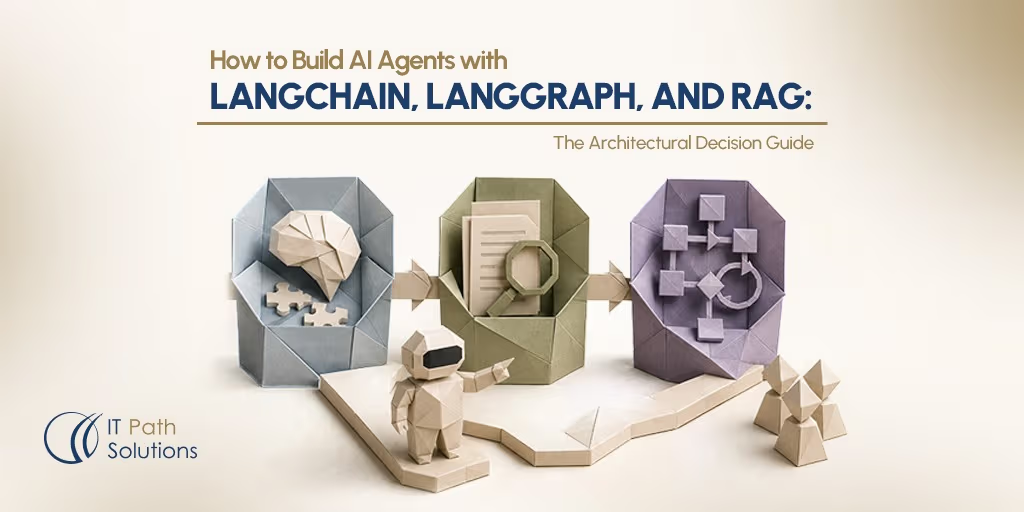
LangChain, LangGraph, and RAG are the three layers most teams use to build them. They aren’t competing options to evaluate against each other. They’re a sequence. Each one solves a different part of the problem, and the decision you make at each layer determines what the next one requires.
Most teams that want to build AI agents with LangChain start here and never need to go further. The complexity only compounds when the workflow demands it.
The First Layer: LangChain
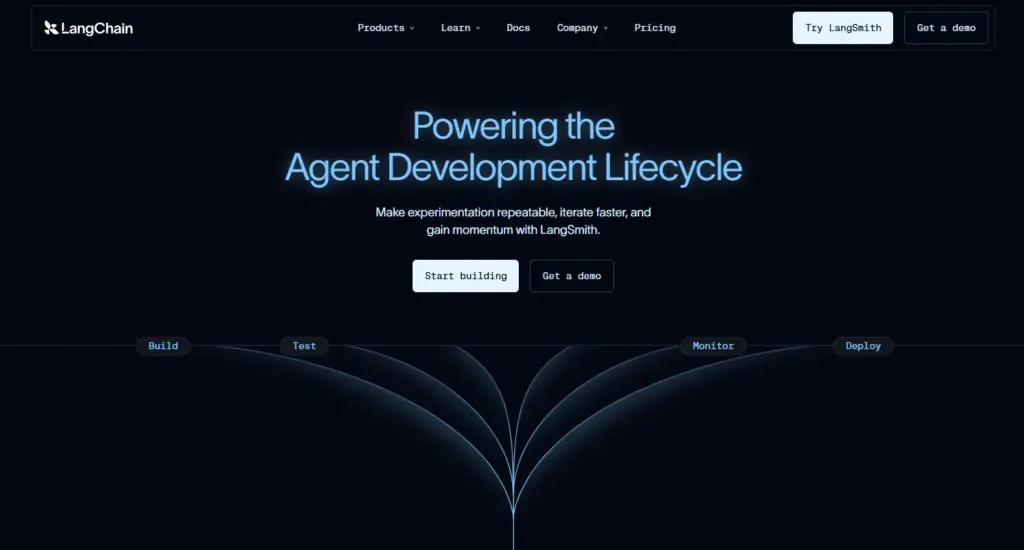
Imagine you hired a very capable assistant and gave them a desk. LangChain is the desk.
It’s the layer that connects the AI to everything else: your database, your APIs, your internal tools, your documents. It handles the routing, the tool access, the basic back-and-forth of a task. Without it, the model is just sitting there with no way to act on the world.
For a lot of use cases, this is all you need. A customer support agent that looks up order history and responds in plain language. A document summarizer. An internal Q&A tool that searches your knowledge base and answers employee questions. These are legitimate, production-ready agentic AI products, and they don’t require anything beyond LangChain handling the connections.
When people talk about LangChain use cases at the enterprise level, they’re usually describing exactly this tier: LangChain AI agents handling well-defined, repeatable workflows with access to internal systems.
The limitation shows up when the workflow stops being linear. When the agent needs to remember what it did three steps ago. When it needs to loop back because the first answer wasn’t good enough. When it needs to hand off to another agent. That’s when LangChain on its own isn’t enough, and the second layer enters the picture.
The Second Layer: RAG
Here’s a problem every team building with AI eventually runs into. The model doesn’t know anything about your business.
It was trained on a massive dataset of public information, and its knowledge has a cutoff date. It has never seen your internal policy documents. It doesn’t know what’s in your CRM. It can’t tell you what changed in your product catalog last Tuesday. If you ask it something that depends on your data, it will either hallucinate a confident-sounding answer or tell you it doesn’t know.
RAG, which stands for Retrieval-Augmented Generation, is the architecture that fixes this. When a user asks a question, the system first retrieves the relevant information from your data sources, then feeds that retrieved context to the model, which generates a response grounded in what was actually found. The model isn’t guessing. It’s working from real data it just looked up.
The simplest version of this is a single retrieval pass. User asks something, system searches your document store, pulls the most relevant pieces, model answers. That’s standard RAG, and it works well for a lot of cases.
Agentic RAG is what happens when one retrieval pass isn’t enough. The agent can look at what came back, decide the results were weak, and reformulate the query. It can pull from multiple sources at once. It can route different parts of the same question to different databases. It becomes a loop rather than a single pass, and that’s where the architecture gets meaningfully more complex.
A practical agentic RAG LangGraph example: a compliance agent that retrieves from internal policy documents, finds the initial results ambiguous, queries a regulatory database for clarification, then routes the combined output through a human review checkpoint before generating a final recommendation. That entire loop is what separates agentic RAG from standard RAG, and it requires LangGraph to orchestrate it reliably.
There is one implementation decision at the RAG layer that teams consistently underestimate, and it causes more production problems than almost anything else. It’s called chunking: how you break your documents into pieces small enough for the model to work with.
Too large, and the model gets buried in irrelevant context.
Too small, and it loses the surrounding meaning it needs to generate a coherent response.
There is no universal right answer. It depends on the nature of your documents, how your users phrase queries, and how your retrieval is designed. Teams that treat chunking as an afterthought typically find themselves re-engineering it after they’ve already built everything else on top.
The Third Layer: LangGraph
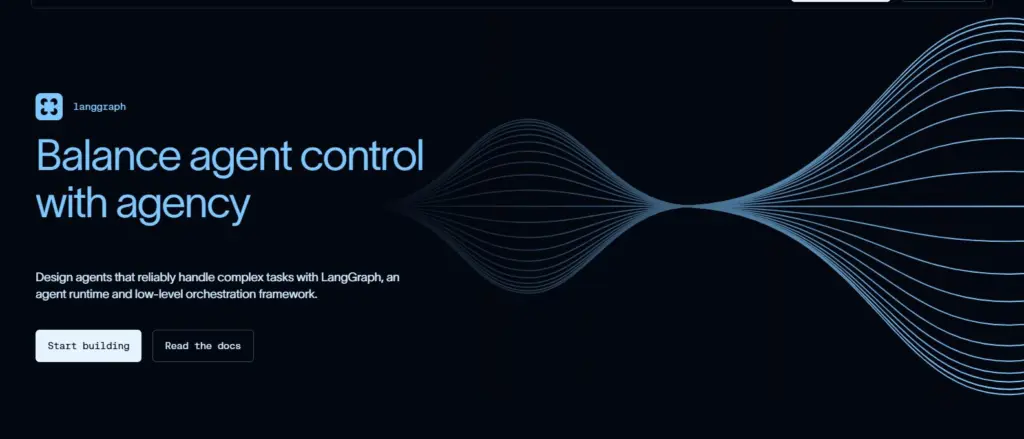
Back to our capable assistant at their desk. LangChain gave them the desk and the tools. RAG gave them access to your files. But what happens when the task they’re working on requires them to loop back, escalate to a manager, coordinate with a colleague, or pause and wait for approval before continuing?
That’s what LangGraph handles.
LangGraph is the workflow engine underneath the agent. It manages what the agent does next based on what it found, including going back to a previous step, taking a different path depending on the output, or pausing so a human can review something before the workflow continues.
The question that causes most confusion here is the LangGraph vs LangChain debate. It’s a false comparison. LangChain’s latest version is actually built on top of LangGraph. They work together. LangChain handles the integrations and the higher-level orchestration. LangGraph powers the stateful workflow execution underneath it.
LangGraph agentic workflows are structured as graphs, where each node is a step and each edge is a transition between steps. Unlike a straight line from start to finish, these graphs can loop, branch, and pause, which is what makes them the right tool for complex, multi-step processes.
LangGraph becomes necessary in specific situations. When the agent needs to retry a step based on what it got back, for example reformulating a search query when the first retrieval returned low-quality results. When multiple agents need to coordinate and pass information to each other across a shared workflow.
When a human needs to review or approve an action before the agent continues, the kind of approval gate you’d need in a financial, clinical, or legal workflow. When the process runs long enough that the agent’s state needs to be saved and recoverable if something fails mid-way.
It’s worth being honest about the other side too. LangGraph is overkill for a straightforward document Q&A tool or a linear single-source chatbot. Adding it to those use cases increases engineering complexity without a proportionate benefit. The decision of whether you need it should be driven by what your workflow actually requires, not by what sounds most impressive.
How to Build AI Agents with LangChain: The Sequence That Determines Everything
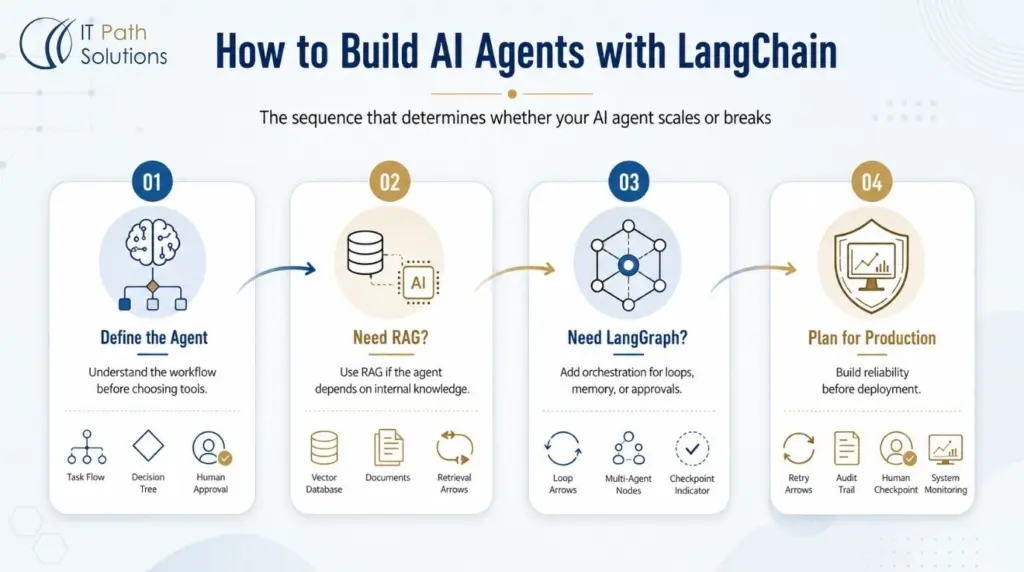
The reason these three layers matter is that they interact. The decision you make at the first layer shapes what the second requires. The second shapes what the third requires. Teams that don’t think this through before they start building end up retrofitting complexity onto a system that wasn’t designed for it, which is significantly more expensive than getting the sequence right upfront.
Here is the sequence in plain terms.
1. Define what your agent needs
Start by defining what the agent actually needs to do.
- Is it a single-step task or a multi-step workflow?
- Does it need to access your own data, or only publicly available information?
- Does it need to involve a human at any point?
The answers to those questions tell you which layers are necessary. If you want to understand why getting this wrong at the architecture stage is so costly, the breakdown of agentic AI architecture problems is worth reading before you scope the build.
2. Do you need RAG
Determine whether you need RAG. If the agent works with your internal data in any meaningful way, yes. If it’s working purely from the model’s trained knowledge or from public search results, possibly not.
3. Do you need LangGraph
Then determine whether you need LangGraph. If any part of the workflow involves loops, multi-agent handoffs, human approval steps, or long-running state that needs to persist across failures, yes. If not, LangChain with standard RAG is likely sufficient.
4. Plan and Build
Finally, and this is where most prototype-to-production transitions break down, plan for the production requirements before the build starts. A demo that works in a controlled setting is not a production system.
Production means having a way to trace what the agent did and why when something goes wrong. It means retry logic for when an external API times out. It means human checkpointing for any workflow where the agent’s decisions carry real consequences.
These aren’t features you add later. They’re architectural decisions that need to be made at the start, because adding them to a system that wasn’t designed for them is significantly more expensive than building for them from day one. The senior engineering checklist for agentic codebases going to production covers exactly what gets audited at this stage.
How the Layers Map to Real Use Cases
Understanding how to build AI agents with LangChain is easiest when you can see it mapped against real workflows.
LangChain enterprise use cases tend to cluster around two tiers: simpler linear workflows that need LangChain and standard RAG, and more complex orchestrated workflows that add LangGraph on top. Here’s how that split looks in practice:
| Use Case | LangChain | RAG | LangGraph |
|---|---|---|---|
| Internal knowledge base Q&A | Yes | Yes, single source | No |
| Customer support agent with order lookup | Yes | Yes | No, if the workflow is linear |
| Multi-source research across regulatory, market, and internal data | Yes | Yes, Agentic RAG | Yes |
| Any workflow with human approval checkpoints | Yes | Yes | Yes |
| Financial or clinical decision support | Yes | Yes, Agentic RAG | Yes, required |
| Automated inventory monitoring and reorder workflows | Yes | Yes | Yes |
The further down that table you go, the more engineering depth the system requires, both to build correctly and to keep stable in production.
A few industries where the more complex tier shows up consistently:
Teams building healthcare AI solutions almost always need LangGraph, because clinical and prior-authorization workflows require human approval checkpoints at multiple stages before the agent can proceed. A single retrieval pass doesn’t cut it when the output influences a care decision.
In fintech AI development, fraud detection and financial research workflows typically pull from market data APIs, internal portfolio systems, and regulatory databases simultaneously. That’s Agentic RAG territory, and the compliance requirements mean observability and audit trails are architectural mandates from day one, not afterthoughts.
For teams building agentic AI for supply chain operations, the challenge is usually that the workflow spans procurement, logistics, and customer systems at the same time. Multi-agent coordination and conditional branching are baked into the use case, which means LangGraph is required before you write the first line of integration code.
If your use case sits in any of these categories and you want help pressure-testing the architecture before committing to a build, our agentic AI development services team is available to assess your stack and scope the right approach.
The Question Most Planning Conversations Avoid
At some point, every team building an agentic system has to answer a question they often leave too late: should we build this in-house, or bring in a team that has already shipped it?
Building in-house makes sense when your engineering team has genuine production experience with LangGraph and vector databases, not just familiarity with LangChain from a tutorial or a side project. When your use case sits in the simpler tiers. When your timeline gives you room to iterate through the parts that require experience rather than prior knowledge.
Bringing in a specialist team makes sense when your use case requires Agentic RAG, multi-agent coordination, or human-in-the-loop design. When your team’s core depth is in product engineering rather than LLM systems. When you need to ship within 60 to 90 days. When the cost of a production failure, a hallucinating customer-facing agent, a corrupted financial workflow, is significant enough that the cost of bringing in someone who has done this before is clearly worth it.
The hidden cost most teams don’t model is this: building a prototype that works in the demo but fails in production, then rearchitecting from that failure point, is more expensive than scoping the architecture correctly before the build starts. The prototype feels fast. The rearchitect doesn’t.
If your use case sits in the LangGraph or Agentic RAG tier and your team doesn’t have that production depth, IT Path Solution’s service connects you with engineers who have shipped these systems, with kickoff within 24 to 48 hours. If you are earlier in the process and still scoping which service fits your situation, exploring our AI app development services will be a good place to start from.
Frequently Asked Questions
- What is the difference between LangChain and LangGraph?
LangChain is the integration and orchestration layer. It connects your AI agent to models, APIs, databases, and tools, and handles the logic of a basic agent workflow. LangGraph is the stateful workflow runtime that sits underneath it, handling loops, branching, multi-agent coordination, and human-in-the-loop checkpointing. LangChain’s latest version is built on top of LangGraph. They work together.
2. Do I need all three?
Not for every use case. LangChain is the foundation for almost all agentic systems. RAG is required when your agent needs to work with your own data. LangGraph is required when your workflow involves loops, multi-agent handoffs, human approval steps, or state that needs to persist across a long-running process. Simpler use cases need only the first one or two layers.
3. What is Agentic RAG and how is it different from standard RAG?
Standard RAG retrieves information from one source in a single pass and generates a response from what it found. Agentic RAG adds a reasoning loop: the agent can refine its query if the initial retrieval was weak, pull from multiple sources, or route different parts of the question to different data stores. Agentic RAG requires LangGraph to manage that loop.
4. Is LangGraph replacing LangChain?
No. LangChain 1.0 is built on top of LangGraph. LangGraph is the lower-level runtime; LangChain provides the higher-level abstractions that sit on it. Teams use them together.
5. When should we bring in outside engineering help?
When your use case requires Agentic RAG, multi-agent orchestration, or human-in-the-loop design, and your team doesn’t have prior production experience with those patterns. Familiarity with LangChain from a tutorial or a hackathon does not translate to production LangGraph architecture. The gap between those two things is real, and discovering it mid-build is expensive.

Keyur Patel
Co-Founder
Keyur Patel is the director at IT Path Solutions, where he helps businesses develop scalable applications. With his extensive experience and visionary approach, he leads the team to create futuristic solutions. Keyur Patel has exceptional leadership skills and technical expertise in Node.js, .Net, React.js, AI/ML, and PHP frameworks. His dedication to driving digital transformation makes him an invaluable asset to the company.
Related Blog Posts

How RivalRadar Uses AI Agents to Track Competitors Automatically
How to Build an AI Influencer Platform in 2026: The Next Frontier for Brands, Creators, and Digital Product Teams