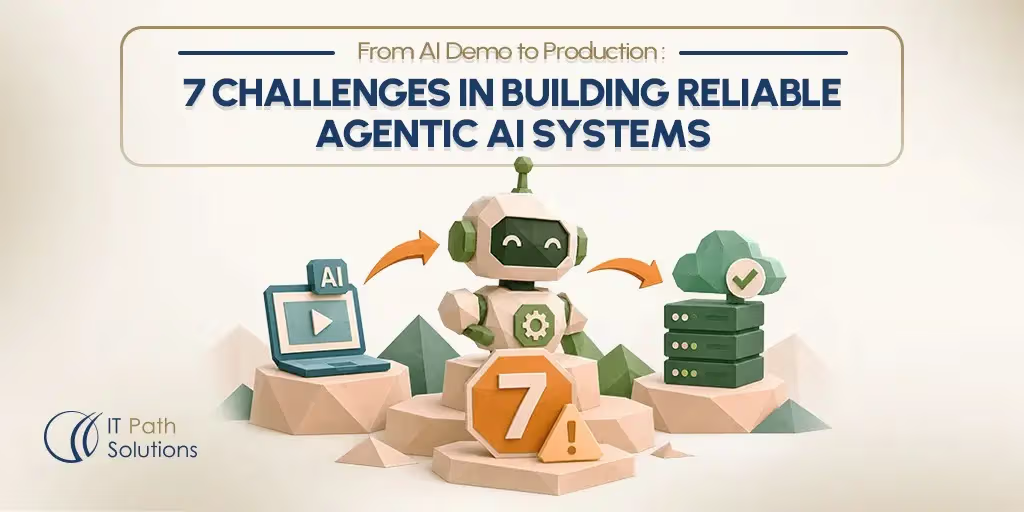
From AI Demo to Production: 7 Challenges in Building Reliable Agentic AI Systems
Keyur Patel
November 6, 2026
13 min
Last Modified:
November 6, 2026
Your agent pilot works. It reads a request, calls a tool, and returns a clean answer. Then you connect it to live systems, and the behavior changes.
A working pilot is not the same as agentic AI in production. Live inputs are messy, tools fail, and nobody rehearses the edge cases.
Agentic AI systems fail between demo and production for seven recurring reasons. Errors compound across long tasks. Behavior changes between runs. Weak evaluation hides regressions. Limited observability blocks diagnosis. Agents take irreversible actions without guardrails. Deployment and rollback practices break down. Scope and ownership stay unclear.
Gartner published a related forecast in June 2025. It predicted that organizations will cancel over 40% of agentic AI projects by the end of 2027.
The seven agentic AI challenges below start with what your team will observe. Next comes the cause, then a practical mitigation. AI agent development often stalls between a pilot and a live system.
No mitigation here removes failure risk. Some figures come from third-party sources and may change over time.
How We Chose These Seven Challenges
Each challenge here meets four tests. First, teams meet it after a working demo. Second, it has a symptom you can recognize. Third, a practical mitigation exists.
Fourth, it differs from the other six. The order follows the deployment lifecycle, not severity. It starts with runtime behavior, then moves through measurement, control, operations, and ownership.
No source ranks these problems by cost or frequency. This list is an editorial synthesis, not an exhaustive taxonomy. A team may face failures that fall outside it.
Challenge 1: Errors Compound Across Long Task Chains
Your agent handles a five-step request in the demo. Give it fifteen steps and the output drifts. For example, step three returns a wrong customer ID.
Every later step uses that ID as fact. By the end, the agent updates the wrong account with confidence.
The cause sits in the context. An agent reads its own prior outputs before choosing the next action. A mistake enters the context as ordinary data. The model has no independent way to flag it.
Longer chains add more chances for a small error to become a decision. Tool failures and ambiguous responses add more.
Start by shortening the chain. Split long tasks into stages a person or a rule can verify. Add checkpoints that validate intermediate outputs before the agent continues. Validate IDs, dates, and amounts in code, not in a prompt.
Set a step limit and stop runs that repeat an action. Narrow the tools available at each step. A smaller action space gives the model fewer ways to go wrong.
These fixes cost capability. Shorter chains handle fewer tasks in one run. Checkpoints add latency and human work. You trade autonomy for dependability. That trade makes sense when a wrong action costs more than a slow one. It makes less sense for low-stakes drafting work.
Challenge 2: Accuracy Improves, but Reliability Doesn’t Follow
Accuracy measures whether the agent produced the right result. AI agent reliability asks whether it behaves the same way tomorrow. A high benchmark score can hide both problems.
Teams often notice this first through a support ticket. The same input produces a different answer on Tuesday.
A 2026 ICML paper by Rabanser et al separates reliability into four dimensions. Consistency means repeatable behavior across runs. Robustness means stable behavior when inputs or tools change.
Predictability means confidence matches actual success. Safety means failures stay bounded in severity.
The authors evaluated 15 models across two benchmarks. They found that recent accuracy gains produced only small reliability improvements. That finding has limits. It covers the models and benchmarks the authors tested. Your agent uses different tools, prompts, and data. Real-world results may differ.
Treat the four dimensions as a checklist, not a score. Test for them directly. Run each evaluation case several times and compare outcomes.
Rephrase the same request and check whether the plan changes. Check calibration by comparing stated confidence with observed success. When an agent claims high confidence on failing tasks, gate the action.
Add these checks to the release criteria you already use. They catch drift a single passing run cannot show.
Challenge 3: Demo-Grade Evaluation Hides Production Failures
The agent passes every test you wrote. Two weeks after launch, a user reports a wrong action. Your test set never covered that input.
Curated demo cases share one weakness. They reflect the paths a developer expected, not the paths real users take.
Build the evaluation set from production traces. Capture the inputs, tool responses, and outcomes from real runs. Start with a staged environment if live data is thin.
Include cases where a tool returns an error or a partial result. Add a new case each time an incident appears. That habit turns every failure into a regression test.
Agent paths are non-deterministic. A final-answer check misses a bad tool call in the middle. Add checkpoint checks at key steps.
Verify which record the agent read and which tool it chose. Agree on pass thresholds before a release. Then block builds that fall below them.
Production-ready AI agents need evaluation sets that grow with the product. Review the set monthly, since new integrations change the input space.
Some teams use a model as the judge. In a 2023 study, Zheng et al. documented position, verbosity, and self-enhancement biases in LLM judges. Calibrate judge scores against human review before you trust them. A judge adds its own error rate. Keep a human-reviewed sample in every evaluation run.
Challenge 4: You Can’t Fix What You Can’t Trace
Consider a common incident. A customer says the agent changed a record. You check the application logs and find the final response.
You cannot find why the agent chose that action. Nobody can reconstruct the run. Fixes stall because the team cannot reproduce the failure.
Traditional logs record inputs and outputs. An agent needs a trace. A trace records each model call, each tool call, the arguments passed, and the decision between them.
Store the prompt version and model version with the trace. Without those, two runs of the same code can differ and leave no explanation.
Link traces to evaluation. When a case fails, the trace should become a new test case. When a release changes behavior, the trace should show which step changed. This closes the loop between what you measured and what shipped.
Tracing has real costs. Full traces grow quickly and add storage expense. They can contain customer data, tool payloads, and internal records.
Decide what to retain, who can read it, and how long it stays. Mask sensitive fields before storage. Set retention rules before you enable broad logging. Traces make debugging possible, but they add ongoing work.
Challenge 5: Guardrails and Human Approval for Irreversible Actions
An agent sends a refund email that nobody reviewed. Another agent deletes a record during a cleanup task. Both are examples of the same symptom.
The action succeeded technically. Nobody authorized it, and nobody can undo it. This failure turns a quality bug into an incident.
Classify every tool by reversibility. A read, a draft, or a local calculation is cheap to undo. A payment, a deletion, an external message, or a permission change is not.
Put an approval gate before each irreversible action. A person confirms the exact parameters, not a vague summary. Keep that decision in application code, not in a prompt.
Apply least privilege to every tool and credential. Give the agent only the scopes the task needs. Limit the number of tools it can choose from.
The OWASP GenAI LLM Top 10 2026 lists excessive agency among its risks and gives mitigations. A review of a real agent security incident shows how permitted actions combined into an unauthorized outcome.
Gates have a cost. They slow workflows and add reviewer work. Too many approvals lead to reviewer fatigue, and people start clicking through. Choose gates by consequence, not by habit. Let low-risk steps run autonomously once evaluation supports it. A gate limits how far a failure can travel.
Challenge 6: Prompts, Models, and Memory Break Release Discipline
You roll back last week’s release. The code returns to the earlier version, but the agent still behaves differently. The prompt changed in a config file.
The model provider updated a default. Stored memory now holds facts written after the release. Code rollback restored none of those.
Treat prompts, model versions, tool schemas, and configuration as one release unit. Store them in version control with the application code. Tag each deployment with the full set.
Standard custom software development release practice already covers this pattern. Agentic AI deployment adds one dependency that code alone cannot reset. Memory survives a rollback.
Use versioned or append-only memory. A rollback should point to the memory state that existed at that release. If the agent writes to a store during a run, record which release wrote it.
Rehearse rollback in staging before you need it in production. Reviewed, repeatable deployment pipelines show how to record each change and approval. Memory versioning adds engineering work. A small pilot with read-only tools may not need it yet. Add it when the agent starts writing state a rollback must restore.
Until then, document what the rollback does and does not cover. Teams that skip this step often find the gap during an incident.
Challenge 7: Unclear Scope, Ownership, and ROI
The pilot has no launch date. Three teams touch it, and nobody owns the output. When leadership asks what it saved, the answer is a demo. The project stalls without a decision to ship or stop.
Pick one bounded use case first. Choose a repetitive step with a measurable outcome and a low cost of error. One stage of a support workflow works better than an end-to-end process.
Write the baseline before you build. Record current handle time, error rate, or cost per task. Without a baseline, no later number means anything.
Name one owner accountable for agent behavior. That person approves scope changes, reviews incidents, and decides when to raise autonomy. Share the evaluation results with that owner each release.
Track inference and infrastructure cost from the start. Long chains, retries, and large contexts raise spend in ways a demo hides. Compare cost against the baseline, not against a hoped-for saving.
Early ROI can be hard to measure. Do not promise savings before the numbers exist. If the numbers never improve, stop the pilot and record why.
When an Agent Is the Wrong Tool (Yet)
Some tasks do not need an agent. A fixed sequence of steps with clear rules runs better as ordinary code. A deterministic workflow is easier to test and secure. An agent adds flexibility you may not use.
High-consequence work needs staged autonomy instead. Start the agent in an assistive role that drafts actions for a person. Increase autonomy only when measured performance supports each step. Payments, clinical decisions, and account closures rarely justify full autonomy at launch.
Some teams should build this in-house. If your engineers already run production ML systems, the gap is small. They already run evaluation, tracing, and on-call rotations.
A partner is not right for every team. That includes IT Path Solutions. A bounded pilot beats a rushed launch.
A Pre-Launch Readiness Checklist
Use this list before you grant an agent live access.
- Agent scope. Define one bounded use case and name an owner.
- Tool and API permissions. Grant least-privilege scopes and classify each tool by reversibility.
- Realistic testing. Build trace-based cases, repeat runs, and set release thresholds.
- Safety guardrails. Gate payments, deletions, messages, and permission changes behind approval.
- Observability. Trace every decision and tool call, and set a retention policy.
- Human oversight. Assign a reviewer for irreversible actions and watch for fatigue.
- Rollback planning. Version prompts, models, tools, and memory, then rehearse rollback.
IT Path Solutions is a web, mobile, and AI app development company with 13+ years of experience. Our AI app development services can support teams preparing agentic systems for production. You can also talk to our team about a specific pilot.
The Bottom Line
Getting agentic AI in production right is mostly discipline, not model choice. The seven challenges above share one pattern. Each is a missing control around a system that already works in a demo.
Audit your pilot against them before you add autonomy. Fix the gaps you can measure, then ship a bounded version. A smaller launch that survives real traffic beats a full rollout you cannot trace.
Frequently Asked Questions
1. Why do AI agents fail in production?
AI agents fail in production because demos use curated inputs and live systems do not. Errors compound across multi-step tasks. Behavior varies between identical runs. Weak evaluation hides regressions before launch.
2. How do you test an AI agent before production?
Build an evaluation set from real production traces rather than synthetic examples. Add a case each time a new failure appears. Run each case several times to measure consistency. Test rephrased inputs and malformed tool responses. Block releases that fall below agreed thresholds. Calibrate any model judge against human review.
3. Do AI agents need human oversight in production?
Yes. Any irreversible or high-impact action needs a human approval gate. Agents act on live systems, so approval gates belong before payments, deletions, external messages, and permission changes. Lower-risk steps can run autonomously once evaluation supports it. IT Path Solutions recommends starting agents in an assistive role. Raise autonomy only as measured performance justifies it.
4. How should you roll back an AI agent deployment?
Version prompts, models, tools, and configuration together, and tie each set to a release. Rollback gets harder when an agent’s memory has changed. Use versioned or append-only memory. Rehearse rollback in staging before you need it in production.
5. What should you automate first with agentic AI?
Start with a bounded, repetitive step that has a measurable outcome and a low cost of error. One stage of a larger workflow works better than an end-to-end process. Prove value, then expand scope. IT Path Solutions recommends choosing use cases where success metrics exist before development begins. That gives the agent a baseline for comparison.
6. Can a small team build production-ready AI agents in-house?
Yes, if your engineers already run production ML systems. The hard parts are evaluation, tracing, release discipline, and ownership, not model access. A team with those practices can ship without a partner. A team without them should build those practices before granting live access.

Keyur Patel
Co-Founder
Keyur Patel is the director at IT Path Solutions, where he helps businesses develop scalable applications. With his extensive experience and visionary approach, he leads the team to create futuristic solutions. Keyur Patel has exceptional leadership skills and technical expertise in Node.js, .Net, React.js, AI/ML, and PHP frameworks. His dedication to driving digital transformation makes him an invaluable asset to the company.
Related Blog Posts

How RivalRadar Uses AI Agents to Track Competitors Automatically

Notion Client Portal: How to Build a Branded Client Experience Without Leaving Notion