AI Helped You Create An App — So Why Is Your Team Slowing Down Now?
Keyur Patel
March 31, 2026
10 min
Last Modified:
April 22, 2026
AI development feels like a breakthrough in the beginning. In the first month, output doubles. Features ship faster than expected. A single developer, working with tools like Cursor, can deliver in hours what used to take days. Pull requests stack up.
The roadmap finally starts moving the way it was supposed to.
It feels like momentum.
But somewhere around month three to six, that momentum begins to fade.
The same team. The same tools. The same process. And yet, every sprint starts to feel heavier than the last. Standups repeat the same blockers. Estimates slip more often than they land. Parts of the codebase that once felt simple now feel fragile or worse, avoided entirely.
Nothing obvious broke. But something clearly changed.
This is not a failure of AI tooling. It is a natural phase of AI-assisted development that most teams are not prepared for. The speed you gained early on did not disappear, it compounded into something else.
A technical debt, in terms of structure, architecture, and ownership that AI quietly accelerates in the background.
If you are in this phase right now, it does not mean your team slowed down. It means your system has reached a point where speed alone is no longer enough to hold it together.
The Velocity Curve Nobody Told You About
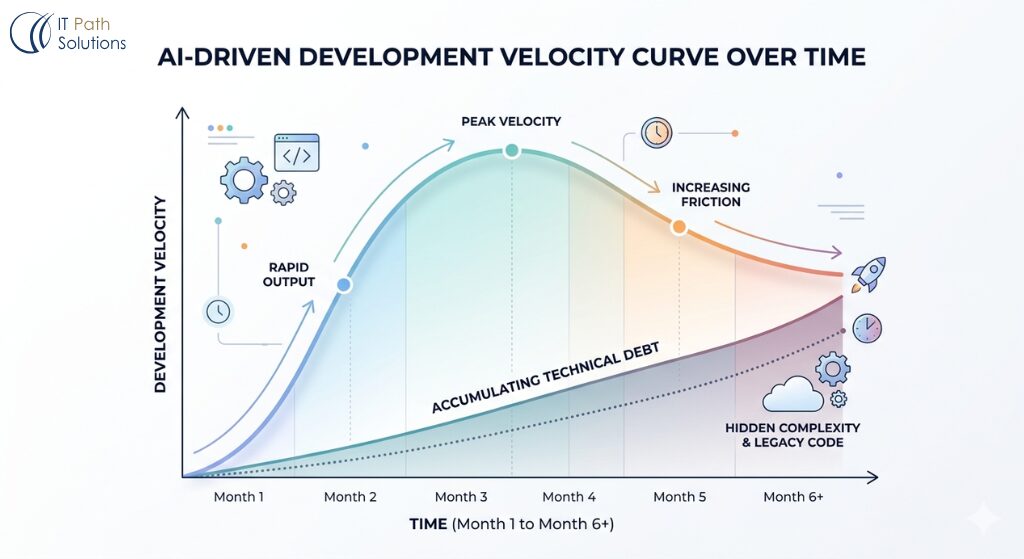
AI-assisted development follows a predictable arc. In the early phase, the tools are almost unfairly good. Cursor auto-completes functions you were still thinking about. Claude Code scaffolds an entire module while you write the ticket. GitHub Copilot catches the edge case you would have caught in app testing part.
The output doubles. Sometimes it triples. The team feels it. Stakeholders see it. It is real.
What is also real, and less visible, is what accumulates underneath that output.
Every AI-generated function makes an assumption about your architecture.
Every scaffolded module picks a pattern.
Every auto-completed integration chooses a path.
When a senior engineer writes that code, they are choosing patterns that align with what already exists. When an AI tool writes it, it is choosing patterns that look correct in isolation, and sometimes they are.
Sometimes they are not.
By month three, you have three or four different patterns for the same thing. By month six, you have technical debt spread across the codebase in ways that do not show up in any ticket but show up in every sprint.
This is not a failure. This is the cost of speed without structure, and it is fixable without a rewrite.
What the Slowdown Actually Looks Like
Before you can fix this, you need to name what you are dealing with. “The team is slow” is a symptom.
The causes cluster into four patterns, and most teams in this position are experiencing at least two of them simultaneously.
| Pattern | What You See in Standups | What Is Actually Happening | Severity |
|---|---|---|---|
| Divergent conventions | “I had to understand how this module works before I could touch it” | Three or more different architectural patterns for the same problem type | Medium — slows onboarding and review cycles |
| Untested AI output | “This was working, we didn’t change it, now it’s not” | AI-generated logic was shipped without unit tests; regressions surface later | High — causes unpredictable production incidents |
| Context collapse | “This PR is harder to review than it should be” | AI-generated functions lack context comments; intent is unclear from the code | Medium — creates review bottlenecks |
| Dependency drift | “We can’t upgrade X because it will break Y and Z” | AI tools pulled in library versions without checking the dependency graph | High — blocks security patches and major upgrades |
| Prompt debt | “Nobody knows why this works the way it does” | Logic was generated via prompts, not documented; only the original developer can reason about it | Critical — creates single points of failure |
If two or more of these are present, your team’s slowdown is structural. More sprints will not resolve it. A code review checklist will not resolve it. The structure itself needs an intervention.
Why This Happens to Teams That Are Doing It Right
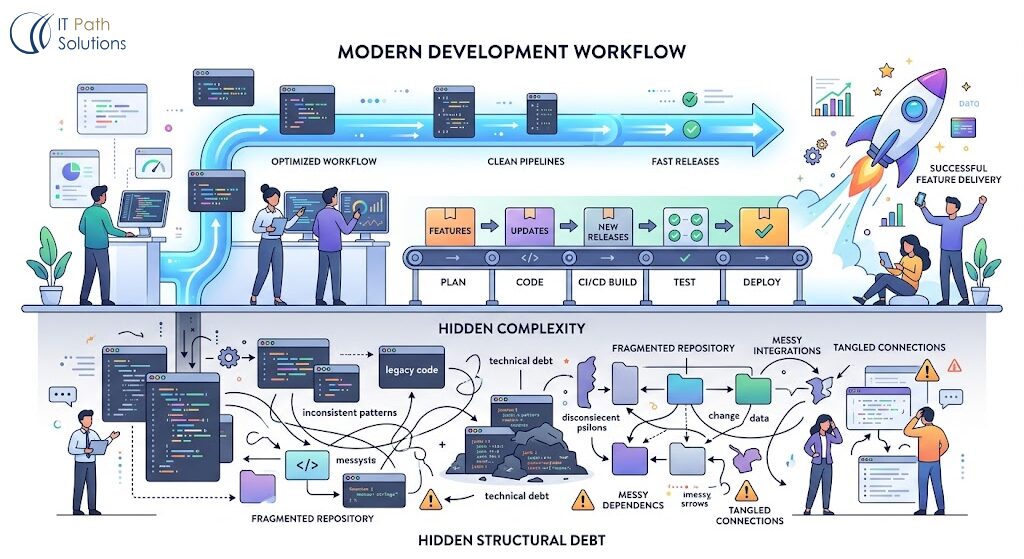
This is the part that frustrates most engineering leads: this problem does not correlate with carelessness. The teams that hit this wall fastest are often the teams that adopted AI tools most enthusiastically and got the most out of them early.
The reason is compounding. When your team is moving fast and the AI is producing working code, the review bar naturally loosens. A PR that passes tests and works in staging gets merged. The accumulation is invisible on any single PR. It only becomes visible in aggregate which is why it surfaces at month four or month six, not month one.
There is a second factor: AI tools do not have memory of your architecture decisions. Every new context window starts fresh. A developer prompting Claude Code to build a new service module gets a module that looks correct against general best practices. It may or may not be correct against your specific architectural decisions from eight months ago.
Without a senior engineer reviewing for that alignment, inconsistencies slip through.
This is the fundamental tension in AI-assisted development at scale. The tools are excellent at generating correct code. They are not able to know what correct means in the context of your specific codebase without explicit guidance.
The Audit That Resets the Clock
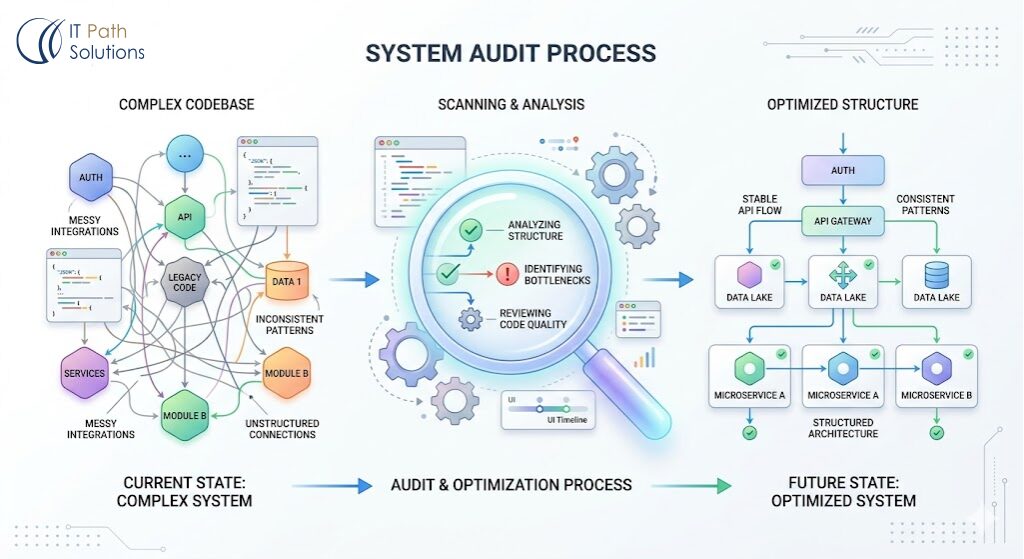
The intervention is not a rewrite. It is an audit followed by targeted structural fixes. Most codebases in this position are 70-80% solid. The work is identifying and correcting the 20-30% that is creating disproportionate drag.
Here is the diagnostic sequence we run on every codebase we inherit in this state:
Step 1: Map the pattern divergence
Pull the last 90 days of merged PRs. Group them by feature area. For each area, identify how many different patterns exist for the same operations like authentication, data fetching, error handling, state management. Any area with three or more patterns is a refactor candidate.
Step 2: Audit test coverage on AI-generated code
Identify the PRs that were generated primarily by AI tools (your developers know which ones). Check test coverage on those files specifically. AI tools generate working code more reliably than they generate comprehensive tests. Gaps here are where your unexplained regressions are coming from.
Step 3: Check the dependency graph
Run a dependency audit against your current lock file. Flag any library that was pulled in by an AI-generated module that was not already in your stack. Check for version conflicts. Check for deprecated packages. This is frequently where the “can’t upgrade anything without breaking everything” problem is rooted.
Step 4: Identify the undocumented logic
Look for functions over 40 lines with no comments, or modules with no README. These are almost always AI-generated and un-reviewed for intent. Have the original developer walk through each one. If they cannot explain why it works, it needs to be documented or rewritten before it becomes a production incident.
Step 5: Establish the baseline
Once you have completed steps one through four, you have a prioritized list of structural work. This is not a rewrite. It is a targeted correction, the kind of work that, if done over two to three sprints, resets the velocity curve.
How to Break the Pattern Going Forward
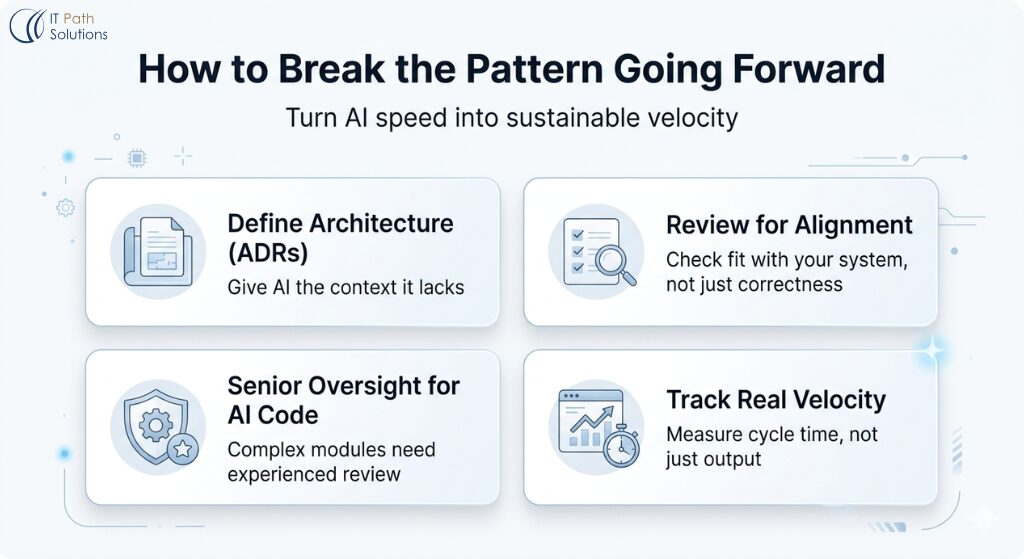
The audit fixes what is already in the codebase. The structural changes below prevent the pattern from recurring.
- Establish architectural decision records (ADRs)
Architectural Decision Record (ADR), is a short document that captures a technical decision your team made, why you made it, and what alternatives you considered. When a developer is prompting an AI tool, they reference the relevant ADR before writing the prompt. This gives the AI tool context it cannot have on its own.
This sounds like overhead. In practice, a well-maintained ADR library is what separates teams that scale AI-assisted development from teams that plateau at month six.
- Implement AI-generated code review criteria
Standard code review checks whether code is correct. An AI-generated code review adds one layer: does this code fit the existing architecture, not just general best practice? The specific checks are covered in detail in our checklist for reviewing AI-generated pull requests, but at minimum, reviewers should be checking for pattern consistency, test coverage, and dependency alignment.
- Rotate AI-generated modules into senior review
Establish a rule: any module that was primarily generated by an AI tool and is above a certain complexity threshold gets a senior engineer review before merge, not just a peer review. This does not have to be slow. A senior engineer who knows the codebase can review an AI-generated module for architectural alignment in 20 minutes. The cost of skipping that review is days of debugging later.
- Instrument your velocity, not just your output
Pull request volume is a vanity metric when AI tools are involved. A team generating 40 PRs a week with Cursor may be moving faster than a team generating 20, or they may be accumulating debt faster. Track cycle time (how long from PR open to merge), review turnaround time, and regression rate. These metrics surface the debt accumulation before it becomes a sprint-level problem.
The Teams That Get Through This
The teams that break through the month-six wall and sustain AI-assisted velocity have one thing in common: they treated the slowdown as structural feedback, not a performance problem.
They did not tell their developers to write better prompts. They did not switch tools. They did not abandon AI-assisted development and go back to writing everything from scratch. They diagnosed the structure, fixed the specific patterns causing drag, and put guardrails in place to prevent recurrence.
The result is a codebase where AI tools can keep doing what they are good at, generating working code fast, and where the structural decisions are held by engineers who can reason about the whole system, not just the immediate context window.
That is what AI-assisted development at scale actually looks like. The first six months give you speed. The next six months are about making that speed sustainable.
Your Roadmap Will Not Ship Itself
By this point, the pattern is clear.
What looked like a productivity breakthrough in the early months created a system that now needs a different kind of attention. Not more output. Not more pressure. Just better alignment between how the code is written and how the system is meant to evolve.
This is where most teams stall.
Not because they lack skill, but because they keep operating the way that worked in month one, even though the system they are working in is no longer the same.
The teams that move forward make a small but critical shift. They stop treating speed as the primary goal and start treating clarity as the constraint that enables speed to continue.
That shift does not require a rebuild. It does not require slowing everything down. It requires identifying the parts of the system that are creating disproportionate drag and fixing them deliberately.
Everything you do after that compounds in the right direction again.
If you want a clear view of where your codebase stands right now, you can book a free session. We will go through the system with you, point out where the friction is coming from, and help you prioritise what to fix first.
No pitch. Just a practical starting point.

Keyur Patel
Co-Founder
Keyur Patel is the director at IT Path Solutions, where he helps businesses develop scalable applications. With his extensive experience and visionary approach, he leads the team to create futuristic solutions. Keyur Patel has exceptional leadership skills and technical expertise in Node.js, .Net, React.js, AI/ML, and PHP frameworks. His dedication to driving digital transformation makes him an invaluable asset to the company.
Related Blog Posts
How We Shipped a Full Stripe Integration in 3 Days Using Cursor (And What We Would Do Differently)