





Enhancing User Experience with Efficient React Native Background Tasks
Keyur Patel
September 12, 2025
3 min
Last Modified:
October 13, 2025
Introduction
As mobile apps become increasingly integrated into users’ lives, the ability to perform tasks seamlessly, even when the app is not in the foreground, has become essential. Background tasks are critical for tasks such as data synchronisation, notifications, and updates. While hybrid platforms like React Native and Flutter offer convenience, Native iOS development takes the lead in providing efficient background task management, resulting in a superior user experience. In this blog, we delve into the advantages of Native iOS development and its supremacy in handling background tasks compared to hybrid alternatives.

Utilizing React Native Background Tasks Mode
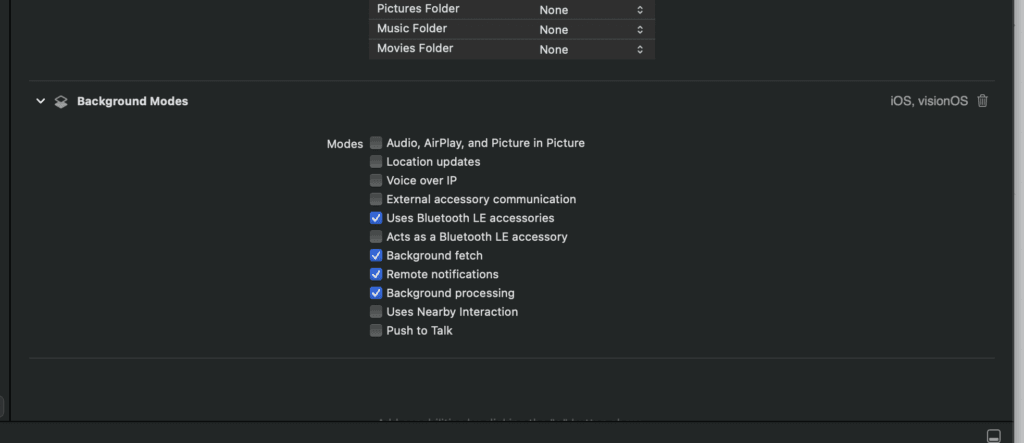
Native iOS development offers access to various background execution modes that allow apps to perform essential tasks while running in the background. These modes include background audio, location updates, and background fetch. Apps can leverage these modes to provide users with timely updates and notifications even when the app is not actively open, ensuring a seamless experience.

Location and Geofencing Services
Location-based apps can significantly benefit from Native iOS background capabilities. Using Core Location’s region monitoring and geofencing features, apps can trigger actions or notifications based on the user’s location, even when the app is not running in the foreground. This is crucial for apps that provide location-based reminders or real-time tracking.

Push Notifications and Silent Notifications
Native iOS development allows apps to use push notifications to engage users and provide updates even when the app is in the background. Moreover, silent notifications enable apps to perform tasks without displaying a visible notification to the user. This is particularly useful for syncing data or performing maintenance tasks without disrupting the user experience.

Efficient Battery Management
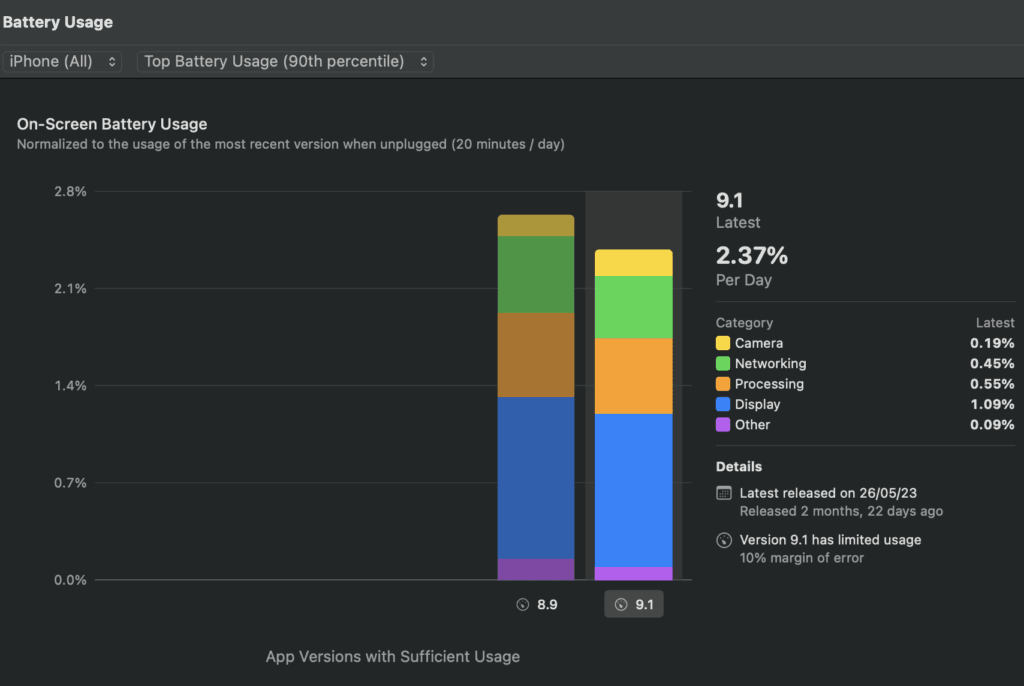
Native iOS apps are optimized to manage battery consumption efficiently, even during background tasks. Apps can schedule tasks intelligently, taking into account factors like battery level and network availability. This ensures that background tasks are performed in a battery-friendly manner, preserving the device’s power for the user’s primary interactions.
Complex Data Synchronisation
Background tasks often involve complex data synchronisation, such as updating content from remote servers. Native iOS development provides fine-grained control over background fetch intervals, allowing apps to fetch and update data in the background at appropriate times. This control ensures that the app remains up-to-date without draining the battery.
Multitasking and App Switching
Native iOS apps can gracefully handle background tasks while the user switches between apps. When a user returns to an app, Native iOS development ensures that the app’s state is preserved and any necessary background tasks are completed seamlessly. This creates a cohesive experience for the user, making transitions between apps smooth and uninterrupted.

Advanced Background App Refresh
Native iOS development offers Advanced Background App Refresh, a feature that allows apps to perform more frequent updates in the background, ensuring that the app’s content is always current. This is particularly advantageous for news, social media, and content-driven apps.

Conclusion

Keyur Patel
Co-Founder
Keyur Patel is the director at IT Path Solutions, where he helps businesses develop scalable applications. With his extensive experience and visionary approach, he leads the team to create futuristic solutions. Keyur Patel has exceptional leadership skills and technical expertise in Node.js, .Net, React.js, AI/ML, and PHP frameworks. His dedication to driving digital transformation makes him an invaluable asset to the company.
Related Blog Posts

DevExpress Web Reporting: A Complete Guide to Browser-Based Reporting
Build an App Like TaskRabbit With AI (2026): Cost, Features & Top Alternatives