
PHP2Shell Explained: Why Websites Went Offline and What Your Business Should Do
Keyur Patel
October 26, 2026
10 min
Last Modified:
October 26, 2026
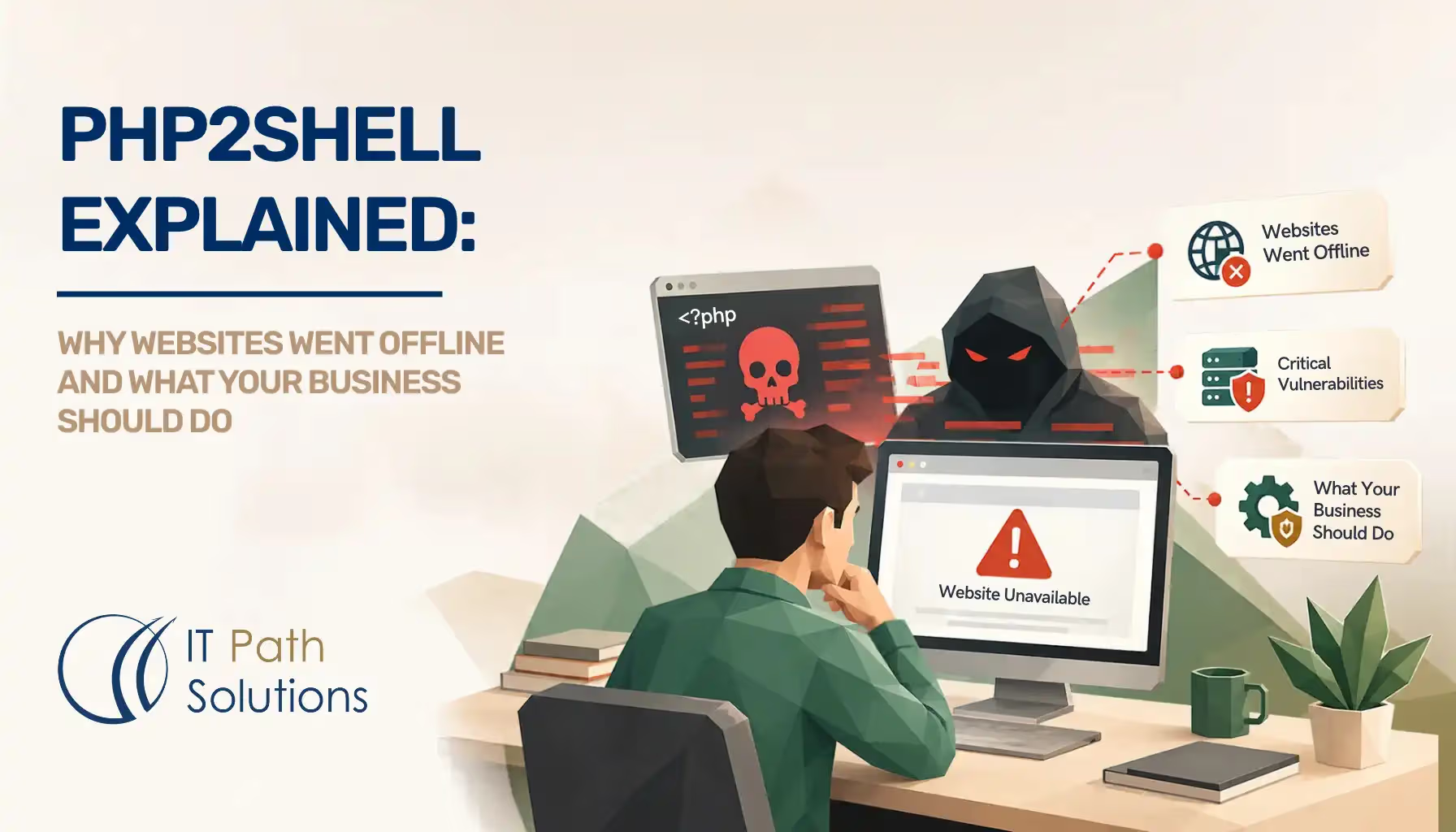
On October 21, some organizations made a decision no business wants to make: take an online service down before someone else could break into it.
Across Europe and Japan, government bodies and businesses restricted services while teams worked to address two critical security flaws. Customers encountered interruptions. Behind the scenes, website operators were checking software, applying updates and deciding when services could safely return.
Reuters reported precautionary shutdowns affecting government websites, financial services and other organizations. These interruptions were protective measures, rather than evidence that every affected service had been hacked.
The incident was called PHP2Shell. For businesses watching it unfold, it raised an uncomfortable question: if the same warning arrived for our website, would we know what to do?
The problem was underneath the website
PHP is software that works behind the scenes on many websites. Platforms such as WordPress, Drupal and Joomla depend on it, as do custom portals and business applications.
Most business owners never interact with PHP directly. They see the website, approve its design and rely on its forms or checkout. The software underneath can remain invisible until something goes wrong.
On October 21, 2026, PHP released emergency fixes for two vulnerabilities. Its official security advisory warned that affected installations could allow attackers to run code without logging in.
In everyday terms, someone could potentially make the server follow unauthorized instructions. Depending on the circumstances, that could expose information, alter a website or interrupt services.
The weakness was in PHP itself. A well-designed website could still depend on a vulnerable installation. Updating a theme or plugin alone would not repair that underlying problem.
The warning arrived after attempts had already begun
Normally, researchers and software maintainers coordinate a security disclosure. They prepare fixes before releasing information that might help attackers.
With PHP2Shell, that sequence became disrupted.
According to the PHP Foundation’s account of the disclosure, vulnerability identifiers began circulating on October 20. A demonstration video was then published by mistake, and copies spread. PHP brought its planned release forward by one day.
The initial leak did not contain technical exploit details. But the information that followed reduced the time available for an orderly response.
There was also evidence of activity before the public warning. Amazon Threat Intelligence reported an attempt against a decoy system dating back to October 17. How the actor obtained exploit information remained unclear.
That matters because a public announcement is not necessarily the starting gun for attackers. By the time a warning reaches a business owner, someone may already be testing the weakness.
Why millions of attempts still need careful interpretation
Cloudflare’s CEO described a rapid rise in attempts after disclosure: hundreds of thousands within two hours, followed by millions across its network, according to Reuters reporting published by CNA.
Those numbers describe attempts. They do not establish how many websites were compromised.
Some attempts fail. Some hit patched systems. Others reach decoys designed to detect hostile activity. The early attempts Amazon observed did not establish that they would have succeeded against real business systems.
The distinction should prevent exaggerated breach claims. It should not become a reason to postpone an available fix.
For a business, the useful question is whether its own environment has been checked and updated. A global attack count cannot answer that.
The cost of taking a service offline
A temporary shutdown can sound like a technical inconvenience until it affects a service your business needs.
For an online retailer, it could mean interrupted sales. For a customer portal, it could mean customers calling support instead. An internal application becoming unavailable could hold up work across several teams.
These are examples of potential business impact, rather than claims about losses caused by this incident. They explain why leaders need to be involved when urgent maintenance affects essential services.
The German authorities told Reuters that their temporary website deactivations were preventive and that no security incidents were known. Japan’s finance ministry and other organizations also restricted services while responding.
Their actions illustrate the decision: accept a controlled interruption while applying protection, or leave a potentially exposed service available.
Neither choice becomes easier when nobody knows who owns the server or has permission to update it.
Not sure whether your website is affected?
IT Path Solutions can check your PHP environment and confirm the required fixes. Eligible environments can be patched and verified within six hours after access and scope confirmation.
Get PHP2Shell HelpAI helped uncover the risk and increased the pressure to respond
AI-assisted research played a role in investigating the flaws and demonstrating how they could be exploited. Reuters’ explanation of the incident describes researchers working with AI tools during discovery.
Finding these weaknesses is valuable. It gives maintainers an opportunity to protect the organizations relying on their software.
The PHP Foundation also explained that human engineers still had to validate reports, resolve difficult compatibility questions and develop the patches. AI did not remove that work.
For companies, the concern is the shrinking room for delay. As vulnerability research and exploit development become faster, a response process built around next month’s maintenance window becomes harder to justify for critical issues.
That makes preparation valuable: knowing which systems you operate, who maintains them and how an urgent update gets approved.
What website owners should do now
You do not need to understand the code to move the response forward. Start by asking for specific answers from your hosting provider, development agency or internal team.
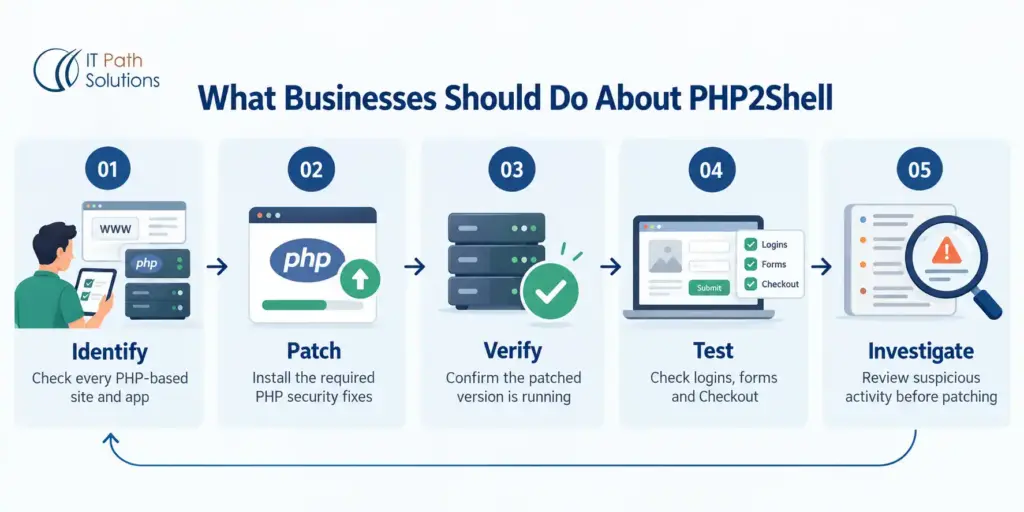
Confirm which systems need attention
Ask whether your websites and applications use affected PHP software. Include customer portals, older subdomains and public test sites, rather than checking only the main website.
A useful message is: “Please check our systems against the current PHP2Shell advisories and confirm whether any updates or additional actions are needed.”
Managed hosting can help with this work. It still makes sense to request confirmation of what the provider has checked.
Ask for evidence that the update is active
A website loading normally does not prove that the security work is complete.
Ask your team to confirm which systems were updated, that the updated software is running, and whether any issues remain. Software updates can require services to restart before the changes take effect.
For your own records, a short written summary is enough. It should give you a clear completion status rather than a vague assurance that everything looks fine.
Protect the functions your business depends on
Agree on the essential checks before the update begins. These might include login, enquiry forms, checkout, file uploads or links to other business systems.
Confirm that there is a recovery plan if the change causes problems. Afterward, test those functions as well as the homepage.
If an older application needs repairs before it can accept an update, your PHP development team can assess the compatibility work and the safest update path.
Check whether earlier activity needs investigation
Applying a patch addresses the weakness. It does not tell you whether someone accessed the system beforehand.
Ask your technical team whether the period of exposure warrants investigation, including activity before the public disclosure. Unexpected files, unexplained account changes or unusual server behaviour deserve attention.
Where compromise is suspected, preserve the available records and involve an incident-response specialist. Routine patching cannot establish that a previously compromised system is clean.
Review follow-up guidance
The first update may not be the final piece of advice.
PHP published additional guidance on October 23 about an uncommon session-handling configuration. Ask your team to check whether it applies, even if the original patches are installed.
Business owners do not need to change those settings themselves. They need confirmation that someone has reviewed the current guidance for their application.
Need help getting these checks and updates completed?
Our team can apply the agreed PHP2Shell fixes, verify the update and test essential website functions. Six-hour completion is available for eligible environments after access, scope and the maintenance window are confirmed.
Request PHP2Shell PatchingAn older server does not always require an emergency migration
An urgent security alert can uncover overdue maintenance. It does not automatically mean the entire server must be replaced before the immediate risk can be addressed.
Ubuntu 20.04 is one example. Canonical’s official PHP security notice includes fixes for that release through the relevant extended security maintenance coverage. An upgrade to Ubuntu 22.04 is therefore not a universal prerequisite for this patch.
The correct route depends on the software supplier, available support and application compatibility. Third-party packages and hosting panels can have different requirements.
Ask the engineer to separate the immediate security fix from a longer-term upgrade plan. Where a supported patch is available, it may address the urgent problem while a larger migration is properly prepared.
Where IT Path Solutions can help
Some businesses can resolve this through their existing hosting provider. Others encounter an older application, unclear maintenance ownership or several systems that need coordinated updates.
Our team can assess the environment, apply the agreed security updates and verify that the updated software is active. We also check the essential website functions included in the scope.
For eligible environments, this work can be completed within six hours after access, scope and the maintenance window are confirmed.
Major operating-system migrations and substantial application repairs require a separate assessment. Any suspected compromise needs investigation beyond the patching service.
Share your website URL, hosting provider and any known server details. We’ll confirm the required work and whether your environment qualifies for our six-hour patching service.
Check My Website’s Eligibility
The answer your business needs
PHP2Shell reached beyond development teams because the software involved sits beneath services organizations use every day. The precautionary shutdowns showed how quickly a software warning can become a business continuity decision.
You may never need to know which PHP package runs your website. Someone responsible for maintaining it does.
Ask that person one question today: “Have our affected systems been checked, updated and tested?”
If the answer is unclear, follow it through until someone can confirm what has been done and what remains.
FAQs about PHP2Shell
Does updating WordPress and its plugins protect against PHP2Shell?
No. PHP2Shell affects the PHP software underneath WordPress. Updating WordPress, themes or plugins does not automatically update that software. WordPress’s official guidance recommends updating PHP and checking with your hosting provider.
Do I need to do anything if my website uses managed hosting?
Ask your provider to confirm whether the PHP installation serving your website has been patched. Request confirmation that the update is active and whether any further action is needed. A managed hosting plan alone does not establish patch status.
Can a firewall or security plugin replace the PHP update?
No. Protective tools may reduce exposure to particular attacks, but they do not repair the underlying software. The PHP security advisory states that temporary measures cannot replace the required update.
Should I take my website offline until it is patched?
If an affected website cannot be patched promptly, ask your technical team whether access should be restricted or the service temporarily taken offline. The decision depends on exposure and available protections. A maintenance page alone may leave underlying services accessible.
Could updating PHP break my website?
Compatibility problems are possible, particularly when moving an older application to a newer PHP version. Ask your team to check dependencies, prepare a recovery plan and test essential functions. Some environments can receive a security fix without a major version upgrade.
How can I confirm that my website is protected after patching?
Ask for confirmation that the appropriate patched PHP build is running across all relevant systems and that current advisory requirements have been reviewed. Important website functions should also be tested. These checks confirm remediation; they do not establish whether an earlier compromise occurred.

Keyur Patel
Co-Founder
Keyur Patel is the director at IT Path Solutions, where he helps businesses develop scalable applications. With his extensive experience and visionary approach, he leads the team to create futuristic solutions. Keyur Patel has exceptional leadership skills and technical expertise in Node.js, .Net, React.js, AI/ML, and PHP frameworks. His dedication to driving digital transformation makes him an invaluable asset to the company.
Related Blog Posts
Concrete5 : Why We Use Concrete5 CMS?
Hire Full time PHP developer to develop your websites